

Heyy screenshots
What is Heyy?
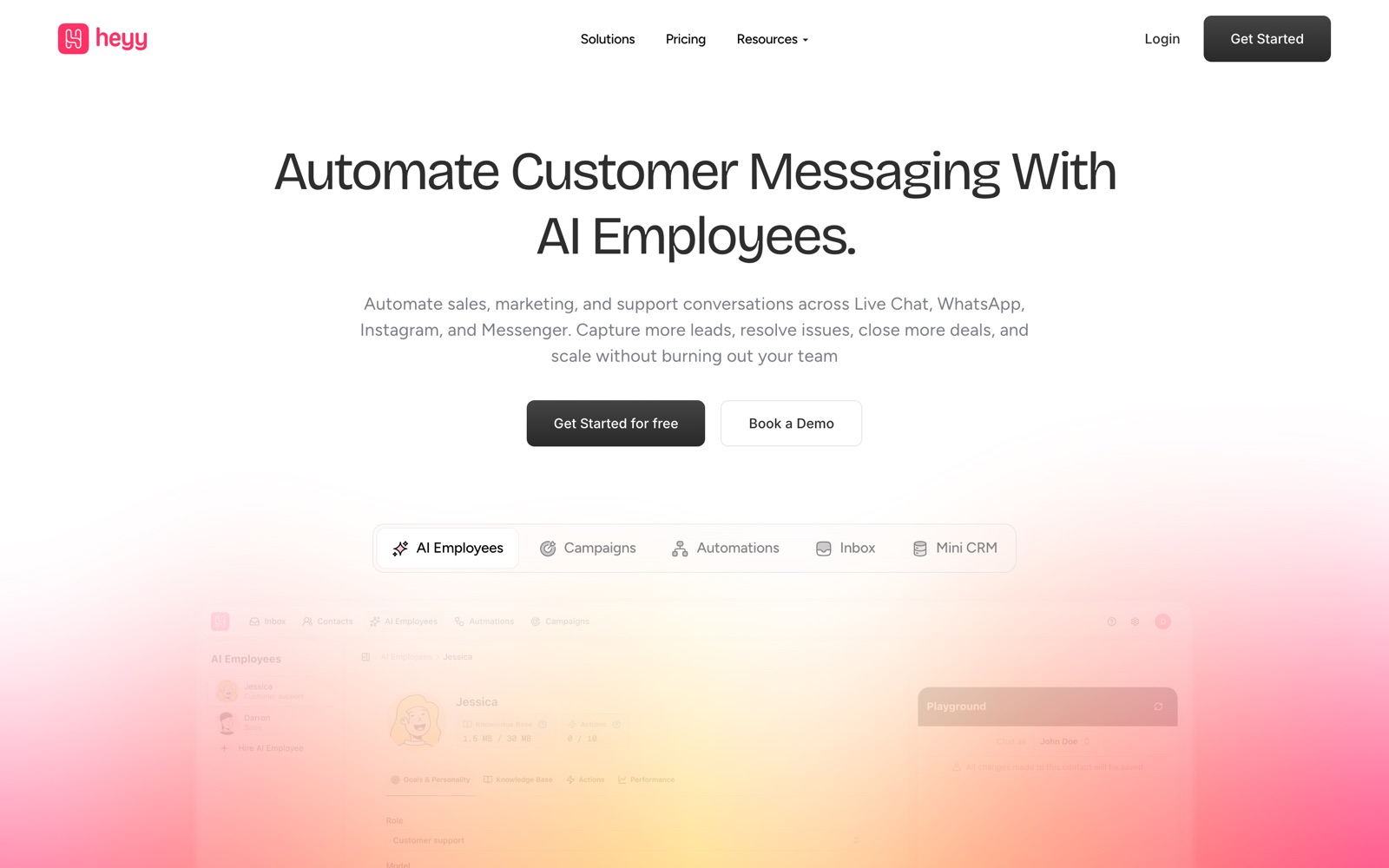
Heyy is a customer messaging platform built around what it calls AI employees: AI agents that answer customers on WhatsApp, Instagram, Messenger, a website chat widget and SMS. Around them sit a shared inbox for your team, automations, broadcast campaigns and a small CRM, so the same tool handles the first reply, the follow-up and the handoff to a person.
It's aimed at businesses whose customers already message them, rather than email them. Heyy's own industry pages name finance and insurance, health and wellness, e-commerce, education and real estate. The company behind it is Heyy Group LLC.
It sits in the same market as respond.io, Wati and ManyChat. respond.io and Wati are WhatsApp-first team inboxes; ManyChat is strongest at Instagram comment-to-DM marketing. Heyy's pitch is the AI employee layered on a team inbox, with knowledge, actions and handoff rules configured in one place. It replaces a mix of the WhatsApp Business app on someone's phone, a separate chatbot and a spreadsheet of leads.
It isn't a help desk with email ticketing, a phone system or a full sales CRM. The mini-CRM stores contacts, attributes and labels; pipelines and deal stages belong elsewhere. Heyy also doesn't host the WhatsApp number on its own: the connection runs through Meta, which approves templates and sets the messaging rules.
A note on shelf life: plan limits, credit prices and especially WhatsApp per-message rates change with Meta's pricing. The figures on this page were read from Heyy's pricing page and rate PDFs on October 3, 2026.
How Heyy works
You connect channels first: a WhatsApp number through Meta's flow (Cloud API or Coexistence), an Instagram account, a Facebook Page, the live chat widget on your site, or a Twilio number for SMS. Every conversation lands in one inbox, and each person becomes one contact even if they write on two channels.
Then you hire an AI employee. You pick a name and role, write guidelines and boundaries, and add knowledge: website links (crawled for text), uploaded documents, pasted text and Q&A pairs. Heyy retrains the employee automatically every 5 to 15 minutes after a change, and you test it in a playground before setting it live.
The employee works inside automations. A trigger such as a new incoming message on WhatsApp starts the flow, the AI employee step answers, and exit points such as "Escalate to Human" or "Qualified lead" route the chat to a team inbox, a label or another action. A reply timeout can close or reassign chats when the customer goes quiet.
Each AI message and each automation trigger uses one credit from the monthly allowance. Employees can also run actions: call an external API to look up an order, trigger another automation, or update contact fields. Campaigns send WhatsApp templates and other messages to filtered contact lists, and Meta's per-message fees are passed on through Heyy's rate table.
Heyy pricing
Heyy has no free plan, so budget for it from the start. Here's how the pricing works.
There is no free plan. The pricing page lists a 7-day free trial on Hobby and says you can start with no credit card. Prices below are Heyy's USD list prices, checked October 3, 2026; yearly billing gives two months free.
Hobby is $49/month, or $41/month billed yearly: 1 user, 1,000 credits a month, 1 AI employee with 3 MB of knowledge and 3 actions, 3 channels, 10 automations, campaigns, the mini-CRM, the shared inbox and full API access. Pro is $149/month, or $125/month yearly: 5 users, 6,000 credits, 2 AI employees with 20 MB and 8 actions each, unlimited channels and automations, scheduled and recurring campaigns, journeys and saved views. Ultra is $499/month, or $416/month yearly: 10 users, 20,000 credits, 3 AI employees with 50 MB and 12 actions, sensitive chats and no Powered By branding. Enterprise is custom.
Usage is billed on top. Credits cost $20 per 1,000, and one credit covers one AI employee message, automation trigger, AI summary, intention recognition or AI transform. WhatsApp messages follow Heyy's per-country table: in the United States a marketing template is $0.03125 and a utility or service message $0.00459; in Germany marketing is $0.170625. Add-ons are $30/month per extra user, $8/month for a new WhatsApp number from Heyy, $50/month each for custom integrations, the AI Copilot or another AI employee, and $10/month for more automations on Hobby.
Work it out from your message volume. If an AI conversation averages five AI replies plus one trigger, Hobby's 1,000 credits cover roughly 165 conversations a month and Pro's 6,000 about 1,000; beyond that each 1,000 credits is another $20. A solo business answering a few hundred chats a month fits Hobby. A team of five lands on Pro at $149, which is more than respond.io's $79 Starter for five users, so compare both at your contact count. If you only need an Instagram comment-to-DM funnel, ManyChat's cheaper plans cover it.
Prices change often. Check the current plans on the official site before you pay.
See Heyy pricingHeyy features
- AI employees with Support, Sales or General roles
- Knowledge from website links, documents, text and Q&A pairs
- Actions: call an external API, trigger an automation, exit points
- Shared inbox with team inboxes, quick replies and saved views
- WhatsApp via Cloud API or Coexistence with the Business App
- Instagram, Messenger, live chat widget and Twilio SMS
- Visual automations and multi-step journeys
- Broadcast campaigns, scheduled and recurring on Pro
- Mini-CRM with custom attributes, labels and filters
- REST API v3 and webhooks
The grid makes Heyy look like a chatbot builder, but the AI employee is only one step inside an automation. An employee does nothing until you put it in an automation on a channel, choose its exit points there and publish, and exit points configured on the employee don't apply unless that automation turns them on. That's more setup than a widget you paste in, and it's also what lets a conversation move between AI, a team inbox and a campaign without a second tool. Knowledge quota is measured on extracted text, so a 20 MB PDF with 1 MB of text uses 1 MB, according to the docs.
How to set up Heyy
- 1
Start the trial and plan your channels
Sign up at heyy.io for the 7-day trial, which needs no card. Decide which channels you'll connect, since Hobby allows three, and test everything before the trial ends.
- 2
Connect WhatsApp through Meta
Go to Settings, Channels, Add Channel, WhatsApp, and follow Meta's flow. Finish your Meta Business Portfolio's Business Info first, the most common reason the connection fails, and pick Cloud API unless you must keep the WhatsApp Business app on your phone.
- 3
Connect the other channels
Add Instagram Direct and your Facebook Page's Messenger, embed the live chat widget on your site, or connect a Twilio number for SMS. Each one lands in the same inbox.
- 4
Hire an AI employee and give it knowledge
Open AI Employees, click Hire AI Employee and choose Support, Sales or General. Add your website, documents, policies and Q&A pairs, then wait for every source to show Trained.
- 5
Write boundaries and exit points
Tell the employee what it must not do, and create exit points for handoff (for example after two failed attempts) and for qualified leads. Test refunds and angry customers in the playground before going live.
- 6
Build the automation and publish
Create an automation with a New incoming message trigger on your channel, add the AI employee step, switch on the exit points you want and map each one to a team inbox or label. Publish it, then watch the first real chats in the inbox.
- 7
Watch credits and WhatsApp spend
Check credit use after the first week and multiply it out to a month. Look up your country in Heyy's WhatsApp rate table before sending any marketing campaign.
What people use Heyy for
Answering product questions for an online shop
Feed the AI employee your product pages and returns policy, and let it answer stock, sizing and order-status questions on WhatsApp and Instagram. Order lookups need an API action into your store, which takes setup.
Qualifying real estate leads
The Sales role asks budget, area and timing, saves the answers to contact fields and hands qualified buyers to an agent's inbox to book a viewing. Each question-and-answer round uses credits, so keep the script short.
Booking and reminders for a clinic
Answer opening hours and service questions, collect intake details and send follow-ups through automations. Health details in chats need care: the pricing page lists sensitive chats (a flag for conversations with health or payment details) on Ultra, and you should read the privacy policy first.
Enrolment questions for a school or course
Handle the repeated questions about fees, dates and documents across WhatsApp and the site widget, and pass serious applicants to admissions. Keep the knowledge base current every term, or the AI answers with last year's fees.
WhatsApp broadcast campaigns
Send approved templates to filtered contact lists, scheduled or recurring on Pro. Every marketing template is billed per message by country, which in Germany is $0.170625 each.
After-hours support for a small team
Let the AI employee take chats overnight and route anything it can't solve into a team inbox for the morning, with the full history. Set reply timeouts so chats don't sit open forever.
Insurance and finance enquiries
Capture lead details and route quote requests to the right team, with the AI handling FAQs. Write strict boundaries so it never quotes prices or gives advice your license doesn't allow.
Heyy vs respond.io
If you're weighing Heyy against respond.io, both live in someone else's cloud, so it comes down to price, fit and how much you'd have to move.
| Aspect | Heyy | respond.io |
|---|---|---|
| Price to start | 7-day trial · paid from $49/month | From $79/month |
| Free plan | No | No |
| Self-hosting | No | No |
| Your data | In their cloud, exportable | In the vendor's cloud |
respond.io figures are from its pricing page, checked 2026-10-03.
All respond.io alternativesHeyy next to similar tools
- Heyy vs respond.io
- respond.io starts at $79/month for 5 users and 1,000 monthly active contacts, with 5,000 AI credits and a 7-day trial, and goes to $159 and $279. It has deeper integrations (HubSpot, Salesforce, Zapier, Make) and call features. Heyy is cheaper for one person at $49 and more expensive for a five-person team at $149.
- Heyy vs ManyChat
- ManyChat is free for 25 active contacts, then $14/month billed yearly for 250 and $29/month yearly for 2,500 on Pro, which includes Manychat AI. It's the stronger choice for Instagram comment and DM growth funnels. Heyy is built for support and sales teams answering WhatsApp, chat and SMS from one inbox.
- Heyy vs Chatbase
- Chatbase builds an AI support agent trained on your content, free for 50 message credits and from $40/month for 700, with WhatsApp, Messenger and Instagram integrations. It's agent-first; Heyy adds the team inbox, campaigns and CRM around the agent.
- Heyy vs Wati
- Wati is a WhatsApp-first team inbox with broadcasts, Shopify campaigns and AI agents, with a 7-day trial; its pricing page shows local-currency prices by region. Pick Wati for WhatsApp broadcast volume; pick Heyy if Instagram, Messenger and site chat matter as much as WhatsApp.
- Heyy vs Intercom
- Intercom starts at $29 per seat a month and charges from $0.99 per Fin AI outcome, built around email and web chat for software companies. Heyy's per-workspace plans and WhatsApp focus suit businesses whose customers message from their phones.
- Heyy vs the WhatsApp Business app
- The free WhatsApp Business app gives quick replies, labels and away messages on one phone. It has no AI agent, no shared team inbox and no automations across channels, which is the gap Heyy charges for.
Bottom line
Our take on Heyy
If your customers message you on WhatsApp and Instagram and one person can't keep up, start Heyy's 7-day trial, connect one channel, give a Support employee your FAQ and test handoff in the playground before going live. Count credits in the first week before choosing Hobby or Pro. Skip it if you only need Instagram comment funnels (ManyChat is cheaper) or a five-seat WhatsApp inbox at the lowest price (respond.io Starter).
 ChatGPT
 Claude
 Perplexity
 Grok
Grok