

Apollo screenshots
What is Apollo?
Apollo (apollo.io) is a sales platform built on its own B2B database: it says it holds 240M+ contacts and 30M+ companies. You search that database for the people you want to reach, reveal their emails and phone numbers with credits, and then contact them from the same tool with email sequences, a dialer and a meeting scheduler.
It's built for people who do outbound themselves: founders selling their first deals, SDRs, account executives and small sales teams, plus marketers and RevOps staff who enrich and score inbound leads. Apollo says over 600,000 companies use it.
Apollo competes with ZoomInfo on data and with Outreach and Salesloft on sequencing, and it often replaces a stack of a data tool, a sequencer and a dialer. It also works alongside a CRM rather than replacing one: deals and leads live in Apollo, but most teams sync them to Salesforce, HubSpot or Pipedrive.
It doesn't make cold outreach legal or welcome by itself. Apollo supplies contact data and sending tools; you still need a lawful basis to email people, especially in the EU, and good targeting so your domain doesn't land in spam. It's also not a marketing email tool for newsletters to your own list.
A note on shelf life: Apollo labels its AI Assistant and add-on pricing "introductory" and says features and pricing may change. The plans, credit costs and limits on this page were read from apollo.io/pricing on October 10, 2026.
How Apollo works
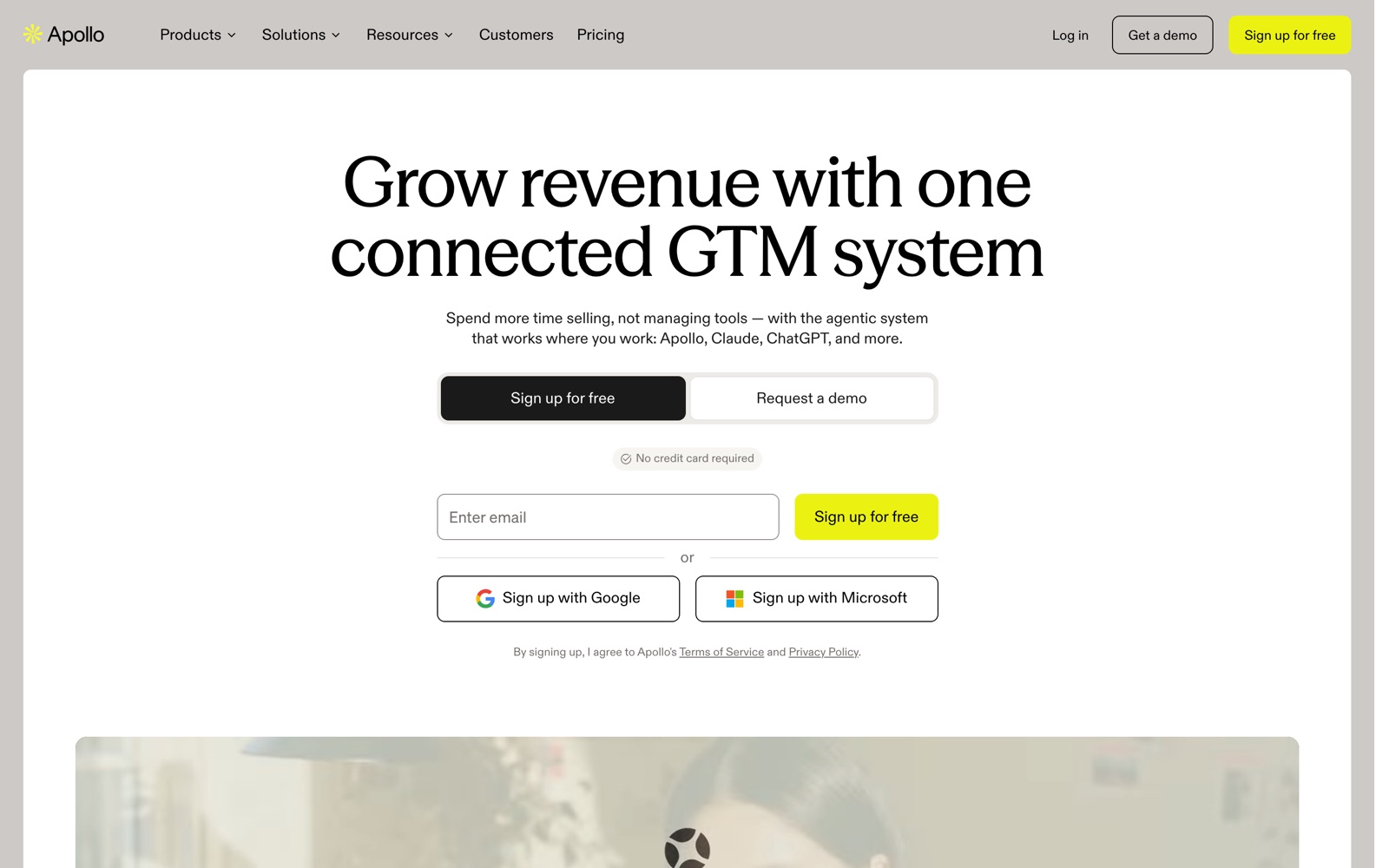
You sign up free with an email, Google or Microsoft account, no card needed. Then you search people and companies with filters such as title, industry, company size and location, or with intent topics and buying signals on paid plans, and save the results to lists.
Contact details cost credits when you reveal them: 1 for an email, 8 for a phone number. Waterfall enrichment checks Apollo's data, partner sources and AI research to fill gaps, and you can enrich a CSV, your CRM records or records sent through the API the same way.
Outreach runs in sequences: a series of emails, calls and tasks sent from your connected mailbox on a schedule. Apollo's deliverability suite warms up mailboxes and can buy domains and mailboxes for you, and the task center lines up the day's calls and manual steps. Calls go through the built-in dialer, and recordings get AI notes.
Replies, meetings and deals come back into Apollo's inbox, scheduler and deal pipeline, and sync to your CRM. Credits are pooled for the whole team and granted at the start of each cycle; admins can cap credits per user and track use in Settings, Credit usage.
Apollo pricing
Apollo has a free plan you can start on today. Here's where it runs out and what the paid tiers cost.
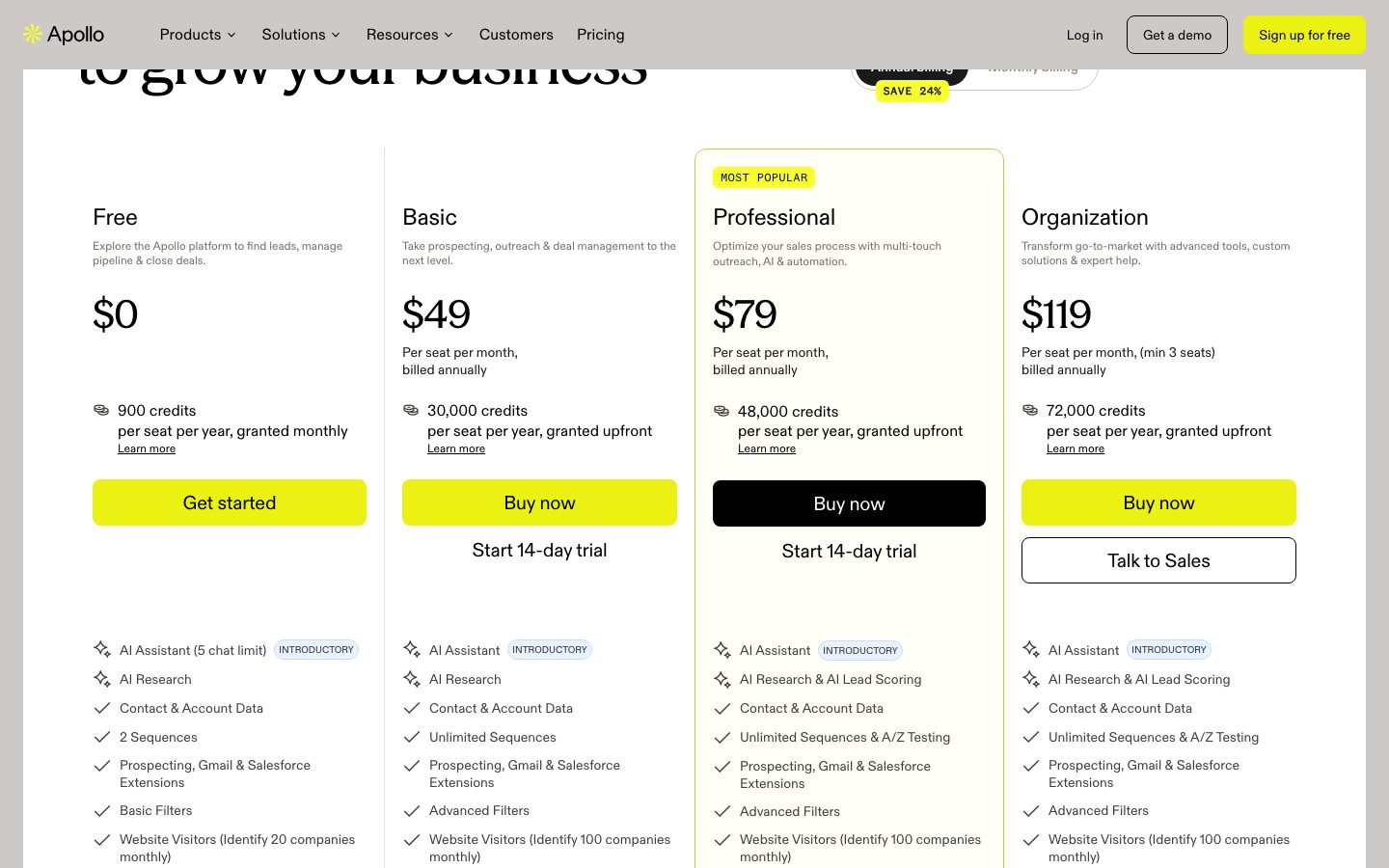
| Plan | Monthly billing | Billed yearly | Credits per seat | Daily email sends |
|---|---|---|---|---|
| Free | $0 | $0 | 75/month | 250 |
| Basic | $65/seat | $49/seat a month | 2,500/month or 30,000/year | 250 |
| Professional | $99/seat | $79/seat a month | 4,000/month or 48,000/year | Unlimited |
| Organization | Yearly only | $119/seat a month, min 3 | 72,000/year | Unlimited |
Prices per seat per month, excluding tax. Yearly billing saves 24% and grants credits upfront. Basic and Professional have a 14-day trial. USD list prices, checked October 10, 2026.
The free plan is permanent, and it's enough to test whether Apollo's data covers your market: 75 credits a month buys 75 emails or 9 phone numbers. It also caps you at 2 sequences, 25 records per selection and Gmail as the only mailbox.
Basic adds unlimited sequences, advanced filters, CRM integrations, automated CRM enrichment, waterfall enrichment, the deliverability suite and 5 automated workflows. Professional adds unlimited sending, more mailboxes, A/Z testing, AI lead scoring, 4,000 minutes of call recording and 50 workflows. Organization adds 12 intent topics, unlimited meeting events, 8,000 recording minutes and unlimited inbound routers. Two add-ons sit on top: Inbound (visitor identification, forms and routing) at $119 (Essentials) or $639 (Max) a month per team billed yearly, and an Advanced Dialer (international, parallel and power dialing) at $119 a month per team billed yearly, or $149 monthly.
Credits are where the bill grows. They're pooled across the team and reset every cycle with no rollover, and extra credits bought in Settings renew automatically each cycle until you remove them. A rep who reveals 200 phone numbers a month uses 1,600 credits on numbers alone, more than half of Basic's 2,500 monthly allowance. Email-only outreach is cheap by comparison.
For a solo founder, Basic at $49 a month billed yearly replaces a data tool and a sequencer in one bill. A three-person team on Professional pays $237 a month billed yearly, against LinkedIn Sales Navigator Core at $119.99 per license a month, which has no sequencing at all. ZoomInfo publishes no prices. If you only need emails and already have a sending tool, Lusha or Hunter's smaller plans cost less.
Prices change often. Check the current plans on the official site before you pay.
See Apollo pricingApollo features
- Database of 240M+ contacts and 30M+ companies
- Email sequences with A/Z testing on Professional
- Chrome, Gmail and Salesforce extensions
- Waterfall enrichment for CSV, CRM and API records
- Website visitor identification
- Buying intent topics and lead scoring
- US dialer, with a parallel and international dialer add-on
- Call recording with AI insights
- Meeting scheduler and deal management
- Deliverability suite, email warmup and mailbox purchasing
- AI Assistant and AI research (marked introductory)
- MCP integration for LLMs
The feature grid is almost the same on every plan; the limits are what change. Free caps you at 2 sequences, 250 sends a day, a 25-record selection limit and 1 intent topic. Basic opens unlimited sequences and 1,000 records per selection but keeps 250 daily sends and one mailbox per user. Professional is where sending stops being capped (unlimited sends, unlimited Google and Microsoft mailboxes plus 5 SMTP mailboxes per user), A/Z testing and AI lead scoring appear, and call recording jumps from 150 to 4,000 minutes. The AI Assistant carries an "introductory" tag on every plan, and the pricing page says features and pricing may change.
How to set up Apollo
- 1
Start on the free plan
Sign up at apollo.io with an email, Google or Microsoft account; no card is needed. If you start a 14-day paid trial instead, note that it includes 75 credits and that cancellations and downgrades don't refund unused time once you pay.
- 2
Connect your mailbox and CRM
Connect Gmail (the only option on Free) or Microsoft and other providers on paid plans. On paid plans, link Salesforce, HubSpot or Pipedrive so contacts and activity sync both ways.
- 3
Protect your sending domain
Send cold email from a separate domain or mailbox, not your main company inbox, and turn on warmup in the deliverability suite before the first sequence. Free and Basic cap you at 250 sends a day anyway.
- 4
Build a list and reveal contacts
Search by title, company size, industry and location, save the matches to a list, and reveal emails first. Phone numbers cost 8 credits each, so reveal them only for the accounts you'll call.
- 5
Write a short sequence
Create a sequence of three or four steps mixing email and calls, and personalize the first line. Professional adds A/Z testing if you want to compare subject lines.
- 6
Set credit caps and watch usage
On a team, set per-user credit caps in team management, and check Settings, Credit usage after the first week. Credits don't roll over, so plan reveals around your reset date.
What people use Apollo for
A founder's first outbound campaign
Filter for 200 people with the right title at companies of your size, reveal their emails and run a three-step sequence from a secondary domain. The free plan's 75 credits a month won't cover 200 reveals, so this is where Basic starts paying for itself.
SDR prospecting with calls and email
Build a daily task list in the task center that mixes calls through the dialer with email steps, and log every touch automatically. Phone reveals at 8 credits and dialing at 1 credit per 30 seconds both come from the shared pool.
Enriching an existing CRM
Run automated CRM enrichment or upload a CSV to fill missing titles, emails and company data with waterfall enrichment. Each enriched record costs 1 to 8 credits, so filter the CSV down to records you'll actually use first.
Following up on website visitors
Visitor identification names companies that visited your site (20 a month on Free, 100 on paid plans) so you can find the right person there and reach out. Identifying individual US contacts needs the Inbound add-on.
Recruiting and partnership outreach
Search for heads of partnerships, editors or hiring managers and send a personal note through a one-step sequence. Keep volumes low and messages specific; Apollo's tools don't change how people react to cold mail.
Recording and reviewing sales calls
Connect your meetings so Apollo records them and writes AI notes, then attach them to deals. Free and Basic include 150 minutes of recording, which is a handful of calls; Professional raises it to 4,000.
Asking an AI assistant for leads
Apollo lists an MCP integration for LLMs and says it works from Claude and ChatGPT, so you can ask for a list or an account summary inside the chat. Every reveal still spends credits from the same pool.
Apollo vs ZoomInfo
If you're weighing Apollo against ZoomInfo, both live in someone else's cloud, so it comes down to price, fit and how much you'd have to move.
| Aspect | Apollo | ZoomInfo |
|---|---|---|
| Price to start | Free · paid from $49/seat a month | No public price |
| Free plan | Yes | No |
| Self-hosting | No | No |
| Your data | In their cloud, exportable | In the vendor's cloud |
ZoomInfo figures are from its pricing page, checked 2026-10-10.
All ZoomInfo alternativesApollo next to similar tools
- Apollo vs ZoomInfo
- ZoomInfo sells Professional, Copilot Advanced and Copilot Enterprise packages with prices only through sales, based on licenses, credits and add-ons. Its packages add things like org charts, earnings-call signals and streaming intent. Apollo publishes prices from free to $119 per seat a month and bundles sequencing and calling.
- Apollo vs Lusha
- Lusha is contact data first, with plans that include seats: Starter $37.45 a month billed yearly for 1 seat, Pro $52.45 for 2 and Premium $299.95 for 5. A phone number costs 5 Lusha credits against 8 in Apollo. Apollo wins if you also need sequences, a dialer and deals in one tool.
- Apollo vs Hunter
- Hunter focuses on finding and verifying email addresses, free for 50 credits a month and from $34 a month billed yearly for 24,000 credits a year. It has simpler outreach and no phone data. Apollo adds phone numbers, a dialer and a far bigger search filter set.
- Apollo vs LinkedIn Sales Navigator
- Sales Navigator Core is $119.99 per license a month, or $1,079.88 a year, and gives LinkedIn search, lead lists and InMail, but no email addresses or sequences. Many reps use both: Sales Navigator to find people, Apollo's Chrome extension to get their emails.
- Apollo vs a spreadsheet and Gmail
- Guessing emails from name patterns and sending from Gmail costs nothing, and for 20 targeted accounts it works. Past that you lose verification, follow-up reminders and reply tracking, which is the part Apollo's free plan already covers.
Bottom line
Our take on Apollo
If you do your own outbound, open a free Apollo account and spend the 75 monthly credits on one tight list before paying. Move to Basic when you need more than two sequences, and to Professional only if 250 sends a day or call recording minutes hold you back. Skip it if you only need a few verified emails a month (Hunter's free plan) or your company already pays for ZoomInfo.

 ChatGPT
 Claude
 Perplexity
 Grok
Grok