

Lusha screenshots
What is Lusha?
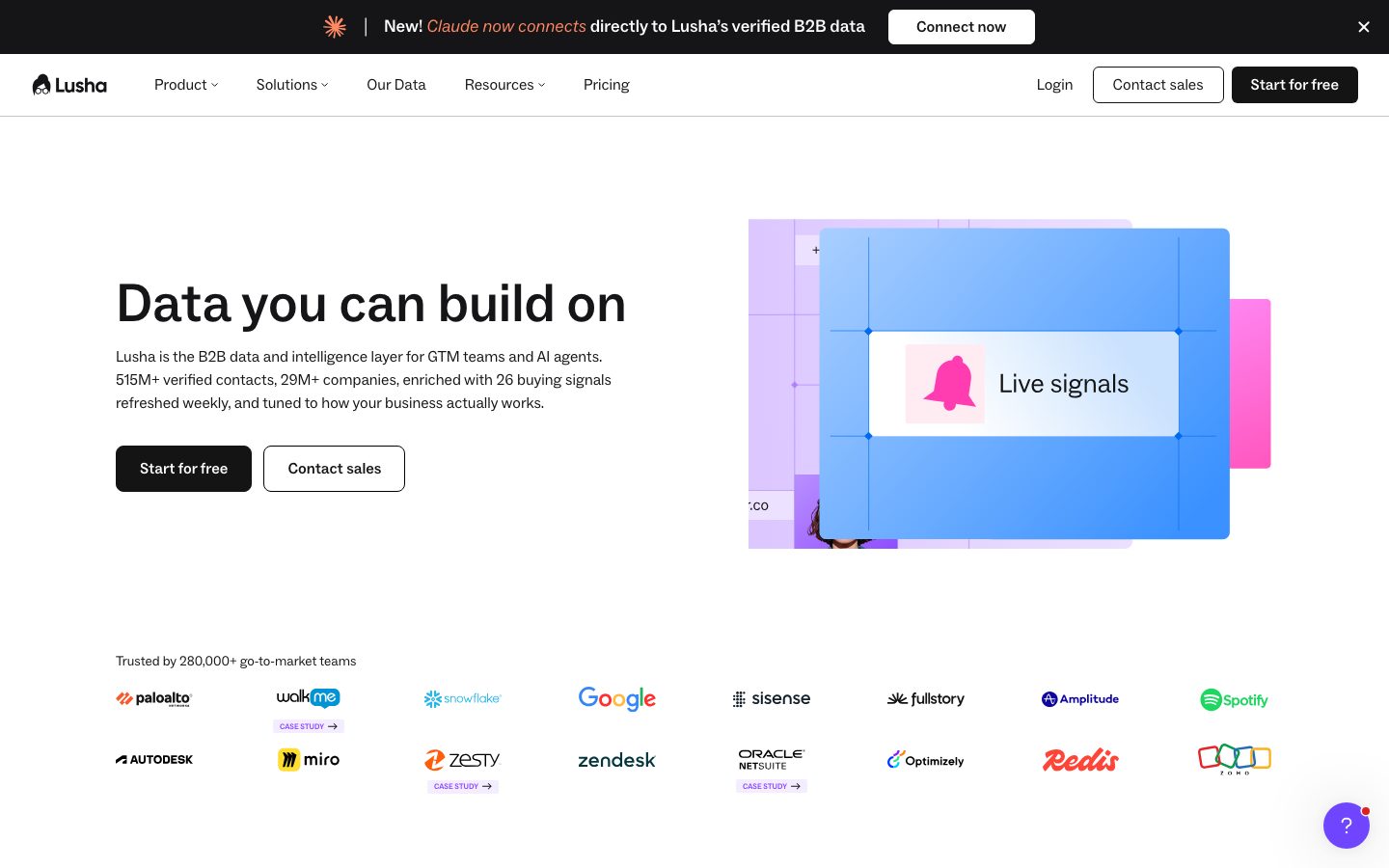
Lusha is a B2B contact data platform: it finds the work email and direct phone number of a named person, and fills in company details, from a database it says holds 515M+ contacts and 29M+ companies. Most people use it through the Chrome extension on LinkedIn or a CRM page, but the same data is available in Lusha's web app, through its API and through an MCP server for AI assistants.
It's aimed at go-to-market teams: SDRs and account executives, recruiters, marketers enriching inbound leads, and RevOps people keeping a CRM complete. Lusha says 280,000+ go-to-market teams use it, and its homepage shows logos such as Google, Spotify and Zendesk.
It sits in the same market as ZoomInfo, Apollo, Cognism and Hunter. Against ZoomInfo it competes on published prices and a free plan; against Apollo it's the narrower tool, focused on data quality rather than running the whole outbound process.
Lusha isn't a sequencing platform or a dialer. It lists automated email sequences and call recordings, but teams sending at volume usually pair it with a dedicated outreach tool. It also doesn't make cold contact compliant on its own: the certifications cover Lusha's data handling, not how you use the numbers.
A note on shelf life: Lusha's pricing page uses a credit slider and plan names that have changed over time. The plans and credit costs on this page were read from lusha.com/pricing on October 10, 2026.
How Lusha works
You create a free account, no card needed, and install the Chrome extension. On a LinkedIn profile, a company website, a CRM record or Gmail, the extension shows the person or company and lets you reveal a verified email for 1 credit or a phone number for 5.
In the web app you can search the database with filters, build lists, and use lookalikes to find contacts and companies similar to ones you already sell to. Buying intent topics and signals (job changes, funding, hiring surges and leadership moves, per the homepage) help rank which accounts to work first, and AI recommendations suggest leads, each for 1 credit.
For bulk work, you upload a CSV or connect a CRM and Lusha enriches the records; exports to CSV cost 1 credit per 1 to 25 results and to a CRM 1 credit per record. Developers call the REST API and receive webhooks, and the MCP server lets Claude or ChatGPT query the same records inside a chat.
Credits come from your plan: monthly plans grant them each month, yearly plans upfront. Admins on Premium manage the team and allocate credits, and the account settings show when the cycle resets.
Lusha pricing
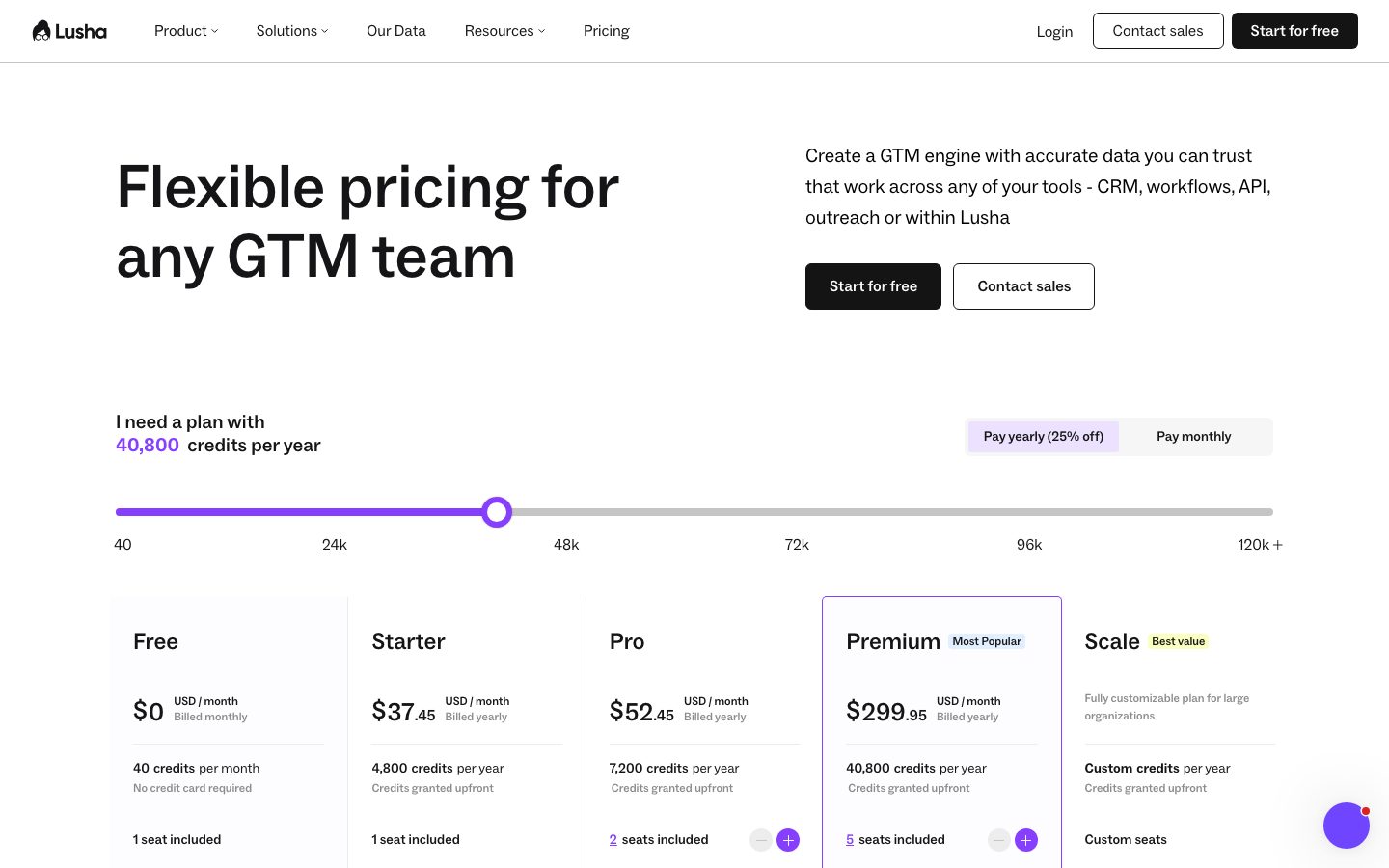
Lusha has a free plan you can start on today. Here's where it runs out and what the paid tiers cost.
| Plan | Monthly billing | Billed yearly | Credits | Seats |
|---|---|---|---|---|
| Free | $0 | $0 | 40/month | 1 |
| Starter | $49.90/month | $37.45/month | 400/month or 4,800/year | 1 |
| Pro | $69.90/month | $52.45/month | 600/month or 7,200/year | 2 |
| Premium | $399.90/month | $299.95/month | 3,400/month or 40,800/year | 5 |
| Scale | Custom | Custom | Custom | Custom |
Prices per plan, not per seat. Yearly billing is 25% off and grants credits upfront; monthly Pro and Premium credits roll over up to 2x. More credits are sold on a slider. USD list prices, checked October 10, 2026.
The Free plan is permanent and needs no card. Its 40 monthly credits are enough to check Lusha's coverage on 40 emails or 8 phone numbers in your market before paying, and it already includes the extension, filters, CRM integrations and basic sequences.
Starter adds lookalikes, bulk enrichment, the AI assistant and 5 buying intent topics. Pro adds a second seat, the full API, CSV enrichment, signals and webhooks. Premium adds 5 seats, API Advanced, team management, credit allocation and unlimited intent results. Scale adds SSO, 25 intent topics, advanced compliance including a Do Not Call list check, priority support and what Lusha calls 50%+ off the price per credit.
Credits are bought in blocks on the pricing page slider, which ranges from 40 to 120k+ credits a year, so the plan price rises with volume. Monthly plans grant credits each month (Pro and Premium roll over up to twice the allowance); yearly plans give the whole year's credits on day one and reset what's left at the end. Phone-heavy work is the expensive case: Premium's 3,400 monthly credits cover 680 phone numbers.
Price it against the alternatives at your volume. Pro at $52.45 a month billed yearly for 2 users and 7,200 credits a year is cheaper than two Apollo Basic seats at $98 a month, but Apollo includes sequences and a dialer. Hunter's Starter is $34 a month billed yearly for emails only. ZoomInfo publishes no prices. If your team only needs a few dozen contacts a month, the Free plan may be all you need.
Prices change often. Check the current plans on the official site before you pay.
See Lusha pricingLusha features
- Database of 515M+ contacts and 29M+ companies
- Chrome extension for LinkedIn, CRMs, Gmail and any website
- Verified emails and direct dials
- Bulk and CSV enrichment
- Contact and company lookalikes
- Buying intent topics and 26 buying signals
- AI assistant and AI recommendations
- Website visitor identification
- Automated email sequences
- Call recordings and AI insights
- REST API, webhooks and MCP server
- Team management and credit allocation on Premium
Lusha's strength is the single lookup: open someone's LinkedIn profile or CRM record, click the extension, and get a verified email or phone number. Its homepage says the data refreshes buying signals weekly, holds 165M+ emails and 117M+ direct dials, and that the same record shows up in the extension, the API and the MCP server. The workflow pieces (sequences, call recordings, conversation intelligence) are listed on every plan but are lighter than Apollo's. Lusha also lists ISO 27701, ISO/IEC 42001, SOC 2 Type II, GDPR and CCPA certifications on its homepage, which matters if your legal team asks where the data comes from.
How to set up Lusha
- 1
Create a free account
Sign up at lusha.com with no credit card and check your 40 monthly credits in the dashboard. Paid plans renew automatically and cancellations take effect at the end of the cycle, so test on Free first.
- 2
Install the Chrome extension
Add the extension and pin it. Open a LinkedIn profile or a company website and click the Lusha icon to see the contact.
- 3
Reveal emails before phone numbers
An email costs 1 credit and a phone number 5. Reveal emails for everyone on your list and numbers only for the people you'll actually call.
- 4
Connect your CRM
Connect Salesforce, HubSpot, monday or Zoho so revealed contacts export straight to the CRM. Each CRM export costs 1 credit per record.
- 5
Connect an AI assistant (optional)
Follow Lusha's MCP documentation to connect Claude or ChatGPT, then ask for a list such as Series B fintech companies that hired a new VP of Sales. Reveals from the chat use the same credits.
- 6
Check credits before the cycle resets
Look up the reset date in Account Settings, Billing & Subscription. On yearly plans, unused credits are lost at the end of the year, so plan large enrichment jobs ahead of it.
What people use Lusha for
Getting a direct dial before a sales call
Open the prospect's LinkedIn profile, reveal the number with the extension and call. At 5 credits a number, Free covers 8 a month, so frequent callers need Starter or above.
Enriching inbound leads
Connect HubSpot or Salesforce, or use Make or n8n, to fill in title, company size and phone for every form signup. Each enriched export costs credits, so filter out students and personal emails first.
Recruiting outreach
Recruiters use the extension to get a candidate's contact details from their profile. Be careful with personal data in the EU and keep a record of why you contacted each person.
Building an account-based list
Start from your best customers and use company and contact lookalikes to find similar accounts, then rank them with buying intent topics. Lookalikes start on Starter and signals on Pro.
Cleaning up a CRM
Upload a CSV of stale records for CSV enrichment on Pro to refresh titles and contact details. A report on Lusha's homepage puts B2B contact data decay at roughly 12 to 13% a year, so a yearly pass is a reasonable rhythm.
Prospecting from an AI chat
With the MCP server connected, ask Claude or ChatGPT for target accounts or people that match your ICP and pull verified contacts without leaving the chat. Each reveal still spends credits.
Following up on website visitors
Website visitor identification de-anonymizes companies browsing your site, at 2 credits per identified visitor, so you can find the right contact there and reach out while interest is fresh.
Lusha vs ZoomInfo
If you're weighing Lusha against ZoomInfo, both live in someone else's cloud, so it comes down to price, fit and how much you'd have to move.
| Aspect | Lusha | ZoomInfo |
|---|---|---|
| Price to start | Free · paid from $37.45/month | No public price |
| Free plan | Yes | No |
| Self-hosting | No | No |
| Your data | In their cloud, exportable | In the vendor's cloud |
ZoomInfo figures are from its pricing page, checked 2026-10-10.
All ZoomInfo alternativesLusha next to similar tools
- Lusha vs Apollo
- Apollo bundles a 240M+ contact database with sequences, a dialer, call recording and deals, from free to $119 per seat a month billed yearly. A phone number costs 8 Apollo credits against 5 in Lusha. Lusha is the better fit if you only want the data inside tools you already use.
- Lusha vs ZoomInfo
- ZoomInfo's Professional, Copilot Advanced and Copilot Enterprise packages are priced only through sales and add org charts, earnings-call signals and streaming intent. Lusha publishes every plan and has a free tier, which suits small teams that want to buy without a sales cycle.
- Lusha vs Hunter
- Hunter finds and verifies emails, free for 50 credits a month and from $34 a month billed yearly. It doesn't sell phone numbers. Choose Hunter for email-only outreach and Lusha when direct dials matter.
- Lusha vs LinkedIn Sales Navigator
- Sales Navigator Core costs $119.99 per license a month and gives search, lead lists and InMail on LinkedIn, but no emails or phone numbers. Many reps run both: Sales Navigator to find the person, Lusha's extension to get their contact details.
- Lusha vs finding contacts by hand
- Company websites, email pattern guessing and a free verifier cost nothing and work for a handful of contacts. They don't give direct dials and take minutes per person, which is the time Lusha's 40 free credits save.
Bottom line
Our take on Lusha
If you already have a way to email and call, start Lusha's free plan, install the extension and test 40 credits on people you know you want to reach. Move to Pro for the API and a second seat, or Premium once a team of five shares one pool. Skip it if you want data, sequences and a dialer in a single product (Apollo), or only need emails (Hunter).

 ChatGPT
 Claude
 Perplexity
 Grok
Grok