

Lindy screenshots
What is Lindy?
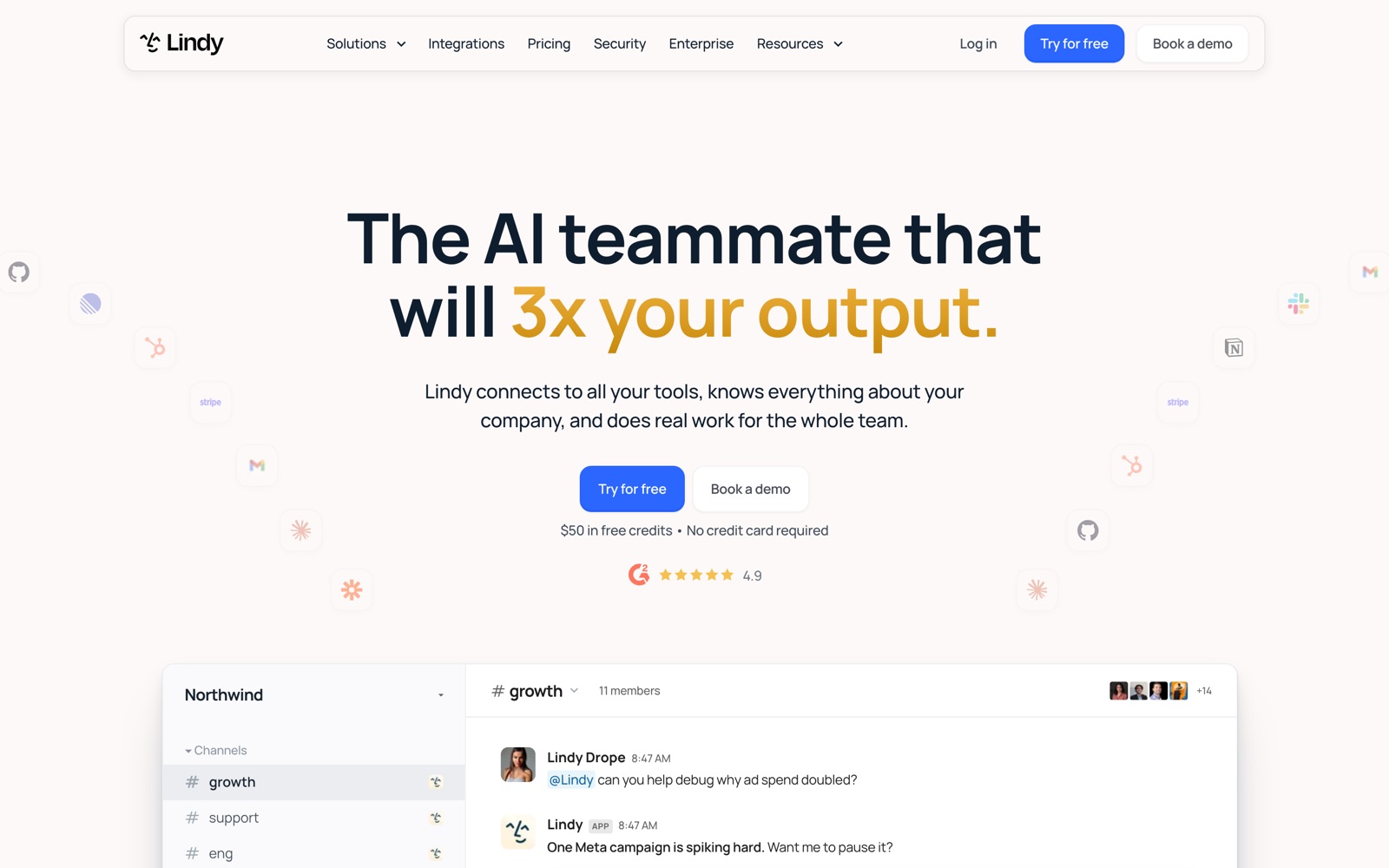
Lindy is an AI assistant that a whole team shares through Slack. You add it to channels, anyone can @mention it with a request, and it answers in the thread or goes and does the work: pulling a report from your analytics, updating the CRM after a call, drafting the client email. Lindy calls the product Lindy Teammate.
It's aimed at teams more than solo users. One Lindy sits in your shared channels and every meeting it's invited to, and each person also gets a private Lindy in their DMs for their own inbox, calendar and daily brief.
It sits beside Zapier-style automation rather than replacing every flow. Recurring work runs as routines, written in plain English, and Lindy decides the steps. For a fixed trigger-and-action flow, a workflow tool is still more predictable.
What it doesn't do: it isn't self-hosted, it doesn't let you bring your own AI subscription, and it isn't priced for a big team where only a few people need it, since every user takes a seat.
A note on shelf life: Lindy has changed shape more than once. Older reviews describe a no-code agent builder with a flow canvas; the product on lindy.ai today is the Slack teammate. Check the pricing page and docs before you rely on an older write-up.
How Lindy works
An admin installs Lindy into Slack. Each teammate links their account with one tap the first time they message it, then connects their own Google or Microsoft account for email and calendar, and optionally a phone number for iMessage or SMS.
Requests come in three ways: an @mention in a channel, a DM, or a routine. A routine has a trigger (a schedule, or an event like an email arriving or a meeting ending), a prompt describing the job, and a destination for the result. A Smart Filter narrows event triggers in plain English, and a dry run shows what the routine would do without doing it.
Lindy keeps what it learns in a memory folder of plain files: your team's priorities, preferences and process notes. You can open those files, edit them like a doc, and share them. Skills are saved playbooks; Lindy ships with 40+ and picks the right one for a request.
Writes are governed per integration. Each connected tool is set to always allow, require approval, or never write, and approvals show up as Approve and Deny buttons in the Slack thread. Reads are never guarded, and the guardrails only cover shared threads. Every action spends credits from one pool the workspace shares.
Lindy pricing
Lindy has no free plan, so budget for it from the start. Here's how the pricing works.
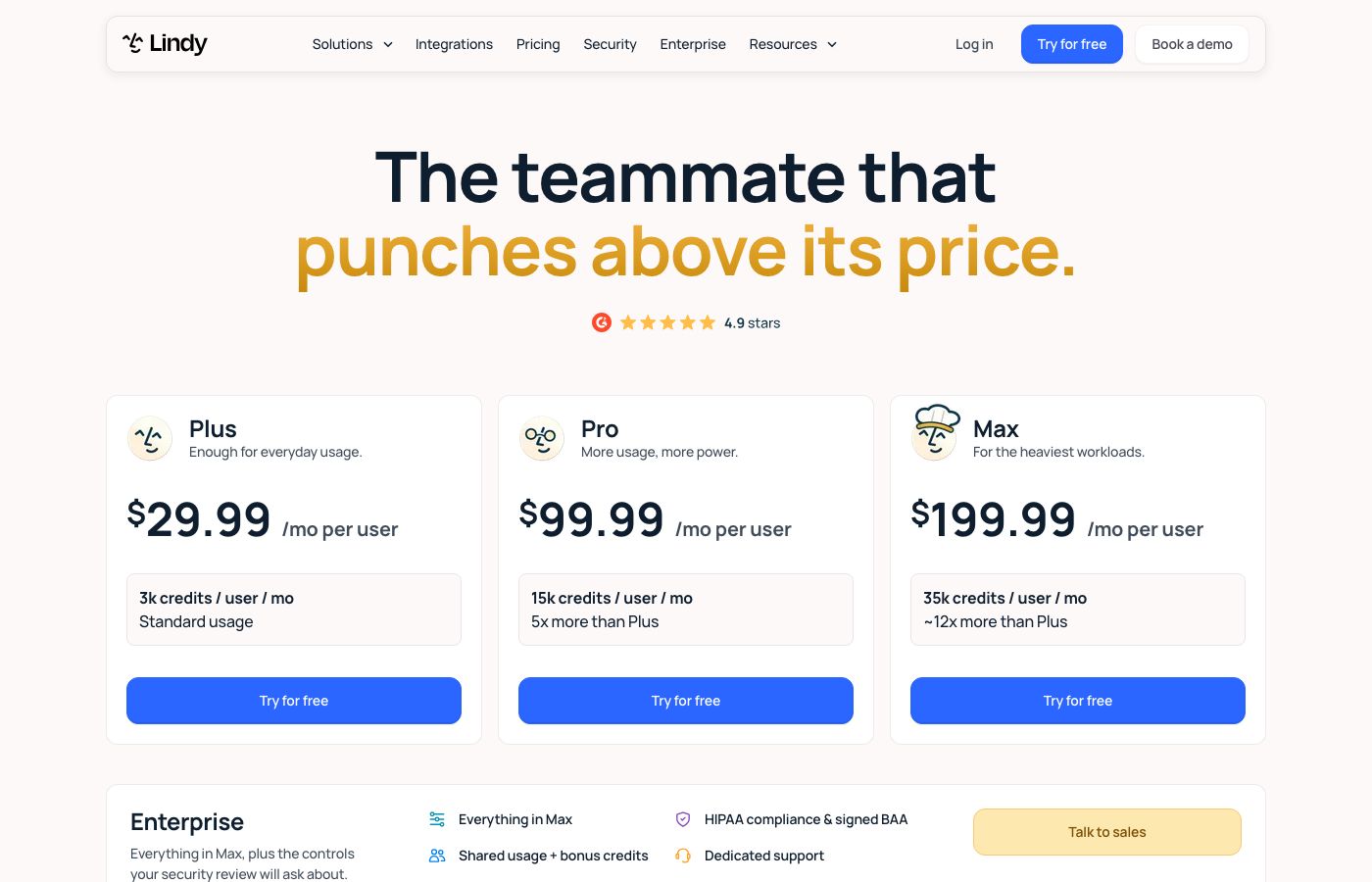
Lindy has three self-serve plans, all priced per user per month: Plus at $29.99 with 3,000 credits, Pro at $99.99 with 15,000 credits, and Max at $199.99 with 35,000 credits. Enterprise adds SSO, SCIM, audit logs, a HIPAA BAA, shared usage with bonus credits and dedicated support, priced by sales. Prices checked on lindy.ai/pricing, October 1, 2026.
Every seat adds its credits to one workspace pool. Plan credits reset each cycle and don't roll over; top-ups cost $10 per 1,000 credits and don't expire. Admins can cap any one person's draw. When the pool runs low, Lindy pauses rather than billing overage. Upgrades apply at once, downgrades at the end of the term, and a removed seat stays active until the cycle ends.
The plans differ in more than credits. Plus connects 2 inboxes, Pro 3 and Max 5. Browser use starts on Pro, and live onboarding comes with Pro and up. All plans get every model, scheduled routines, meeting recording and the integrations.
The trial is described two ways. The homepage offers $50 in free credits with no card. The pricing page and docs say people who join through Slack get their first week free and direct signups are billed right away. Ask before you assume either.
Compared with Squad, the trade is bundled AI against a flat fee. One person on Lindy Plus pays $29.99 all-in; Squad is $99 a month plus an AI plan Squad suggests at $100 to $200. Five people on Lindy Pro is $499.95 a month, while Squad stays at $99 plus the AI plan however many people share it. Lindy is the cheaper start; Squad's flat price matters once several people hand it work.
Prices change often. Check the current plans on the official site before you pay.
See Lindy pricingLindy features
- Slack-native teammate that answers in threads and takes @mentions from anyone on the team
- Routines on a schedule or on events: email received, Slack message, calendar event, meeting ended
- Meeting recording, notes, prep briefs and follow-ups in a shared meeting library
- Inbox management: labels, drafts in your voice, follow-up bumps and text alerts
- 40+ built-in skills, plus your own saved as playbooks for the team
- Artifacts: dashboards, reports and internal pages hosted on a link
- 1,000+ integrations and any hosted MCP server
- Model choice on every plan
The depth is in the shared context. One Lindy sits in your channels and meetings, so a question in #sales can be answered from last week's call transcript and the CRM at once. Routines are where recurring work lives; each has a trigger, a plain-English prompt and a destination, and a dry run shows what it would do on real data before it does anything.
How to set up Lindy
- 1
Check which trial you'll get
Signing up directly is billed right away. Joining through Slack gives a new person a free first week, and the homepage advertises $50 in free credits with no card. Confirm which applies before you invite the team.
- 2
Install Lindy in Slack
A Slack admin installs Lindy from the Add to Slack screen, then adds it to the channels where you want it to help.
- 3
Set guardrails before anyone asks for writes
In Integrations, set each tool to always allow, require approval, or don't offer. Start with require approval on email and your CRM, and remember DMs aren't guarded.
- 4
Connect your own email and calendar
Each person links their Google or Microsoft account for inbox management, meeting prep and scheduling, and can add a phone number to text Lindy.
- 5
Write one routine and dry-run it
Pick one recurring job, like a Monday metrics post to a channel. Give it a schedule, a prompt and a destination, then run a dry run on real data before turning it on.
- 6
Set spend caps and watch the pool
Cap heavy users' draw from the shared credits and check usage after the first week, since plan credits don't roll over and the work pauses when the pool runs out.
What people use Lindy for
Answer "what did we decide?" in Slack
Someone asks in a channel, and Lindy answers from meeting transcripts, docs and past threads with links. The catch: it only knows the meetings it attended and the tools it's connected to.
CRM updates after sales calls
Lindy records the call, writes the notes and updates HubSpot. Set the CRM to require approval at first, since a wrong field update is easy to miss.
A weekly metrics post
A routine pulls numbers from your analytics every Monday and posts a summary to #growth. Heavy reports can cost hundreds of credits a run, which adds up on Plus.
Founder inbox triage
Lindy labels mail, drafts replies in your voice and texts you when something urgent lands. Inbox caps apply: 2 connected inboxes on Plus.
Meeting prep for client calls
Before each meeting, a brief lands with attendee research and past context. It's light on credits, but it needs your calendar connected.
Support queue triage
Lindy reads the day's tickets and drafts answers for review. Lindy rates this as deep work, 250 to 1,000 credits a day, so size the plan for it.
Internal dashboards on a link
Ask for a dashboard from CRM and analytics data and Lindy builds an artifact you can share. These are big builds, 1,000 to 2,500 credits each.
Lindy vs Zapier
If you're weighing Lindy against Zapier, both live in someone else's cloud, so it comes down to price, fit and how much you'd have to move.
| Aspect | Lindy | Zapier |
|---|---|---|
| Price to start | From $29.99/user/month, AI credits included | From $19.99/month |
| Free plan | No | Yes |
| Self-hosting | No | No |
| Your data | In their cloud, exportable | In the vendor's cloud |
Zapier figures are from its pricing page, checked 2026-09-30.
All Zapier alternativesLindy next to similar tools
- Lindy vs Squad
- Squad gives you unlimited AI teammates, one job each, for $99 a month flat, running on the ChatGPT, Claude or Gemini plan you already pay for. Lindy is one shared assistant in Slack, $29.99 to $199.99 per user with the AI included. Lindy is the cheaper and simpler start; Squad suits a team that already pays for a strong AI plan.
- Lindy vs Zapier
- Zapier runs fixed trigger-and-action flows priced by tasks, from $19.99 a month, with a free plan of 100 tasks. Lindy decides its own steps from a plain-English request. For a flow that must do the same thing every time, Zapier is easier to trust.
- Lindy vs n8n
- n8n is a visual workflow builder you can self-host for free, with AI steps inside the flow. You build and see every step. Lindy trades that visibility for asking in Slack.
- Lindy vs ChatGPT or Claude team plans
- A ChatGPT or Claude team plan gives everyone a strong assistant with some connectors, but not one shared assistant sitting in your channels and meetings. Lindy's edge is shared context and routines; a chat plan is the simpler buy if people mostly ask questions.
- Lindy vs a meeting notetaker
- If what you need is only call recording and summaries, a dedicated notetaker does that job on its own. Lindy's meeting library matters when you also want it to act on what was said, like updating the CRM after the call.
Bottom line
Our take on Lindy
Lindy fits a team that already works in Slack and wants one assistant everyone can ask, with the AI cost inside the seat price. Start one person on Plus, set guardrails to require approval, build a single routine and watch the credit pool for a week before inviting the rest. If several people would use it and you already pay for ChatGPT, Claude or Gemini, price Squad's flat $99 against Lindy's seats first.




 ChatGPT
 Claude
 Perplexity
 Grok
Grok