

Emergent screenshots
What is Emergent?
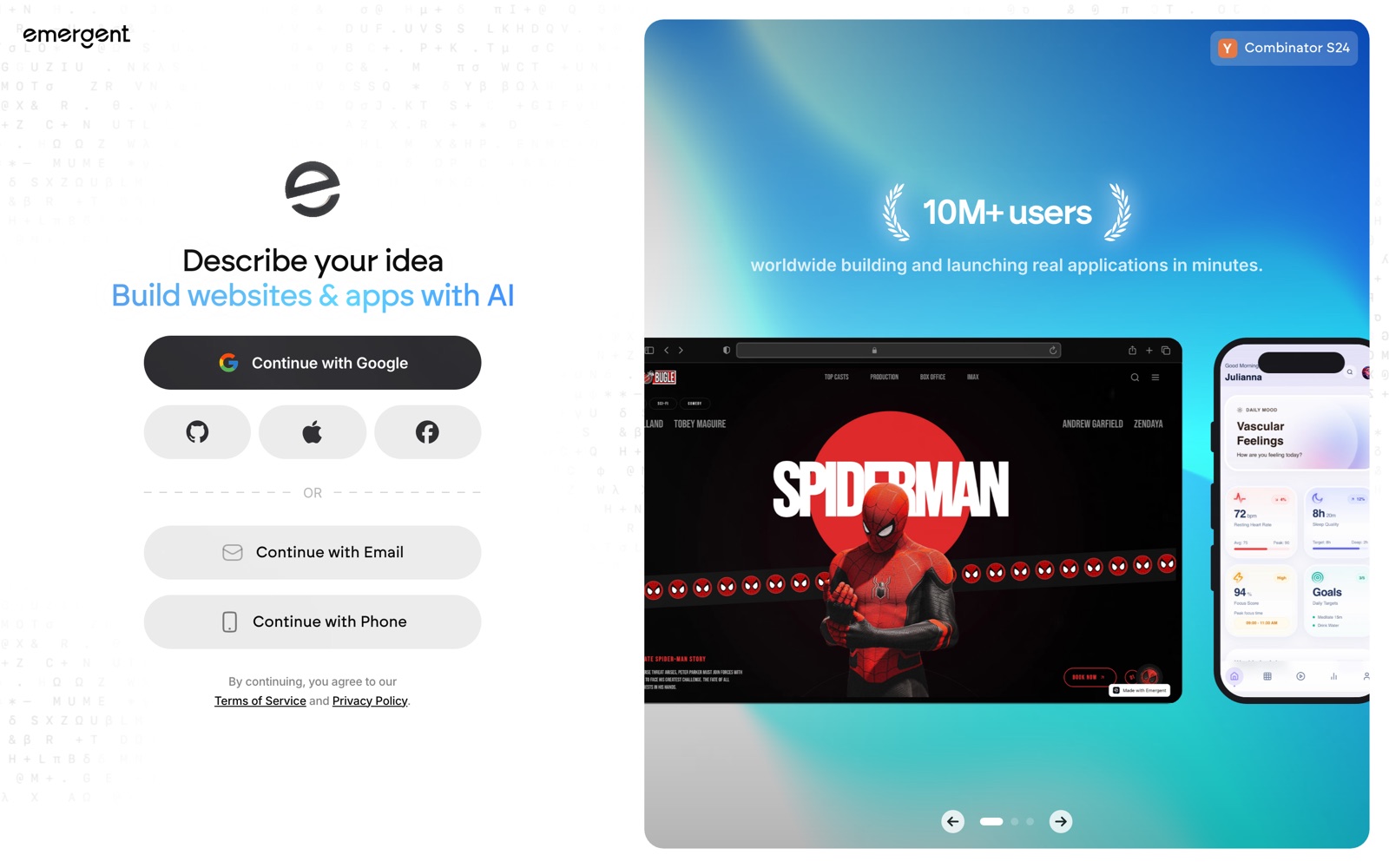
Emergent is an AI app builder. You describe the app you want in a chat box, and a set of AI agents writes the frontend, the backend and the database, tests what they built, and deploys it to a live URL. Emergent calls this agentic vibe coding.
It's aimed at people who have an app idea but no engineering team: solo founders building an MVP, product managers turning requirements into a working prototype, and operators who need an internal tool. Developers use it too, mainly to get a first version fast and then continue in GitHub.
It sits next to Lovable and Bolt, and it replaces visual no-code builders such as Bubble and FlutterFlow for many first projects. The difference from those is that you don't drag components around; you ask for changes in plain English and get real code you can export.
Emergent doesn't build native Swift or Kotlin apps, and it doesn't let you pick your own backend stack. It also doesn't remove the need to test: users on review sites report the agent saying a change was made when it wasn't, and every retry costs credits.
The product changes quickly. Agent names, plan limits and credit prices have shifted within months, and Emergent's own help pages disagree in places, so check the pricing page before you budget.
How Emergent works
You start a task by choosing an agent (E1 for standard full-stack builds, E1.5 for long sessions, E2 in beta for hard problems, or the Mobile Agent) and describing the app. The agent plans the work, writes the code and runs testing sub-agents against the frontend and backend.
Every action spends credits from your balance: chat prompts, code generation, debugging, tests and integrations. Emergent's credits-and-plans page says that if the balance reaches zero, development pauses until renewal or a top-up.
While you build, a Preview button gives a temporary private link to the app, which expires after 30 minutes. Deploying moves the app to Emergent's managed hosting with a permanent URL, SSL and continuous deploys, for 50 credits a month per app.
The agent keeps about 200,000 tokens of project context (1M on Pro). When a project outgrows that, you fork the task and carry on in a new one. Saving to GitHub between milestones gives you version history and a way out if a session goes wrong.
For AI features inside your app, the Universal Key gives one credential for GPT, Claude and Gemini text, image and vision models, billed from the same credits.
Emergent pricing
Emergent has a free plan you can start on today. Here's where it runs out and what the paid tiers cost.
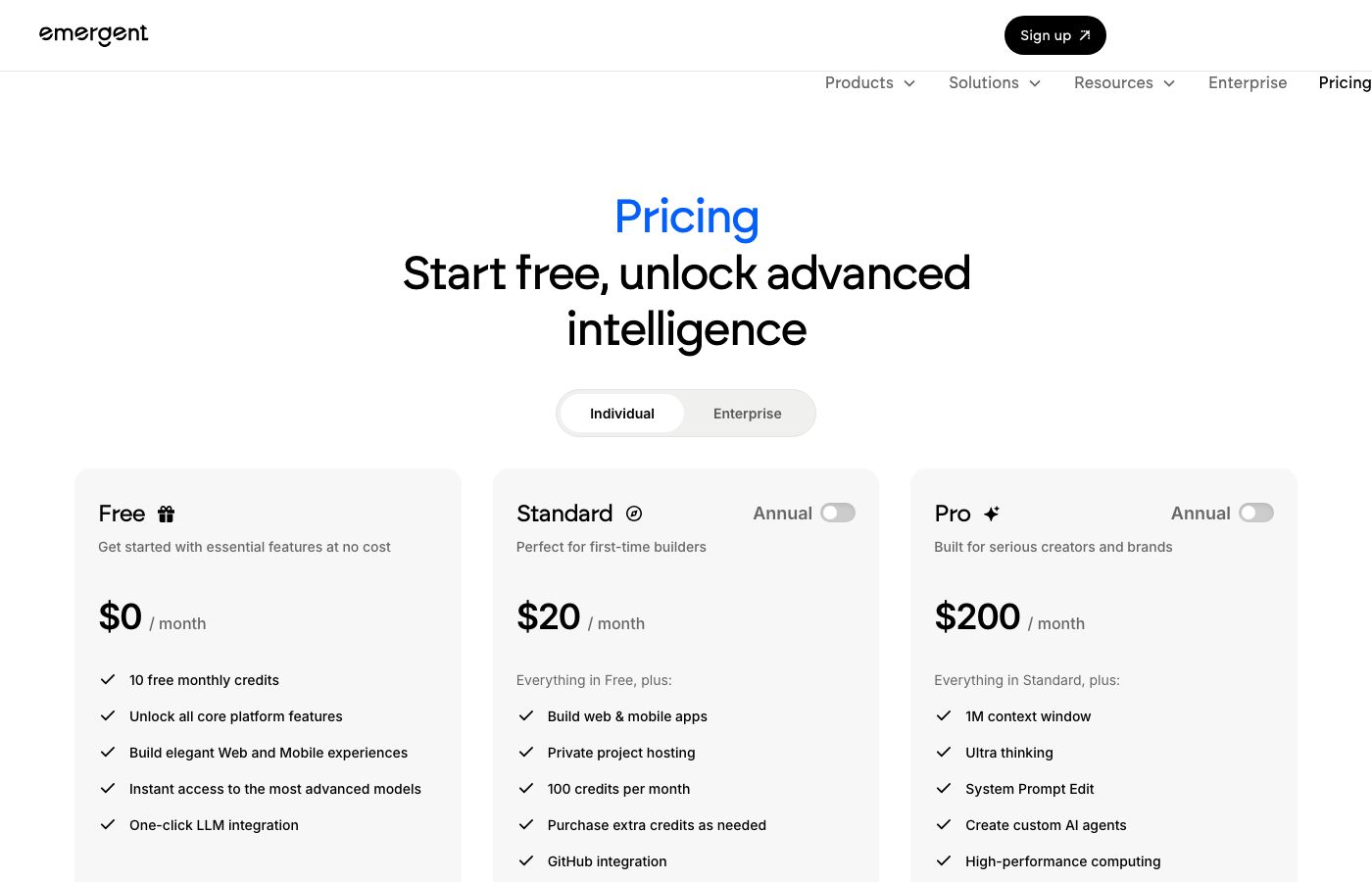
Free costs $0 and includes 10 credits a month. It has no deployments, GitHub integration, Mobile Agent or custom domains, so you can try the builder but not launch.
Standard is $20 a month for 100 credits, private hosting, web and mobile builds, GitHub integration, top-ups and task forking. Pro is $200 a month for 750 credits and adds a 1M-token context window, Ultra thinking, system-prompt editing, custom agents, bigger machines and priority support. Enterprise is custom. Prices checked October 5, 2026, with the pricing page's annual switch off; the homepage FAQ quotes $17 and $167 a month, which looks like annual billing.
Monthly credits reset each cycle. Top-ups never expire and cost about $0.20 a credit, from 100 for $20 up to 6,000 for $1,000. Each deployed app takes 50 credits a month, and upgrades mid-cycle are prorated. The terms say consumed credits aren't refunded, even when the output was wrong.
The real cost depends on how many rounds of fixes your app needs. Two deployed apps use all of Standard's credits, so anyone building and hosting more than one app should plan for top-ups or Pro. Lovable Pro is $25 a month for 100 credits that roll over, and Bubble starts at $59 a month billed annually.
Skip the paid plans if you only want a static landing page; a site builder costs less. Also skip them if you need native Swift or Kotlin code, which Emergent doesn't write.
Prices change often. Check the current plans on the official site before you pay.
See Emergent pricingEmergent features
- Chat-based app building with the E1, E1.5 and E2 (beta) agents
- Mobile Agent for Expo (React Native) apps on paid plans
- Built-in testing sub-agents for the frontend and backend
- One-click deployment with SSL, custom domains and continuous deploys
- GitHub push and pull, rollback and task forking
- Universal Key for GPT, Claude and Gemini text, image and vision models
- Pro Mode with custom agents, system-prompt editing and a 1M-token context window
- Bring your own MongoDB Atlas cluster
The depth is in the backend: Emergent sets up a FastAPI server and a MongoDB database, wires integrations such as Stripe and Twilio, and runs its own tests before deploying. The Pro-only extras (custom agents, system-prompt editing, 1M context) matter most for long, complex builds.
How to set up Emergent
- 1
Sign up and try the free plan
Create an account at emergent.sh with Google, GitHub, Apple or email. The free plan's 10 monthly credits are enough to see how the agent works, but you can't deploy on it. Payments aren't refundable by default, so test before you upgrade.
- 2
Pick an agent and describe the app
Choose E1 for a standard full-stack app or the Mobile Agent (paid plans) for an Expo app, then describe the app: who uses it, the main screens and the data it stores. Specific prompts use fewer credits.
- 3
Preview and iterate
Open the Preview to click through the app, then ask for changes in chat. The preview link expires after 30 minutes. Use rollback to drop a bad change instead of asking the agent to undo it.
- 4
Connect GitHub and save
From your profile icon, connect GitHub and authorize Emergent, then use Save to GitHub to push to a new or existing repo. Save after each working feature so you can recover from errors or context resets.
- 5
Run the health check and deploy
Run the pre-deployment health check, then click Deploy and Deploy Now. Emergent says the live URL takes 5 to 10 minutes, and the app then costs 50 credits a month to host.
- 6
Add a custom domain
In Deployments, choose Link Domain and either auto-link through Entri or add the A and CNAME records Emergent shows at your registrar. Wait for the status to read Verified.
What people use Emergent for
Build a founder's MVP with sign-up and payments
Describe the product, ask for email sign-up and a Stripe checkout, and deploy it to test with real users. Budget for top-ups: auth and payments usually take several rounds of fixes.
Replace a spreadsheet with an internal tool
Operations teams describe the records, roles and approval steps they track today and get a web app with a database behind it. Hosting it costs 50 credits a month for as long as the team uses it.
Ship a client app as an agency
Agencies build a first version in Emergent, save it to the client's GitHub repo and hand it over with the code. Projects are for solo builders today, so a team shares work through GitHub rather than inside Emergent.
Add an AI assistant to an app
Ask for a chatbot, document summarizer or image generator and connect it through the Universal Key, with no OpenAI or Anthropic account needed. Every model call is billed from your Emergent credits, so heavy use shows up there.
Make an iOS and Android companion app
On a paid plan, the Mobile Agent builds an Expo app that shares one codebase across both platforms and talks to a FastAPI backend. Apps that need native Swift or Kotlin features need another tool.
Turn product requirements into a clickable prototype
Product managers paste a spec and get a working prototype to show stakeholders through a preview link. The preview expires after 30 minutes, so deploy it if people need a link that lasts.
Build a KPI dashboard on your own data
Connect Airtable, Supabase or your own MongoDB Atlas cluster and ask for charts and filters. Data-heavy dashboards may need the bigger context and machines of Pro.
Emergent vs Bubble
If you're weighing Emergent against Bubble, both live in someone else's cloud, so it comes down to price, fit and how much you'd have to move.
| Aspect | Emergent | Bubble |
|---|---|---|
| Price to start | Free · paid from $20/month | From $59/month |
| Free plan | Yes | Yes |
| Self-hosting | No | No |
| Your data | In their cloud, exportable | In the vendor's cloud |
Bubble figures are from its pricing page, checked 2026-09-30.
All Bubble alternativesEmergent next to similar tools
- Emergent vs Lovable
- Both build apps from chat. Lovable Pro is $25 a month for 100 credits that roll over. Emergent Standard is $20 a month for 100 credits that don't roll over, with a Python backend, MongoDB, hosting and an Expo mobile agent included.
- Emergent vs Bolt
- Bolt's free plan gives 1M tokens a month and Pro starts at $25 a month with 10M tokens that roll over. Bolt suits people who want to read and edit the code as it's written; Emergent does more of the backend, testing and deployment for you.
- Emergent vs MWM AI
- MWM AI builds native iOS and Android apps in Swift and Kotlin and prepares App Store assets, from $49 a month for 300 credits. Emergent's mobile apps use Expo (React Native), which shares one codebase, and it also builds web apps from $20 a month.
- Emergent vs Bubble
- Bubble is a visual no-code builder from $59 a month billed annually, priced by workload units. You design every screen yourself, but you never hit an AI credit wall. Emergent builds from chat and pushes the code to your GitHub.
- Emergent vs coding it yourself with an AI editor
- A developer with an AI code editor and their own hosting pays less per change and picks any stack. Emergent saves the setup, testing and deployment work, which matters most if you can't code.
Bottom line
Our take on Emergent
Start on the free plan and build one small, real app before paying, counting how many credits each change costs. Founders, PMs and operators who want a full-stack app with hosting and code on GitHub will find Standard worth testing. Developers who are happy in a code editor, and anyone who needs native Swift or Kotlin, should skip it.




 ChatGPT
 Claude
 Perplexity
 Grok
Grok