

MWM AI screenshots
What is MWM AI?
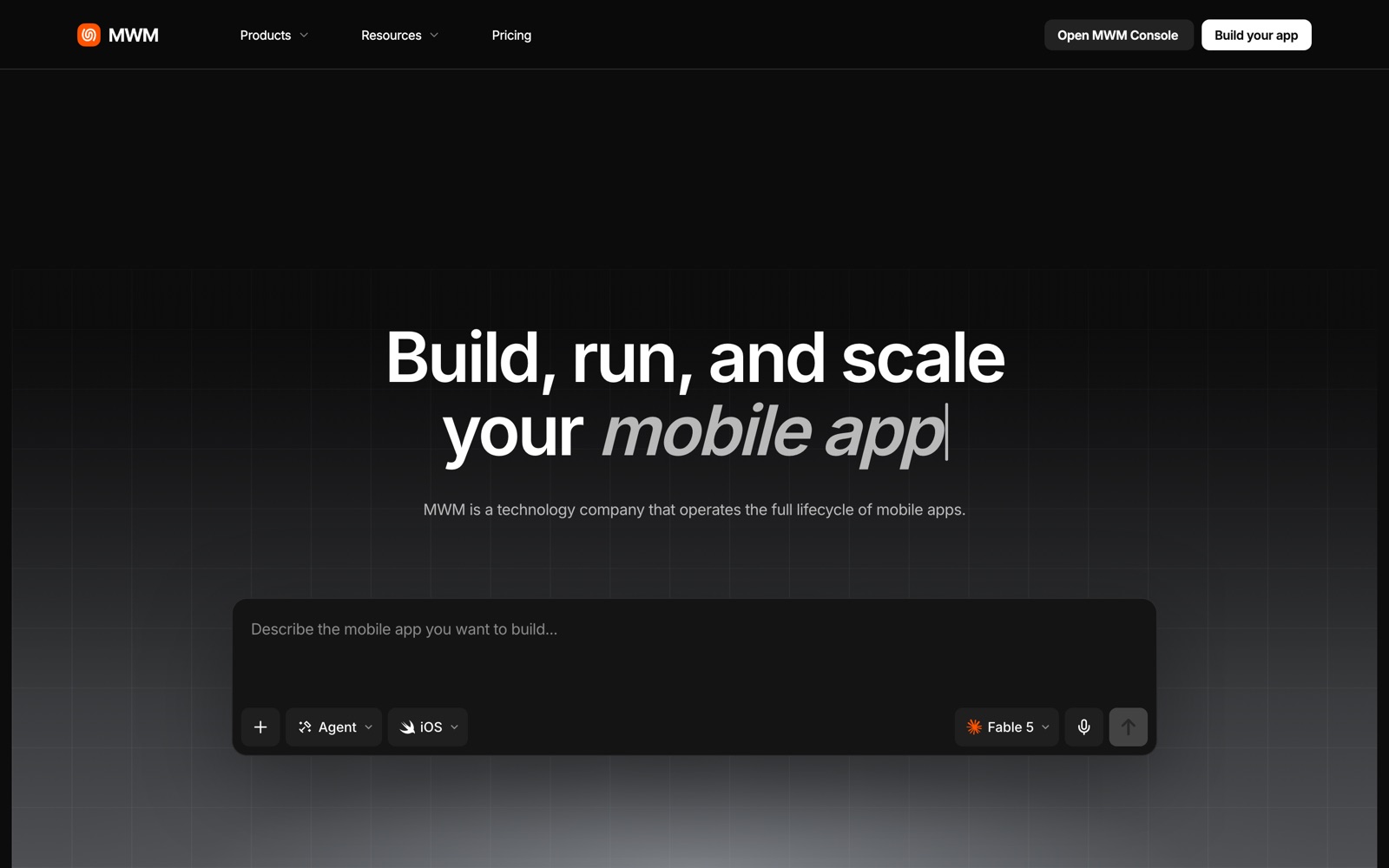
MWM AI is an app builder for native mobile apps. You chat with a small team of AI agents, a product manager, a designer and a developer, and they turn an idea into an iOS and Android app with store assets attached.
The output is what sets it apart. Instead of a web app in a phone-shaped frame, you get Swift and Kotlin code, plus the listing text, screenshots and icon the App Store and Google Play expect. Publishing goes through MWM Console.
MWM is an established mobile-app company, not a fresh startup. It says more than 100,000 apps have been created with its AI builder and names examples such as Lumira, Flagometer, Mentra Coach and Wakup!. Those numbers are the vendor's own, so test the product before you plan a launch around it.
MWM AI is the build layer of a wider platform. MWM Console handles publishing and analytics, MWM Intelligence and App Store Rankings cover research, and MWM Publishing is a separate revenue-share program for apps that gain traction.
A note on shelf life: the list of agents, plan limits and credit rules is changing fast. Five more agents are announced but not yet live, so confirm the current line-up on mwm.ai.
How MWM AI works
You describe the app in one conversation. Theo, the product-manager agent, asks questions, writes a brief, maps the screens, prioritizes what to build first and coordinates the rest of the squad.
Mira, the designer, produces the layout, colors, typography and components, and creates App Store marketing images. Cody, the developer, turns the design into a working native app with live data and platform logic.
Every step spends credits. Planning, design, build, store assets, localization and other platform actions all draw from your monthly allowance; if it runs out you can enable on-demand tokens and pay for what you use.
You publish through MWM Console, which handles the listing, in-app purchases and subscriptions, ASO metadata and localization. Apple and Google still review the app and take their normal commission on sales.
If an app finds an audience, MWM Publishing (free to apply for) offers a revenue-share partnership in which MWM funds user acquisition and runs growth while you keep the IP.
MWM AI pricing
MWM AI has no free plan, so budget for it from the start. Here's how the pricing works.
Pro is $49 a month. It includes 300 monthly credits, 3 App Store publications, in-app purchases and subscriptions, ASO optimization and metadata, a screenshot and icon generator, localization into all languages, MWM Console and a priority build queue.
Pro+ is $149 a month for studios and portfolios. It adds 1,000 monthly credits, unlimited App Store publications, full source-code export, advanced analytics, an icon studio, unlimited localization and the full MWM Console. Enterprise is custom: unlimited credits, white-label and SSO, a custom runtime and take-rate, an SLA, unlimited seats, data export and an API.
Credits are the meter. The plan is usage-based: work by the AI squad spends credits, and when they're gone you can enable on-demand tokens and pay for extra usage. MWM doesn't publish a credits-per-app figure, so a large first build plus many revisions can use much of Pro's 300.
Costs outside MWM stay yours: the Apple Developer Program, Google Play fees and Apple and Google commissions. MWM says it adds no hidden setup fees.
Compare it with an agency or freelancer quote for a native app, which usually starts in the thousands. The saving is real for a simple first version; complex logic, integrations and edge cases still favor a human developer.
Prices change often. Check the current plans on the official site before you pay.
See MWM AI pricingMWM AI features
- Product-manager agent (Theo) that turns an idea into a brief and a screen map
- Designer agent (Mira) for layout, colors, typography and store marketing images
- Developer agent (Cody) that builds native Swift and Kotlin apps with live data
- App Store listing assets, screenshots and an icon generator
- Built-in monetization: in-app purchases and subscriptions
- ASO metadata and localization into all languages on Pro
- MWM Console for publishing and analytics, with a priority build queue
- More agents (Aspen, Tess, Roy, Cora, Iris) announced as coming soon
The single-conversation workflow is the feature: brief, design and code stay in one thread, and the console turns the result into a store listing with monetization and localization. The trade-offs are the credit meter and the small number of publications on Pro. Full source export sits on the higher plan, though MWM's FAQ describes export more generally, so confirm what your plan allows.
How to set up MWM AI
- 1
Sign up and pick a plan
Create an account at mwm.ai and choose Pro to start. Note the 300 credits and the 3-publication limit.
- 2
Describe a small app first
Give the product-manager agent one clear idea, who it's for and the three things a user does. A small scope teaches you how the tool behaves and how fast credits go.
- 3
Review the brief and the design before code
Read the screen map and the design proposal. Changing a brief costs fewer credits than changing built code.
- 4
Test on a real phone
Install the build on your device and try every flow. Write down what feels wrong and ask the agents to fix it.
- 5
Set up monetization
Add in-app purchases or subscriptions if the app needs them, then check the pricing and terms in each store's console.
- 6
Enroll in the developer programs
You'll need an Apple Developer Program membership and a Google Play developer account for publishing. They're separate from your MWM subscription.
- 7
Publish through MWM Console
Add listing text, screenshots and localizations, then submit. Apple and Google review times are outside MWM's control.
- 8
Export the code
Before you cancel or hit a limit, export your app code and confirm you can open it in Xcode or Android Studio.
What people use MWM AI for
Validating an app idea
Get a working native version in front of testers before paying for custom development. Keep scope tiny so credits last.
Solo creator apps
A coach, teacher or writer can ship an app for their audience without hiring engineers. Plan for store review and support time.
Small utility apps
Trackers, calculators and simple tools fit an AI builder well. Complex integrations are where you'll hit limits.
Subscription apps
Pro includes in-app purchases and subscriptions, which helps if monetization is the point. Apple and Google still take their commission.
Agency and studio prototypes
Show a client a working app in days, then decide whether to rebuild it by hand. Pro+ adds unlimited publications and full source export for portfolio work.
Localized store presence
Use the localization tools to ship listings and app text in many languages, then check each translation with a native speaker.
Scaling a traction app
If an app finds users, apply to MWM Publishing (free to apply) for user-acquisition funding in exchange for shared upside.
MWM AI vs Bubble
If you're weighing MWM AI against Bubble, both live in someone else's cloud, so it comes down to price, fit and how much you'd have to move.
| Aspect | MWM AI | Bubble |
|---|---|---|
| Price to start | $49/month | From $59/month |
| Free plan | No | Yes |
| Self-hosting | No | No |
| Your data | In their cloud, exportable | In the vendor's cloud |
Bubble figures are from its pricing page, checked 2026-09-30.
All Bubble alternativesMWM AI next to similar tools
- MWM AI vs Lovable
- Lovable generates web apps from prompts and suits web products. MWM AI targets native mobile apps and the App Store, so choose by where your users are.
- MWM AI vs FlutterFlow
- FlutterFlow is a visual builder for cross-platform apps: you do the building, with more control. MWM AI does the building for you, with less control and a credit meter.
- MWM AI vs Bubble or Adalo
- No-code builders give you a visual editor and a hosted runtime, and you assemble the app yourself. MWM AI outputs native code and a store-ready package from a description.
- MWM AI vs a freelance developer
- A developer handles complex logic, integrations and edge cases better and can own the codebase long-term. MWM AI is faster and cheaper for a simple first version.
- MWM AI vs an agency
- An agency brings design, engineering and QA for a price that usually starts in the thousands. MWM AI covers a first version for a monthly fee, but you do the product thinking and testing.
Bottom line
Our take on MWM AI
If you have an app idea and no developer, try MWM AI on a small project and count the credits it uses. Read the brief carefully before it writes code, test on a real phone, and buy Pro+ only if unlimited publications or full source export matter. For a complex app with real integrations, a human developer is still the safer choice.
 ChatGPT
 Claude
 Perplexity
 Grok
Grok