

Apify screenshots
What is Apify?
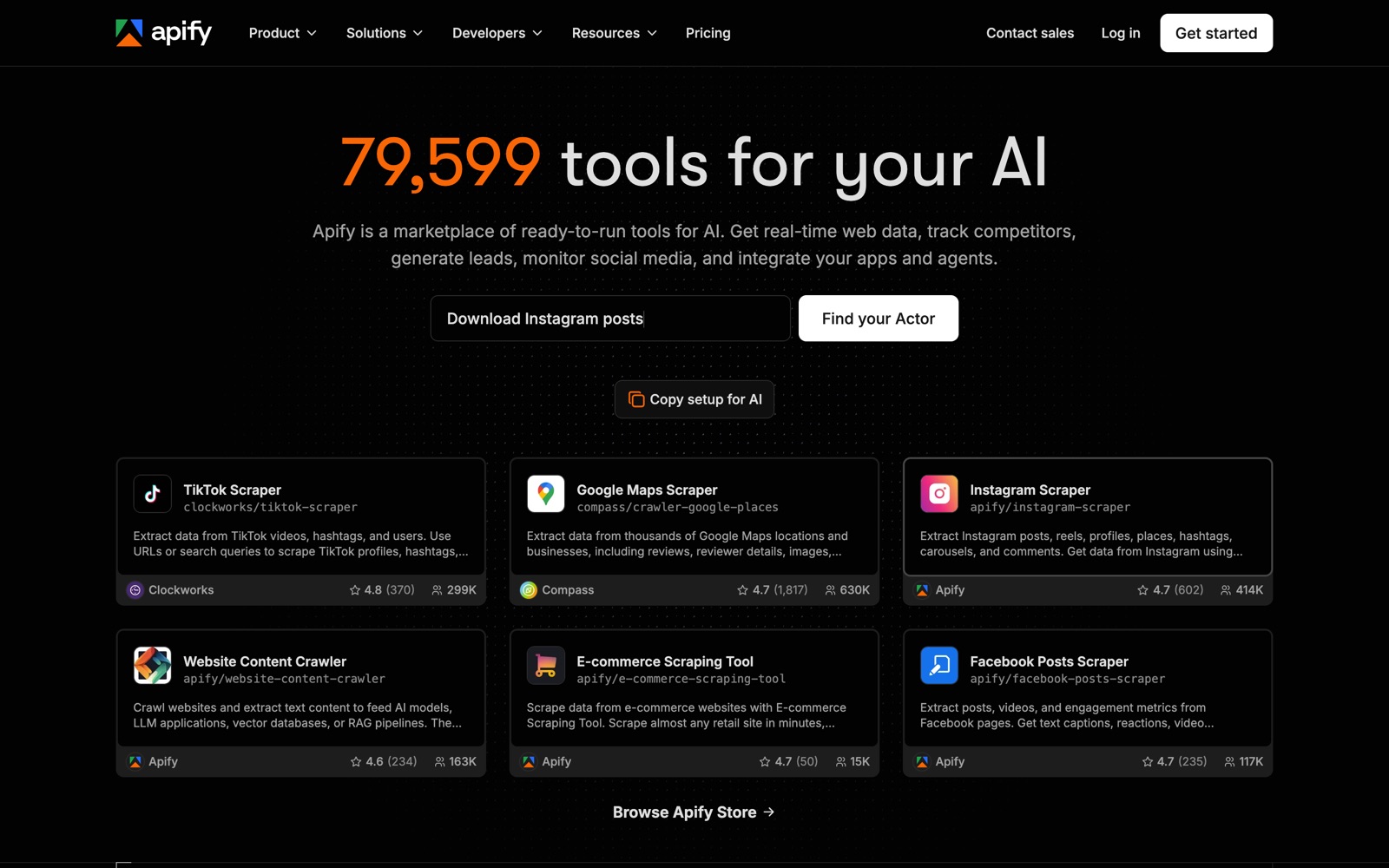
Apify is a cloud platform for web scraping and automation built around a store of ready-made programs it calls Actors. You pick an Actor for the site or job you need (Google Maps listings, TikTok videos, Instagram posts, a whole website as Markdown), give it inputs, and it runs on Apify's servers and returns a dataset.
The store is the product. Apify's homepage counts almost 80,000 Actors, most built by independent developers who earn money when you run them, and the most popular ones show hundreds of thousands of users. If a site is widely scraped, there's probably an Actor for it already.
It also works as hosting for your own scrapers. Developers write Actors in JavaScript, TypeScript or Python, often with Crawlee, Apify's open-source crawling library, and get scheduling, proxies, storage and an API without running servers. That makes it a rival to running Scrapy or Playwright on your own machines as much as to other scraping services.
What it doesn't do is make cost simple. A run's price depends on memory, run time, proxies, storage and the Actor's own pricing model, so the honest answer to "what will this cost?" is "run it once and look at the bill". That's Apify's own advice in its FAQ.
A note on shelf life: the Actor count changes daily, plan names and per-unit prices have shifted over the years, and individual Actors change pricing on their own schedule. Confirm on apify.com/pricing and on each Actor's page before you budget.
How Apify works
You start in Apify Store, search for a job ("Google Maps", "Instagram", "website content") and open an Actor's page. It shows the input form, the pricing model, ratings, users and how quickly the maintainer answers issues.
You run it from the web console, the API, the CLI or an AI agent through Apify's MCP server. The Actor starts a container with the memory you choose, uses Apify Proxy if it needs to avoid blocks, and writes results to a dataset you can download as JSON, CSV or Excel or send onward through integrations.
Billing happens in two layers. Platform usage (compute units, proxies, storage, data transfer) is drawn from your plan's prepaid amount. Pay-per-event Actors also charge their developer's fee per result or start, which usually includes platform usage. Beyond the prepaid amount, paid plans continue as overage; the free plan stops.
To build your own, you write an Actor with Crawlee or the Apify SDK, push it with the CLI, and it gets the same scheduling, storage and API as store Actors. You can publish it to the store and earn when others run it; Apify says developers were paid $1.6M in the month before we checked.
Apify pricing
Apify has a free plan you can start on today. Here's where it runs out and what the paid tiers cost.
Free is $0 with $5 of prepaid usage a month, $0.20 per compute unit, 16 GB of Actor RAM, 5 concurrent runs, 5 datacenter IPs and community support. No card is needed. When the $5 is used up, access is blocked until the next cycle. Prices here are Apify's monthly prices, checked October 3, 2026; annual billing is 10% off.
Starter is $19 a month with $19 of prepaid usage, $0.20 per CU, 32 concurrent runs, 30 datacenter IPs, chat support and a bronze Store discount. Scale is $199 with $199 of usage, $0.16 per CU, 128 concurrent runs, 200 IPs, priority chat and a silver discount. Business is $999 with $999 of usage, $0.13 per CU, 256 concurrent runs, 500 IPs, an account manager and a gold discount. Enterprise is custom and the only plan with SSO.
Add-ons and usage are where cost grows: residential proxies at $7 to $8 per GB, Google SERP proxies at $1.70 to $2.50 per 1,000 searches, extra concurrent runs at $5 per run, extra Actor RAM at $1 per GB, storage reads and writes, and external data transfer at $0.18 to $0.20 per GB. Unused prepaid usage expires monthly; paid plans keep running as overage up to a limit you set.
Compare by job, not by plan. For one Google Maps or Instagram scrape a month, the free $5 or Starter usually covers it. For turning thousands of arbitrary pages into Markdown, a per-page API such as Firecrawl is easier to predict. Students get 30% off Starter and Scale, and startups 30% off Scale.
Prices change often. Check the current plans on the official site before you pay.
See Apify pricingApify features
- Apify Store: ready-made Actors for social media, maps, search, e-commerce and general crawling
- Website Content Crawler: Markdown, text or HTML output for AI models, vector databases and RAG
- Actors: build and run your own serverless scrapers in JavaScript, TypeScript or Python
- Crawlee, an open-source scraping and crawling library
- Apify Proxy: datacenter, residential and Google SERP proxies
- Scheduling, datasets, key-value stores and request queues
- API, CLI, SDKs and an MCP server for AI agents
- Integrations with LangChain, LlamaIndex, Haystack, Pinecone, Qdrant, Claude Code, Codex and Cursor
The depth is the store, not the feature list: a maintained Actor for a hard site saves weeks of scraper work and upkeep. Check an Actor's users, rating, issue response time and last update before relying on it, because quality varies between developers. Website Content Crawler is the Actor to know for AI work; it handles JavaScript sites, removes page clutter, downloads files and outputs Markdown for RAG.
How to set up Apify
- 1
Create a free account
Sign up at apify.com with no credit card. The free plan gives you $5 of usage a month to test Actors.
- 2
Find an Actor for your job
Search Apify Store for the site or task. Compare users, rating, last update and the pricing model on each Actor's page before you pick one.
- 3
Run a small test
Set a low result limit and run it once. Then open billing to see what the run cost, which is the only reliable way to estimate a bigger job.
- 4
Export or connect the results
Download the dataset as JSON, CSV or Excel, or send it to your app through the API, a webhook or an integration such as LangChain or Pinecone.
- 5
Schedule and set a limit
Schedule recurring runs and set a usage limit in billing so overage can't surprise you on a paid plan.
- 6
Connect your AI agent
Use Apify's MCP server so agents in Claude, Cursor or other clients can call Actors directly.
- 7
Build your own when nothing fits
Start from an Actor template with Crawlee in JavaScript, TypeScript or Python, then deploy with the CLI.
npm install -g apify-cli
apify create my-scraper
apify push
What people use Apify for
Local lead lists from Google Maps
Run the Google Maps Scraper on a category and city to get businesses, contact details and reviews. Check the site's terms and local privacy law before using personal data for outreach.
Feeding a RAG chatbot
Point Website Content Crawler at your docs or help center and send the Markdown to a vector database. Re-runs cost usage each time, so schedule them sensibly.
Social media monitoring
Use TikTok, Instagram or Facebook Actors to track posts and engagement for brands or creators. Social sites change often, so pick Actors with recent updates.
E-commerce price tracking
Run the E-commerce Scraping Tool or a marketplace-specific Actor on a schedule and compare prices over time. Large catalogs can need residential proxies, which cost extra per GB.
Giving an AI agent tools
Connect Apify's MCP server so an agent can call any Actor as a tool. Set a usage limit first, because an agent can run many Actors quickly.
Hosting your own scrapers
Deploy Crawlee or Playwright scrapers as Actors to get scheduling, proxies and storage without servers. You pay compute units for every minute they run.
Selling a scraper
Publish an Actor to Apify Store and charge per result. Apify takes care of billing; you take care of keeping it working when the target site changes.
Apify vs Bright Data
If you're weighing Apify against Bright Data, both live in someone else's cloud, so it comes down to price, fit and how much you'd have to move.
| Aspect | Apify | Bright Data |
|---|---|---|
| Price to start | Free ($5 usage) · paid from $19/month + usage | From $1 per 1,000 requests |
| Free plan | Yes | No |
| Self-hosting | No | No |
| Your data | In their cloud, exportable | In the vendor's cloud |
Bright Data figures are from its pricing page, checked 2026-10-03.
All Bright Data alternativesApify next to similar tools
- Apify vs Firecrawl
- Firecrawl is one API that turns any page into Markdown or JSON, priced per page from $19 a month for 5,000 credits. Apify wins when a ready-made Actor exists for your exact site; Firecrawl wins for general pages going into an LLM.
- Apify vs Bright Data
- Bright Data is a proxy and web-data company with per-product pricing, from $1 per 1,000 requests for its APIs and $2.50 per GB for residential proxies. It suits high-volume, enterprise scraping; Apify suits teams that want ready-made scrapers and a free plan.
- Apify vs Crawl4AI or Scrapy
- Open-source crawlers cost nothing in licences but you run the browsers, proxies and scheduling. Apify charges for that hosting and adds the store. Crawlee, Apify's own library, can run in either place.
- Apify vs Octoparse or Browse AI
- No-code desktop and browser tools let non-developers point and click to scrape. Apify's store Actors are also no-code to run, but building your own needs code.
Bottom line
Our take on Apify
Start on Apify's free plan when you need data from a specific, popular site: search the store, run the best-maintained Actor on a small sample, and read the bill. Move to Starter or Scale once a scheduled job proves its value, and set a usage limit. If you mainly need arbitrary pages as Markdown for an LLM, a per-page API like Firecrawl is easier to budget.



 ChatGPT
 Claude
 Perplexity
 Grok
Grok