
Claude web scraping works four ways, and the right one depends on where you use Claude and what the pages look like. On the Claude API, the built-in web fetch and web search tools cover simple pages and research. In Claude Code or Claude.ai, connecting a scraping service such as Firecrawl through MCP handles JavaScript-heavy sites and whole-site crawls. Claude can also write a scraper for you to run, or run inside an agent that scrapes on a schedule.
We put this together from Anthropic’s and the vendors’ documentation and pricing pages, checked on October 3, 2026. We describe what each route does and costs according to those sources; we haven’t benchmarked them against each other.
Claude web scraping options at a glance
| Route | Where it works | Handles JavaScript pages | Cost | Best for |
|---|---|---|---|---|
| Built-in web fetch | Claude API | No (per Anthropic’s docs) | Tokens only | Reading known static pages and PDFs |
| Built-in web search | Claude API | Returns search results | $10 per 1,000 searches + tokens | Research questions |
| Scraping service via MCP | Claude Code, Claude.ai, any MCP client | Yes | The service’s pricing (Firecrawl: free 1,000 credits, then from $19/month) | Real scraping, crawling, structured data |
| Claude writes a scraper | Anywhere Claude writes code | If the code uses a browser | Your servers and time | Repeatable jobs you want to own |
If you only need Claude to read a few normal web pages, the built-in tools are enough; the moment you hit JavaScript-rendered sites or need a whole site, connect a scraping service.
1. Claude’s built-in web fetch and web search
On the Claude API, Anthropic offers two server-side tools you can switch on in a request.
Web fetch retrieves the full content of a web page or PDF so Claude can read it. Newer versions add dynamic filtering: Claude writes and runs code to filter the fetched content before it reaches the context window, which keeps token use down on long pages. Anthropic’s docs say web fetch has no additional charge beyond standard token costs, and you can cap how many fetches a request may make with max_uses.
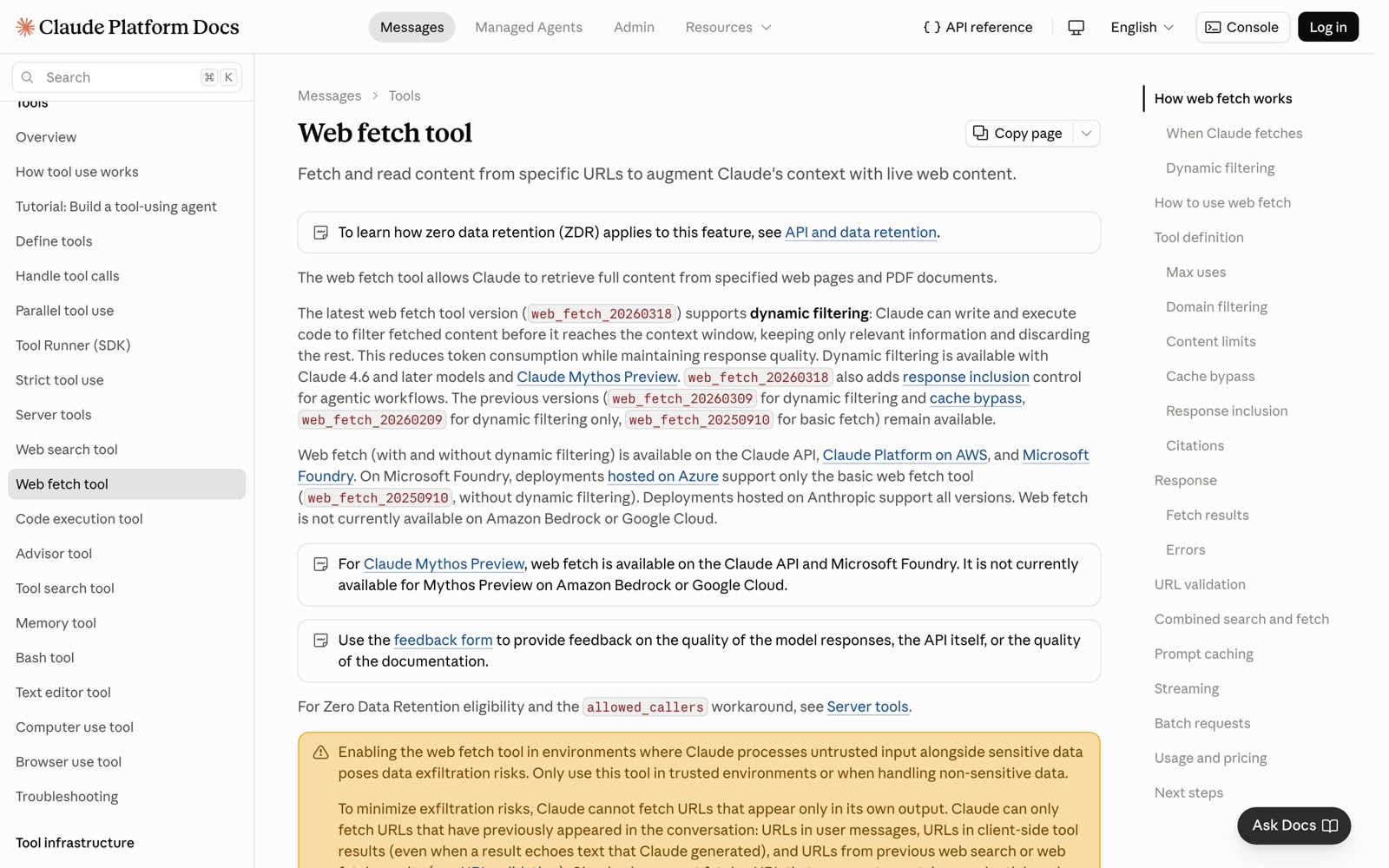
Two limits matter for scraping. First, the web fetch documentation says it doesn’t currently support websites dynamically rendered with JavaScript, and points to Anthropic’s browser use tool for those. Second, as a safety measure, Claude can only fetch URLs that already appeared in the conversation (from you, a tool result or a search), not URLs it invents.
Web search lets Claude search the web and read the results. The web search documentation lists it at $10 per 1,000 searches plus standard token costs, and search results count as input tokens for the rest of the conversation.
Together they’re a solid research setup: search to find sources, fetch to read them. Because both run on Anthropic’s side, there’s no extra account, key or vendor to manage, and the results arrive with citations Claude can point back to. For a support bot that reads your own help pages, or an assistant that checks a few news articles, that’s often all you need. They aren’t a scraper for a 5,000-page site or for single-page apps.
2. Connect a scraping service through MCP
MCP (Model Context Protocol) lets Claude call outside tools. Several scraping services run MCP servers, which gives Claude a real scraper: one that renders JavaScript, rotates proxies, crawls whole sites and returns clean Markdown or JSON.
Firecrawl is the quickest to try. Its keyless MCP server works without an account at lower rate limits, exposing search, scrape and parse:
claude mcp add --transport http firecrawl https://mcp.firecrawl.dev/v2/mcp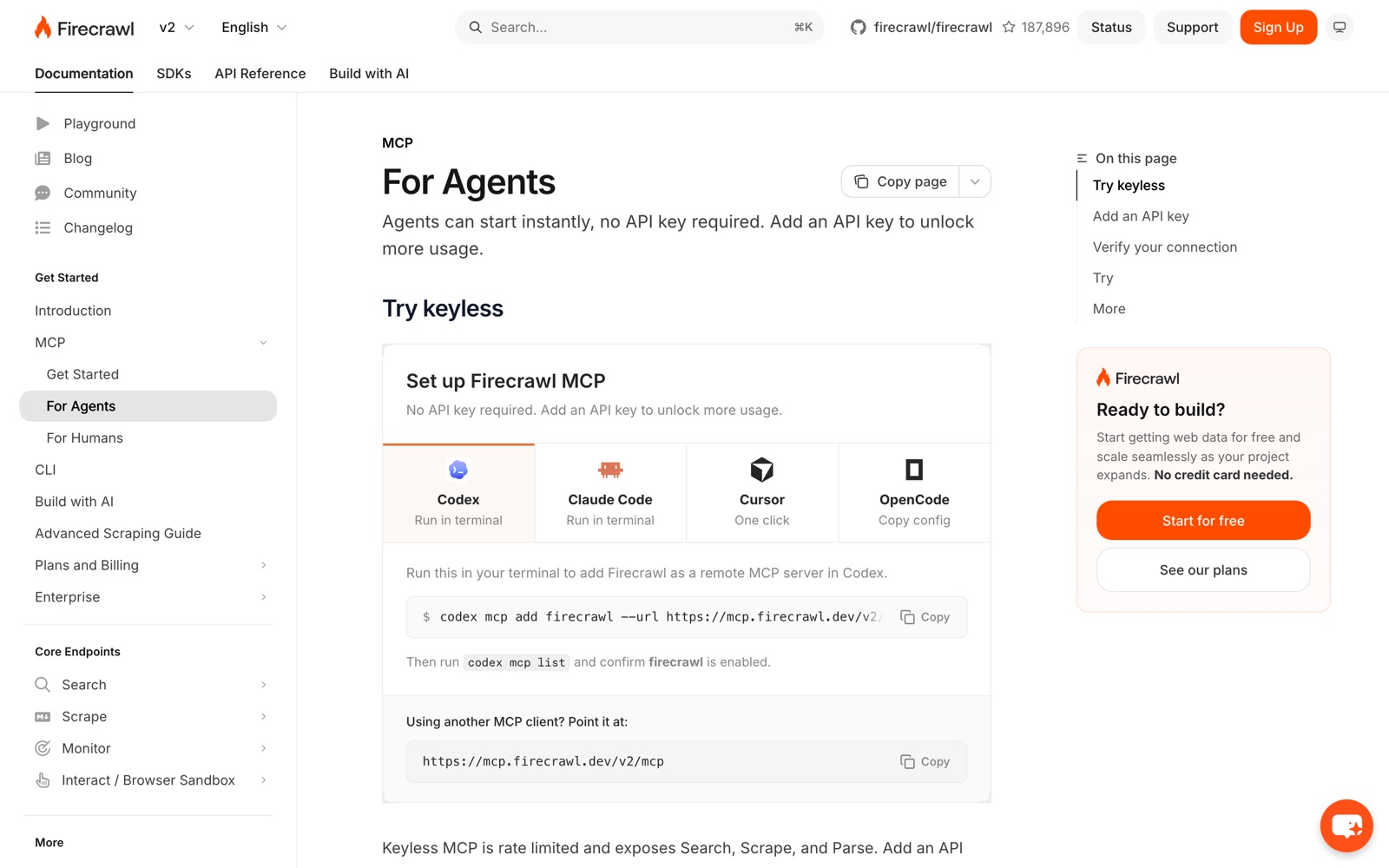
With an API key added as a bearer header, the full tool set opens up: crawl, map, interact with pages, structured extraction and more. In Claude.ai, Firecrawl’s docs point to a native Firecrawl connector in Claude’s connector directory instead of a command. Firecrawl’s pricing starts at 1,000 free credits a month, then $19 for 5,000 and $99 for 100,000, at 1 credit per basic page and 5 for JSON extraction.
Other options with MCP servers:
- Crawl4AI: free and open source. Its self-hosted Docker server includes an MCP endpoint, and its hosted cloud has one too, added with a similar
claude mcp addcommand and your key. - Apify: its MCP server lets Claude run any of Apify’s ready-made scrapers (Actors), useful for specific sites like Google Maps or Instagram. Usage is billed against your Apify plan.
The trade-off against the built-in tools is cost and setup: you pay the service’s credits on top of Claude’s tokens. In return, pages that the built-in web fetch can’t read come back as clean text.
3. Ask Claude to write a scraper
Sometimes you don’t want Claude to scrape at all; you want a scraper you own. Claude is good at writing them. Describe the site, the fields and the output format, and ask for a script using a library suited to the page:
- Static HTML: requests plus Beautiful Soup, or Scrapy for larger crawls.
- JavaScript-rendered pages: Playwright, which drives a real browser.
- LLM-ready output: Crawl4AI, which returns Markdown and can extract JSON with a schema.
This route makes sense for jobs you’ll run repeatedly at volume, where a per-page fee would add up. The costs move elsewhere: you run the code, handle proxies and blocks, and fix the scraper when the site changes. Claude Code can help with that maintenance too, by reading the error and the page and updating selectors.
A practical tip: give Claude a saved copy of the page’s HTML, or have it fetch one example page first, before it writes selectors. Scrapers written from a description alone tend to guess at class names.
4. Claude inside an agent that scrapes on a schedule
The fourth route is Claude running as an agent: a loop where it decides what to search, which pages to scrape and what to extract, often on a schedule. Typical jobs are competitor monitoring, research briefs, lead enrichment and keeping a knowledge base current.
You can build this yourself with the Claude API plus a scraping service, or use a platform that hosts agents and connects tools for you. Either way, the scraping layer is usually one of the services above, called through MCP or an API.
Two rules make agents safe to run:
- Cap the spend. Set limits on the scraping service (Firecrawl, Apify and others support monthly caps) and use
max_useson Claude’s own tools. An agent in a loop can burn through a month’s credits in an afternoon. - Keep untrusted content away from sensitive tools. Anthropic’s web fetch docs warn about data exfiltration risks when Claude processes untrusted web content alongside sensitive data. Don’t give a web-reading agent access to private data and outbound actions in the same session without review.
Step by step: Claude Code plus Firecrawl
Here’s the shortest path from nothing to Claude scraping a JavaScript-heavy site, using the commands from Firecrawl’s documentation.
- Add the server. In your terminal, run the
claude mcp addcommand shown above. No account is needed for the keyless tier. - Restart Claude Code and check the tools. Open the MCP list in Claude Code and confirm that firecrawl is connected. On the keyless tier you should see search, scrape and parse tools.
- Ask for one page first. Something like “Scrape the pricing page at this URL and list each plan with its monthly price.” Check that the Markdown came back complete, especially tables.
- Add your API key when you need more. Create a free key on Firecrawl’s site, which gives 1,000 credits a month, and add it to the MCP configuration as a bearer header. That unlocks crawl, map and structured extraction, and higher rate limits.
- Set a cap before you scale. On a paid plan, set a monthly pay-as-you-go limit in Firecrawl’s billing settings, or 0 to turn top-ups off, so an agent can’t keep buying credits.
- Save the prompt as a skill or command. If you’ll repeat the job, store the instructions so Claude runs it the same way every time.
The same pattern works with Crawl4AI’s or Apify’s MCP servers; only the command and the billing change.
Prompts that get better scraping results
Claude does better scraping work when the request is specific about scope and output. A few patterns that help:
Name the pages and the stopping rule. “Find the pricing and changelog pages on this site, scrape only those two, and stop” beats “find out about this company”. Without a stopping rule, an agent with a crawl tool will keep going.
Ask for a schema, not a summary, when you need data. “Return a JSON list with plan, monthly_price_usd, annual_price_usd and limits; use null when a value isn’t on the page” gives you something you can load into a spreadsheet. The “use null” line matters: without it, models tend to fill gaps with guesses.
Ask for the source URL with every fact. It makes the output checkable, and it shows you when Claude read the wrong page.
Tell it what to ignore. “Ignore blog posts, careers and legal pages” saves credits and tokens on big sites.
Check a sample before trusting the batch. Ask Claude to show you the raw Markdown for one page before it extracts from fifty. If tables or prices came back broken, fix the tool settings first.
We use the same habits for the research behind our own reviews: scope first, sources with every number, and a look at the raw page before anything gets summarised.
What each route costs: a worked example
Suppose you want Claude to produce a weekly brief on 20 competitors: search for news about each, read their pricing pages, and summarise changes. Roughly, at list prices:
- Built-in tools on the API: 20 searches a week is about 80 a month, or $0.80 at $10 per 1,000, plus tokens for the results and fetched pages. Cheapest, as long as the pricing pages render without JavaScript.
- Firecrawl through MCP: 20 searches of 10 results is 40 credits, plus 20 pricing pages at 1 credit each, about 60 credits a week or 240 a month. That fits in the free 1,000 credits, and JavaScript pages work. Claude’s tokens are extra either way.
- A Claude-written script: free per run, but you host it, schedule it and maintain it.
The real cost difference shows up at scale and on hard sites, not in a 20-page brief.
Mistakes to avoid
Expecting web fetch to read single-page apps. If a page builds its content with JavaScript, the built-in fetch will come back thin. Switch to a rendering scraper rather than prompting harder.
Loading whole pages into context. Full pages are expensive tokens. Use dynamic filtering on the API, or ask the scraping service for Markdown with boilerplate removed, or JSON with just the fields you need.
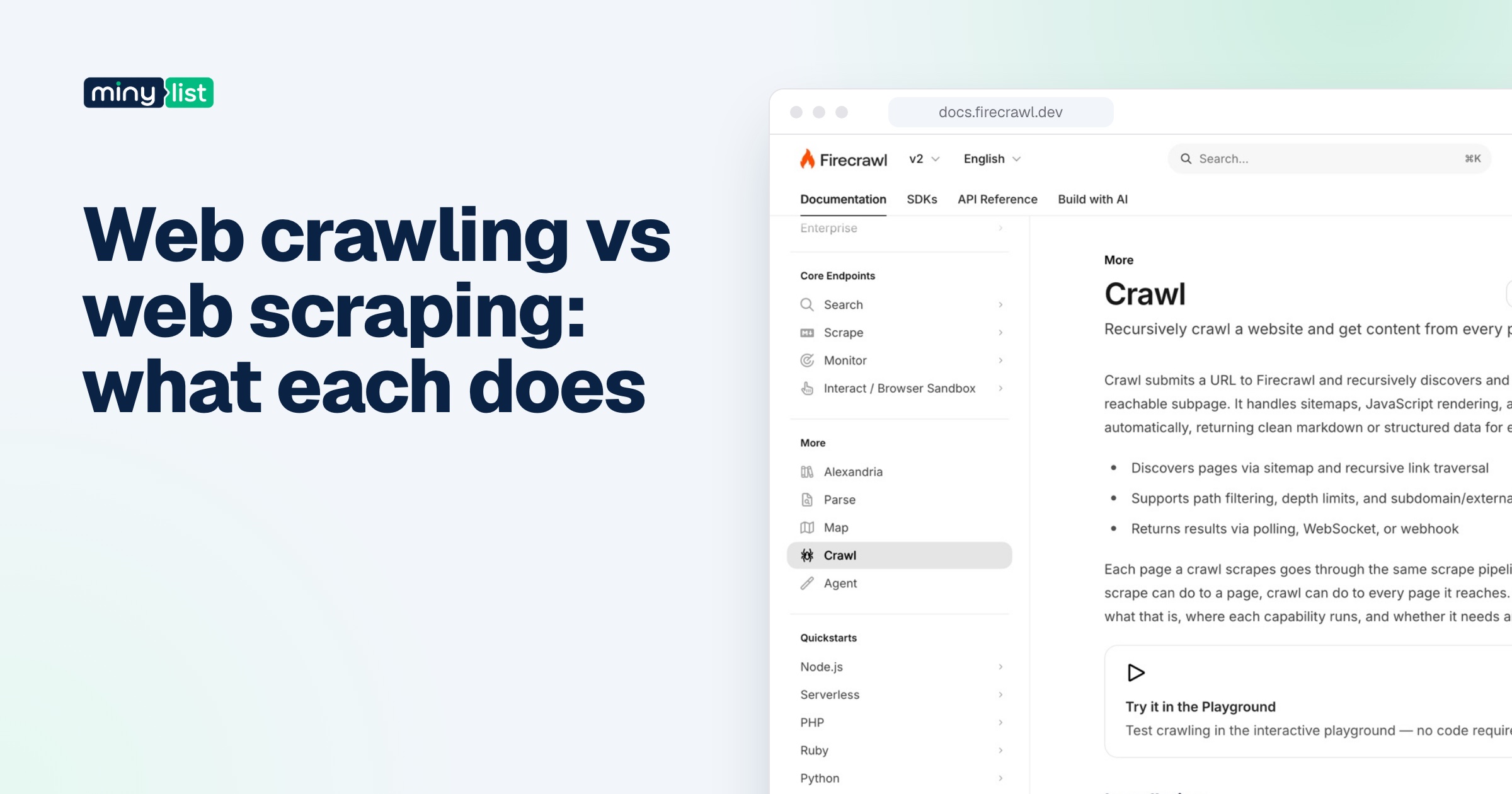
Crawling when you need five pages. Have Claude map or search first, then scrape only what’s relevant. Listing a site’s URLs costs far less than fetching every page, and most questions need a handful of pages, not the whole site. Our guide to web crawling vs web scraping covers why the two steps differ.
Forgetting the terms. Claude doesn’t make scraping more or less allowed. Check the site’s terms and robots.txt, and leave personal data alone unless you have a reason and a right to collect it.
Which route should you use?
If you’re on the Claude API and the pages are ordinary, start with web search and web fetch: no extra service, and fetch costs only tokens. If you work in Claude Code or Claude.ai, or the sites are JavaScript-heavy, add Firecrawl’s MCP server; the keyless version takes one command to try. If you’ll run the same job thousands of times, have Claude write you a Crawl4AI or Playwright scraper and own it.
For the full picture on Firecrawl’s credits and catches, read our Firecrawl review, and for how it compares with the alternatives, see Firecrawl vs Crawl4AI and Firecrawl vs Apify. The rest of the tools we’d pair with Claude are in the AI builders stack.



 ChatGPT
 Claude
 Perplexity
 Grok
Grok