
Web crawling vs web scraping comes down to one distinction: a crawler finds pages, and a scraper takes data out of them. Crawling starts at a URL and follows links to discover what exists on a site. Scraping takes a page you already know about and extracts the text, prices or fields you need. Most real projects do both, in that order, and the tools that matter in 2026 bundle the two.
We wrote this because the terms get used interchangeably, and the mix-up costs money: people crawl a 50,000-page site when they needed 200 pages scraped, or scrape a list of URLs they found by hand when a crawl would have found the rest. Facts about specific tools come from their own documentation and pricing pages, checked on October 3, 2026.
Web crawling vs web scraping in one table
| Web crawling | Web scraping | |
|---|---|---|
| Goal | Discover pages | Extract data from pages |
| Input | A starting URL (or a sitemap) | One or more known URLs |
| Output | A list of URLs, often with page content | Text, Markdown, JSON fields, tables |
| Scope | Many pages, often a whole site | One page or a set you choose |
| Classic example | Googlebot indexing the web | Pulling prices from a product page |
| Main risk | Crawling far more than you need | Breaking when the page layout changes |
| Typical cost driver | Number of pages visited | Number of pages and extraction effort |
The short version: crawl when you don’t know which pages you need; scrape when you do.
What a web crawler does
A crawler, sometimes called a spider or bot, starts from one or more URLs, downloads each page, finds the links on it, and adds new links to a queue. It repeats until it runs out of links, hits a page limit, or reaches a depth you set. Search engines are the best-known crawlers. Google’s own definition is a program used to automatically discover and scan websites by following links from one page to another.
Good crawlers make a few decisions on every page:
- Which links to follow. Same domain only, or subdomains and external sites too? Only
/blog/? Most tools let you include or exclude paths. - How deep to go. Depth 1 is the start page’s links; depth 3 can be thousands of pages on a big site.
- What the site allows. Well-behaved crawlers read
robots.txt, a file defined in the Robots Exclusion Protocol (RFC 9309), which tells bots which paths they may visit. - How fast to go. Too many requests a second gets you blocked and can hurt small sites.
- When it has seen a page before. Duplicate URLs with tracking parameters or different casing waste the crawl.
A crawler on its own gives you a map: which pages exist and how they link together. That’s useful for SEO audits, finding broken links, or deciding what to scrape. On its own it doesn’t give you the clean data you actually want.
What a web scraper does
A scraper takes a page and turns it into data. Old-style scrapers download the HTML and pick out elements with CSS selectors or XPath (“the text inside .price”). They’re fast and cheap, but they break whenever the site changes its markup.
Modern scrapers, especially the ones built for AI, add three things:
- A real browser. Many pages build their content with JavaScript, so a scraper has to render the page like Chrome does before there’s anything to extract.
- Clean output. Instead of HTML, you get Markdown with the navigation, footers and ads removed, which is what you want to feed an LLM.
- Model-based extraction. You describe the fields you want, or pass a JSON schema, and a language model finds them. Nothing to fix when a class name changes.
A scraper without a crawler only knows the URLs you give it. That’s fine for a list of 50 competitor pricing pages. It’s not fine when the job is “everything in this documentation site”.
How crawling and scraping work together
In practice they’re two steps of one pipeline. A typical AI project looks like this:
- Map the site. List the URLs that exist, from the sitemap and links, without downloading every page in full.
- Filter. Keep the pages you care about:
/docs/,/pricing, product pages, posts from this year. - Crawl or batch scrape the filtered set. Fetch each page, render JavaScript, and turn it into Markdown.
- Extract structure where you need it. Run JSON extraction only on pages where you need fields, not on all of them.
- Re-run on a schedule. Recrawl, ideally only pages that changed.
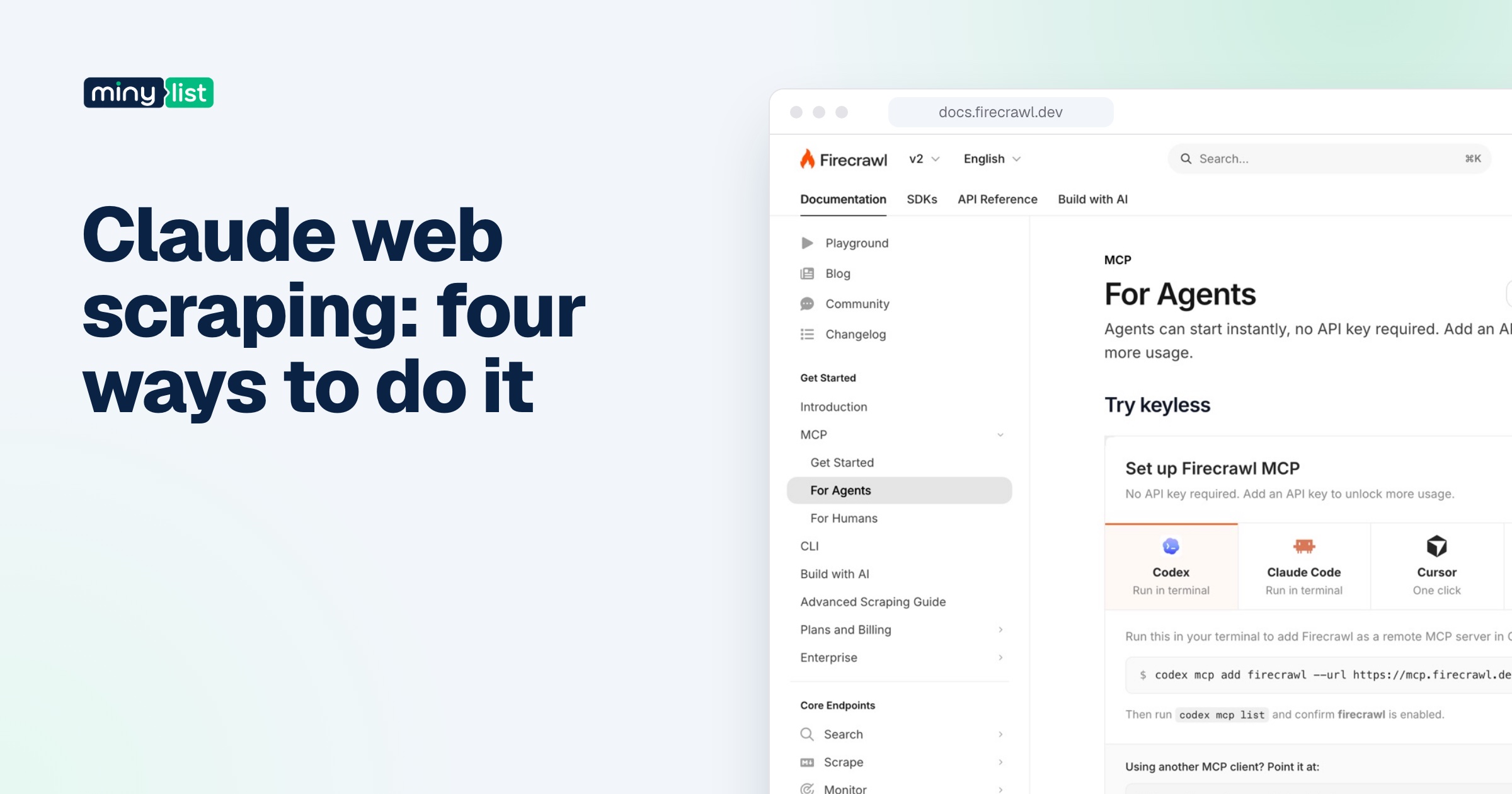
Firecrawl’s API is a clean example of this split, which is why we use it to illustrate the pipeline. It has three separate endpoints: map lists a site’s URLs (Firecrawl says it uses the sitemap, search results and previously crawled pages), crawl recursively discovers and scrapes every reachable subpage, and scrape turns one URL into clean Markdown, HTML, JSON or a screenshot.
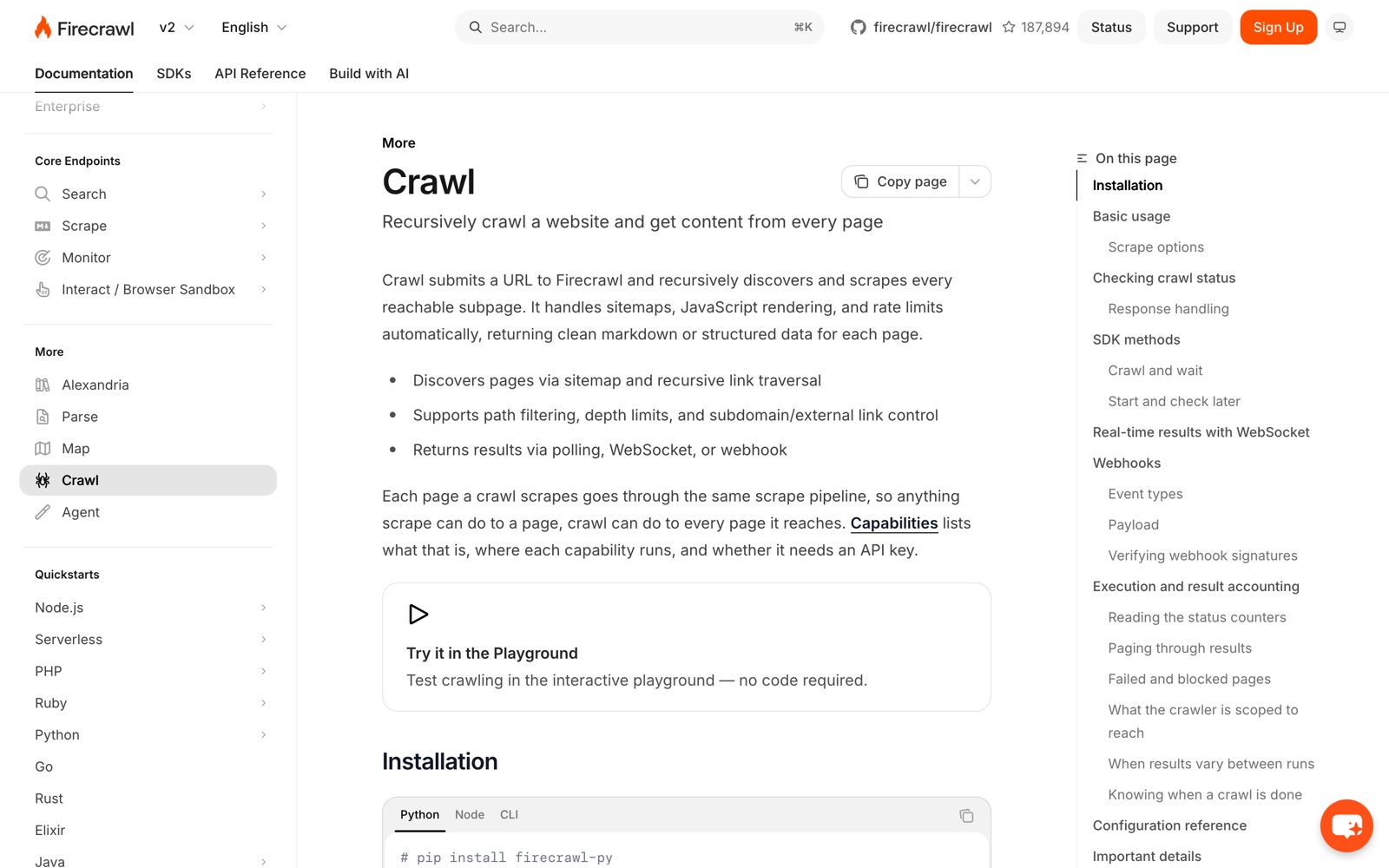
Its crawl documentation spells out what a crawler needs to handle: sitemap discovery, recursive link traversal, path filtering, depth limits, control over subdomains and external links, and results by polling, WebSocket or webhook. Each page a crawl reaches goes through the same pipeline as a single scrape, so anything you can do to one page you can do to every page in the crawl.
Which do you need? Five common projects
A chatbot that answers from your docs. You need both. Crawl the docs site (or map it and filter to /docs/), scrape each page to Markdown, and load the result into a vector database. Recrawl weekly.
Tracking 30 competitor pricing pages. Scraping only. You know the URLs. Scrape them on a schedule and extract plan names and prices as JSON, or use a change-monitoring feature.
An SEO audit of your own site. Crawling first. You want every URL, status code, title and link. Scrape content only if you’re auditing copy.
A lead list from a directory site. Crawl the directory’s listing pages to collect profile URLs, then scrape each profile for the fields you need. Check the directory’s terms first; many forbid this.
An agent that answers questions from the live web. Mostly scraping, plus search. The agent searches, picks a few result URLs and scrapes them. Crawling a whole site for one question wastes time and money.
What crawling and scraping cost
On per-page APIs, crawling and scraping usually cost the same per page, because a crawl scrapes every page it visits. What changes the bill is how many pages you visit and how much work each one needs.
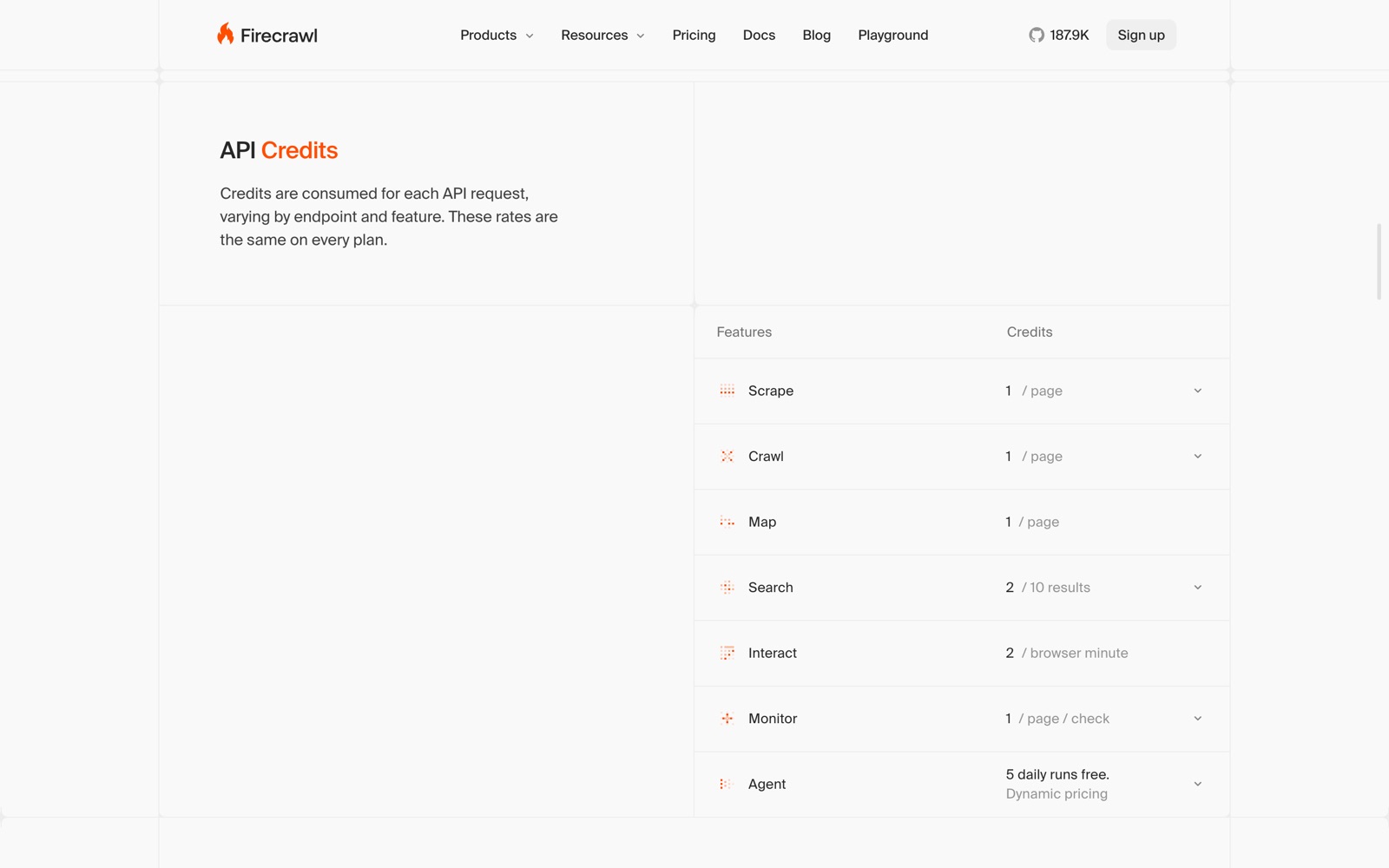
Firecrawl’s pricing is a useful reference. Scrape, crawl and map each cost 1 credit per page, JSON extraction adds 4 credits a page, and the plans run from 1,000 free credits a month to $19 for 5,000 credits and $99 for 100,000. So a careless crawl of a 20,000-page site is 20,000 credits, while mapping it first and scraping the 400 pages you need is a fraction of that.
The same logic holds for other tools. Crawl4AI is free to self-host, so your cost is servers and proxies, and its cloud charges per page with browser-rendered pages costing ten times a plain fetch. Apify bills compute time, so a long crawl costs more because it runs longer.
The cheapest crawl is the one you scope before you start: map, filter, then fetch.
A worked example: a docs site for a support chatbot
Suppose you want a support chatbot to answer from a software company’s documentation, and the docs site has about 3,000 URLs once you count versions, tag pages and translations. Here’s how the two approaches compare, priced at Firecrawl’s list rates.
The careless way: crawl everything. Start a crawl at the docs homepage with no limits. It follows every version selector, every language and every tag page, and visits all 3,000 URLs. That’s 3,000 credits for content, most of it duplicated across versions. Add JSON extraction to every page “just in case” and it’s 15,000 credits, three times what the $19 Hobby plan includes. Your vector database also ends up full of near-identical pages from old versions, which makes the chatbot’s answers worse.
The scoped way: map, filter, crawl. First map the site to get the URL list, then keep only the current version in English, say /docs/latest/ without /tag/ pages. Suppose that leaves 400 pages. Crawl or batch scrape those 400 into Markdown: 400 credits. Skip JSON entirely, because a chatbot needs clean text, not fields. The whole job fits in the free plan’s 1,000 monthly credits with room for a weekly refresh of the pages that changed.
The difference isn’t the tool. It’s deciding what to crawl before the crawler starts. The same pattern works in Crawl4AI (seed URLs from the sitemap, filter, then deep crawl with include patterns) and in Apify’s Website Content Crawler (start URLs plus exclude globs and a max pages setting).
Two habits make this repeatable:
- Write the scope down. One line per rule: which paths to include, which to exclude, the page cap, the depth. When the crawl surprises you, the rules tell you why.
- Look at ten pages before you load ten thousand. Open a sample of the Markdown and check that the navigation is gone, tables survived, and code blocks are intact. Fix the settings, then run the full job.
Tools that crawl, scrape, or both
| Tool | Crawls | Scrapes | Output for AI | Price to start |
|---|---|---|---|---|
| Firecrawl | Yes (crawl, map) | Yes | Markdown, JSON | Free 1,000 credits; $19/month |
| Crawl4AI | Yes (deep and adaptive crawl) | Yes | Markdown, JSON | Free self-hosted; cloud pay as you go |
| Apify | Yes (Website Content Crawler, Crawlee) | Yes (Actors) | Markdown, JSON datasets | $5 free usage; $19/month + usage |
| Scrapy | Yes | Yes (static HTML) | HTML, your own pipeline | Free, open source |
| Playwright or Puppeteer | You write the crawl | You write the extraction | Whatever you build | Free, open source |
Crawl4AI has one feature worth calling out for crawling specifically: its adaptive crawler stops once it has gathered enough to answer a query, instead of visiting every page it can reach. Apify’s Website Content Crawler can switch between a fast HTTP client for static pages and a Firefox browser for dynamic ones, which keeps big crawls cheaper.
We compare the two leading AI-focused options in Firecrawl vs Crawl4AI and Firecrawl vs Apify, and our Firecrawl review covers its credit model in detail.
Mistakes that make crawls slow and expensive
No page limit. Always set a maximum number of pages and a depth on the first run. Infinite calendars, faceted search and tag pages can generate endless URLs.
Crawling when you could map. If you only need to know which pages exist, list URLs instead of downloading everything.
Ignoring robots.txt and rate limits. Beyond the ethics, it gets your crawler blocked, and blocked pages often still cost you a request.
Extracting JSON from every page. Model extraction is the expensive step. Run it on the pages that need fields, not on the whole crawl.
Recrawling everything. On a schedule, re-fetch only pages that changed. Some tools cache recent results or offer change tracking.
Is crawling or scraping legal?
Both are common and widely used, and neither is illegal in itself, but legality depends on what you collect, from where, and how. Things that raise the risk: ignoring a site’s terms or robots.txt, collecting personal data, scraping behind a login, copying content you then republish, and hammering a site with requests. This isn’t legal advice. If your project depends on one site’s data, read its terms, and for anything commercial or personal-data heavy, ask a lawyer.
Where to start
If you’re building something with AI, start with a tool that does both steps through one interface. Map the site, filter to what you need, then crawl or scrape that set into Markdown. Firecrawl’s free 1,000 credits are enough to try the whole pipeline on a small site, and Crawl4AI costs nothing if you’re comfortable running it yourself. For a ranked list, see the best AI web scraping tools; for the rest of the tools around a scraper in an AI stack, the AI builders stack.



 ChatGPT
 Claude
 Perplexity
 Grok
Grok