
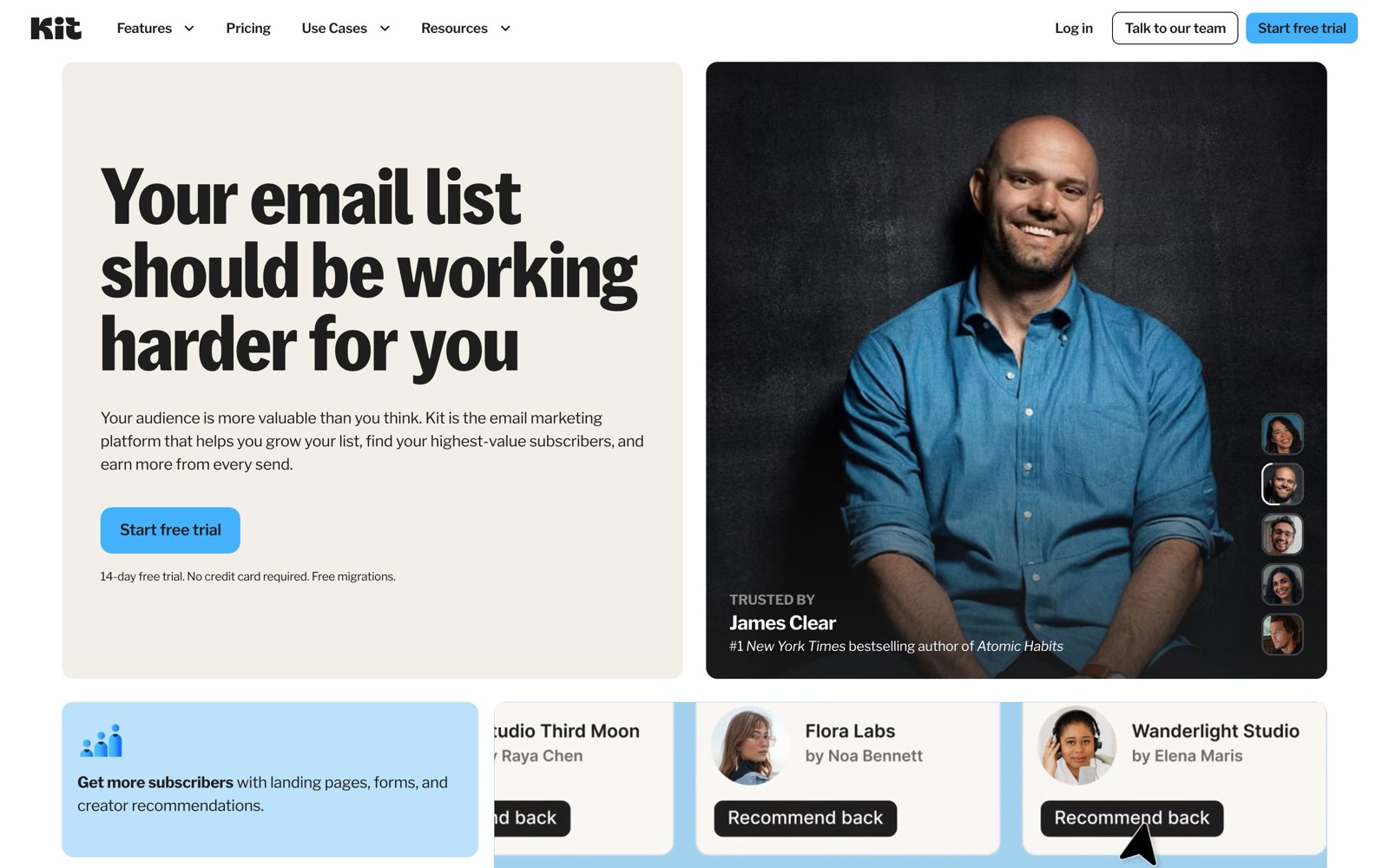
Kit, formerly ConvertKit, is email marketing built for creators who sell something: authors, coaches, course creators, YouTubers. It runs your sign-up forms, newsletters, automated sequences and a checkout in one account. In this Kit review the short answer is yes for most creators: it’s free up to 10,000 subscribers, and Creator adds the automations at $39 a month. The catch is the price ladder: automation isn’t free, and the bill climbs with every tier.
We reviewed Kit from its public pages, pricing, help center and developer docs as of October 5, 2026, plus a read of what creators said about it on Reddit and X over the past year. We did not run a Kit account for this review, so nothing below is a claim about how it felt to use; where Kit makes a claim we couldn’t check, such as its delivery rate, we say it’s Kit’s. Our score is 4.2 out of 5, with the scoring explained on the Kit tool page.
What this review gives you that kit.com doesn’t: the cost at your list size, the limits the plan cards don’t mention, what people who use it complain about, and who should pick something else.
Kit at a glance
| Kit | |
|---|---|
| What it is | Email marketing for creators: forms, landing pages, newsletters, sequences, automations, digital product sales |
| Former name | ConvertKit |
| Who runs it | Nathan Barry, founder and CEO (per Kit’s about page) |
| Free plan | Up to 10,000 subscribers, 1 user, no automations |
| Paid plans | Creator from $39/month, Pro from $79/month, at 1,000 subscribers, billed monthly |
| Yearly billing | About 17% off ($390/year Creator, $790/year Pro at 1,000) |
| Sending limits | None on any plan |
| Sales fee | 3.5% + 30¢ per payment, card processing included |
| Integrations | Kit App Store (WordPress, Zapier, Shopify, Canva, Calendly and more), API v4, Kit MCP for AI assistants |
| Trial and refund | 14-day trial on paid plans, no card; refunds within 30 days of signing up |
| Migration | Free on paid plans |
How Kit works
Kit is organised around one list of subscribers and the tags on them, not around separate lists. Someone who joins through your podcast page and later downloads a checklist is one subscriber with two tags, and Kit only counts unique, active subscribers toward your bill. That model is the reason Kit suits creators with several offers: you can tell who came for what without paying for the same person twice.
People arrive through forms (inline, modal, slide-in or sticky bar) embedded on your site, through landing pages Kit hosts, through integrations such as WordPress or Shopify, or through Kit’s Recommendations network. Each entry point can deliver a freebie by email and add a tag.
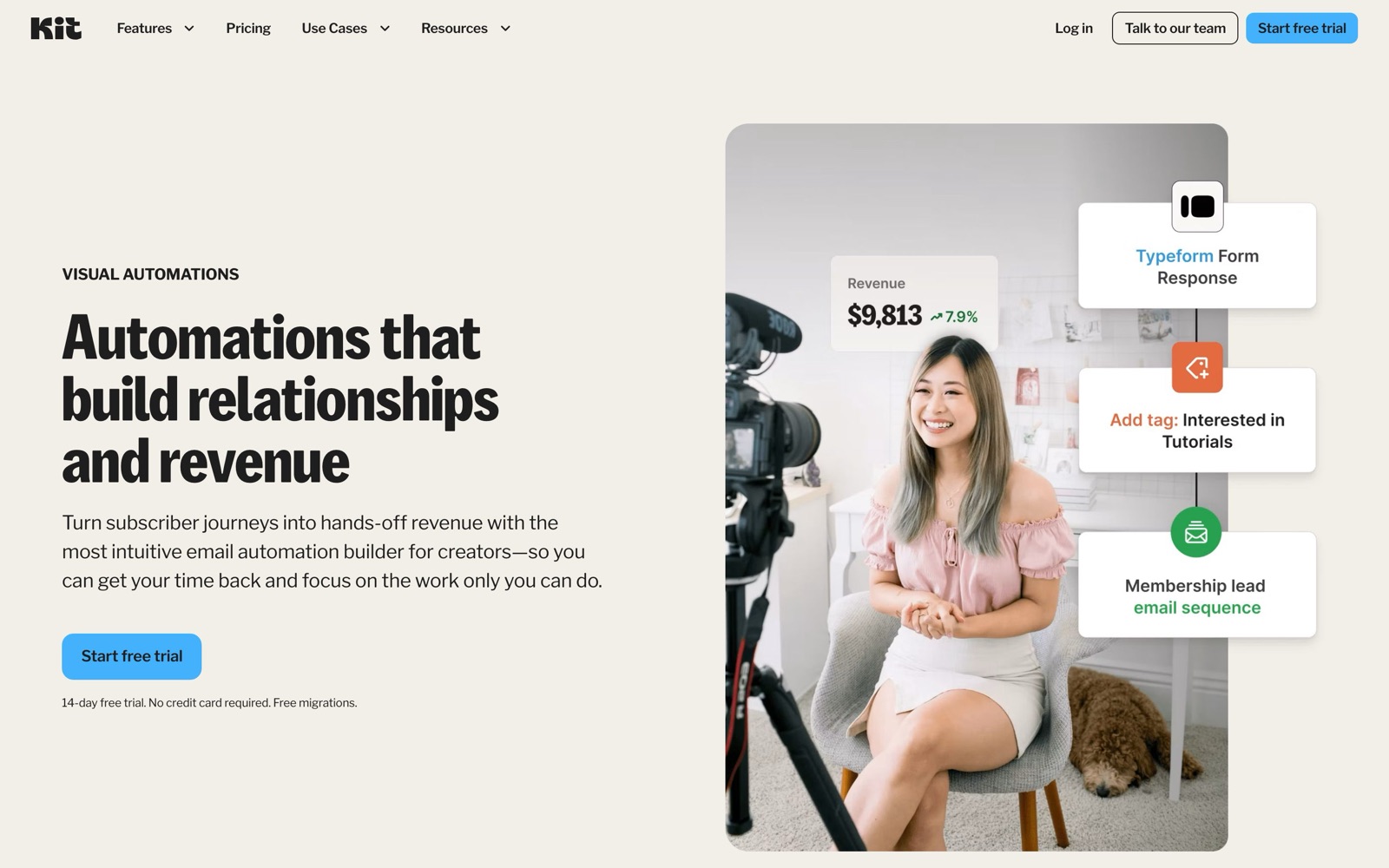
You then email them in two ways. Broadcasts are one-off sends, such as this week’s newsletter, to everyone or to a segment. Sequences are timed series that each subscriber moves through at their own pace, such as a five-day welcome course. Visual Automations connect the two: a trigger (joined a form, bought a product, clicked a link, got a tag) starts a path that can wait, branch, add someone to a sequence or tag them for later.
Commerce sits in the same account. You create a product page or a paid newsletter, connect Stripe, and Kit takes the payment, delivers the file or access, and tags the buyer so an automation can follow up. Every plan can sell, Free included, at 3.5% + 30¢ per payment.
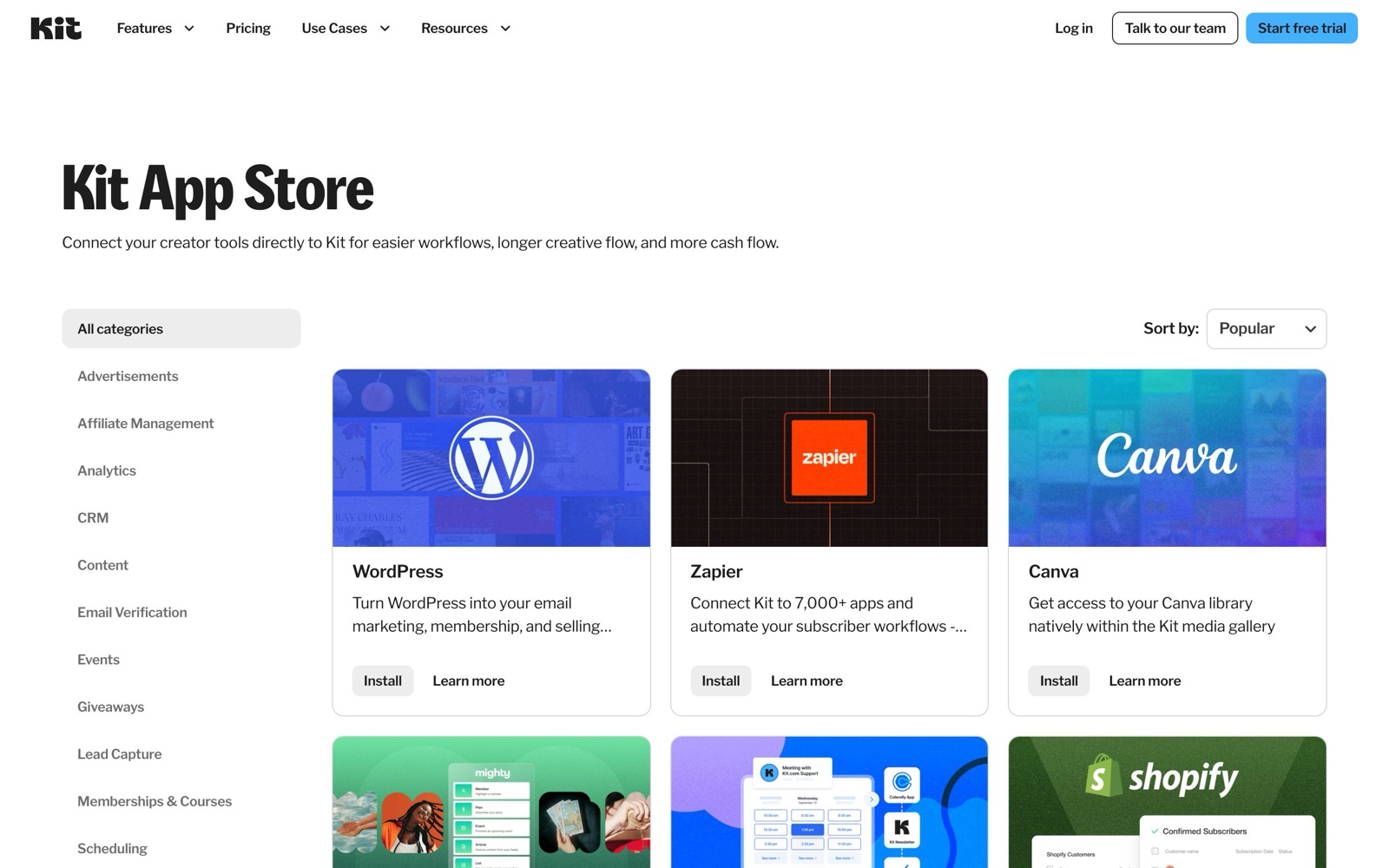
The connective tissue is the Kit App Store, the API and the Kit MCP. The App Store lists apps for WordPress, Zapier (“7,000+ apps”), Canva, Shopify, WooCommerce, Calendly, Typeform, Thinkific and others. The API is version 4, with OAuth and webhooks, and Kit lists API access on every plan. The MCP lets an AI assistant work on your account; we cover it in our Kit MCP setup guide.
A real job: a welcome sequence that sells a course
The job Kit is built for is turning a new subscriber into a buyer without you doing anything by hand. Here’s how that looks in Kit, step by step from its documented features. The creator is hypothetical: a designer with 1,500 subscribers launching a $149 course.
- The entry point. A landing page offers a free one-page checklist. The form tags each person
checklistand emails the PDF. - The sequence. A five-email welcome sequence goes out over ten days: the checklist explained, two short lessons, a student story, then the course offer with a deadline.
- The automation. A Visual Automation starts the sequence when the
checklisttag is added, and removes buyers from it the moment a purchase lands, so nobody who paid gets the “last chance” email. - The checkout. The course sells from a Kit product page through Stripe. Kit tags the buyer
customer-coursefor later offers. - The newsletter keeps going. Everyone, buyers or not, still gets the weekly broadcast.
What it costs: Free can do steps 1, 4 and 5, but not 2 or 3, because sequences and automations start on Creator. At 1,500 subscribers you’d be on the 3,000 tier, $59 a month billed monthly or $590 a year. If 20 people buy the course over the year, Kit’s fee is 20 × ($5.22 + $0.30) = about $110, by our arithmetic. That’s the shape of most paid Kit accounts: a plan in the tens of dollars a month that pays for itself with a handful of sales.
Substack’s pages don’t offer the sequences or landing pages this setup runs on. On beehiiv it needs Lite, which is $49 a month billed yearly at 1,000 subscribers.
Setting Kit up: what the first week looks like
None of this is hard, but the order matters, and getting it wrong is what usually costs creators deliverability or money. This is the sequence we’d follow, built from Kit’s pricing, migration and help pages:
- Open a free account. No card is needed. If you’re moving from another platform and plan to pay, start the 14-day Creator trial instead, because the free migration is only for paid plans, and the 30-day refund clock starts when you sign up.
- Authenticate your sending domain before anything else. Mail sent from your own domain, with the DNS records Kit gives you, builds a sender reputation that belongs to you, and Kit’s help center has a whole “Technical Setup for Success” section on it.
- Bring the list over. Under 10,000 subscribers, Kit’s team moves subscribers, tags, lists and segments in 2 to 5 business days. Above that, its concierge migration also rebuilds forms, automation emails, templates and integrations such as Zapier or Kajabi. Doing it yourself with a CSV works too; import with a tag that says where each person came from.
- Replace your sign-up forms. Build the form in Kit, embed it where the old one was, and point the freebie email at the file you already give away.
- Connect the rest of your tools from the App Store: WordPress for site forms, Shopify or WooCommerce for buyers, Calendly for booked calls, Zapier for anything else.
- Build the first sequence last, once real subscribers are arriving, so you can test it on yourself with a real form.
Kit’s help center is large and well organised, with sections for automations, deliverability, the Creator Network and Pro features. For a creator who has never built an automation, Visual Automation templates are the shortest path: Kit includes a template library on both paid plans.
What Kit costs as your list grows
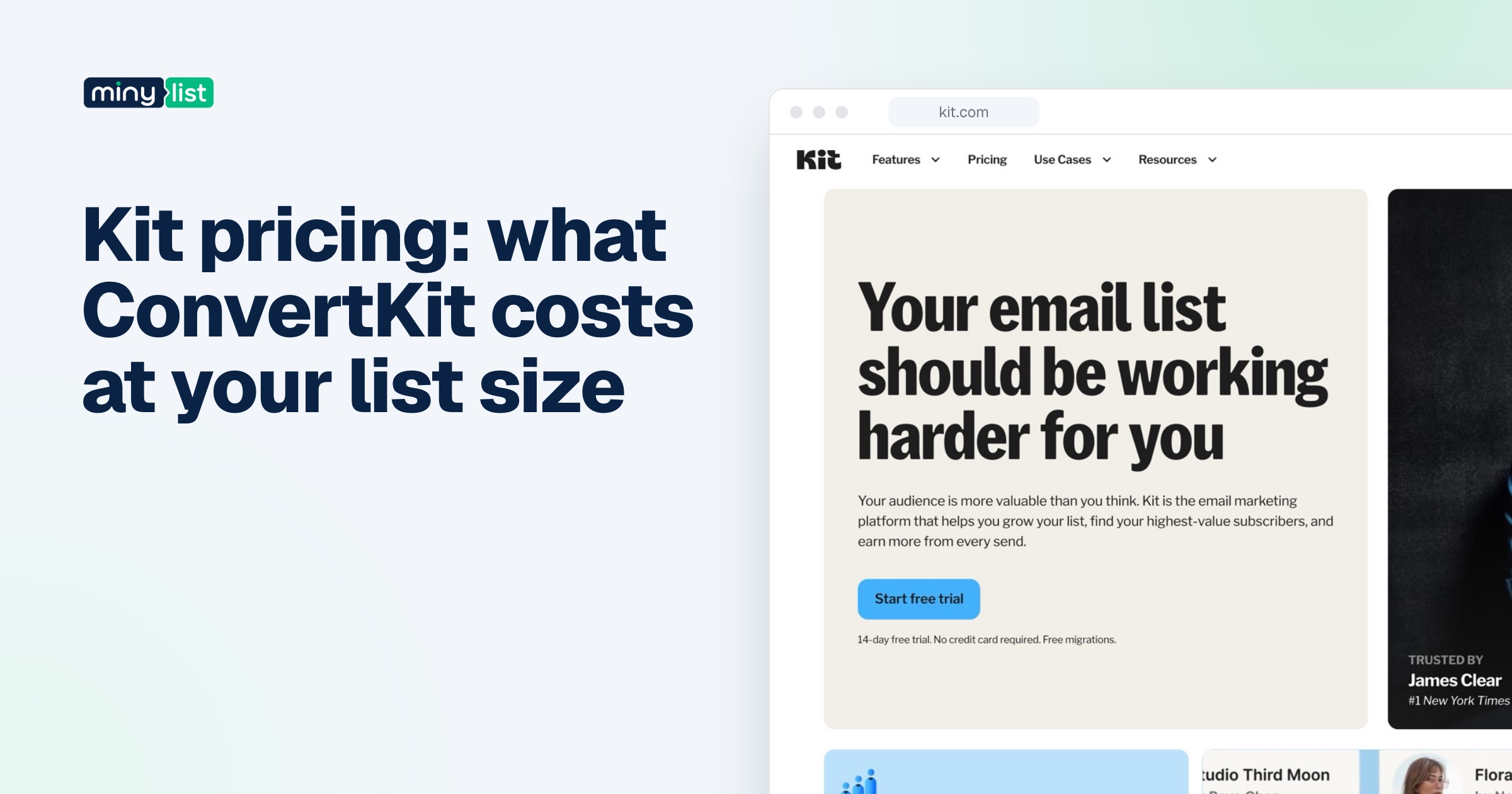
Kit’s prices step up with your subscriber count, and the step is the cost to plan for. From Kit’s pricing page, billed monthly:
- 1,000 subscribers: Creator $39, Pro $79
- 5,000: Creator $89, Pro $139
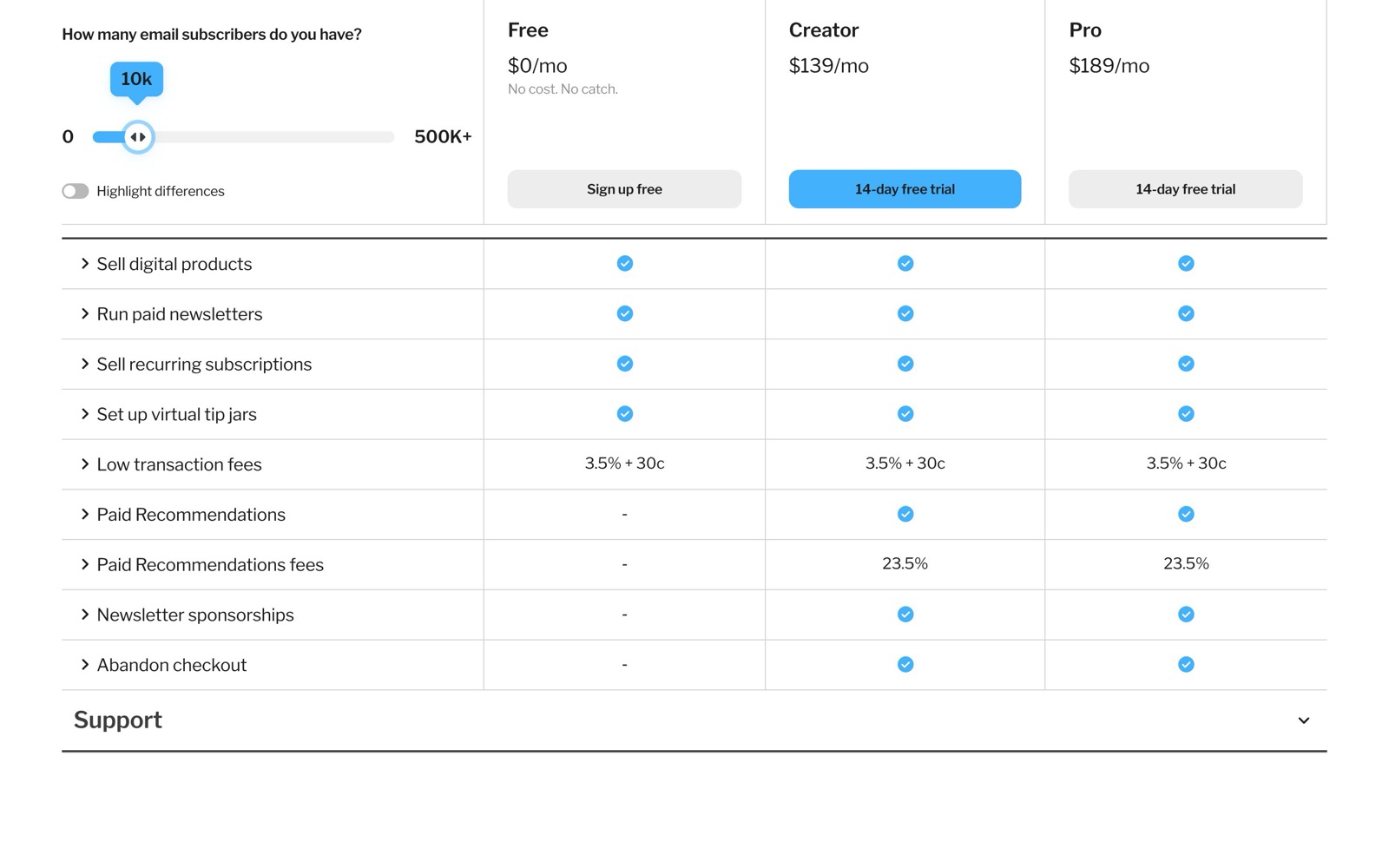
- 10,000: Creator $139, Pro $189
- 25,000: Creator $199, Pro $279
Yearly billing takes about 17% off: Creator at 10,000 is $1,390 a year instead of $1,668. When your list passes a tier, Kit upgrades you automatically and keeps sending, which is good for deliverability and bad for surprises. Going back down after deleting cold subscribers is a manual request to Kit’s support. Our Kit pricing breakdown has every tier and three all-in budgets.
A quick budget for the three stages most creators pass through:
- Starting out, newsletter only, under 10,000 subscribers: $0.
- Selling a product with a welcome sequence, 3,000 subscribers: $590 a year on Creator billed yearly, plus 3.5% + 30¢ per sale.
- A team of three with 10,000 subscribers: $1,890 a year on Pro, because Creator’s two seats don’t stretch to three people.
There are no sending limits on any plan, so a daily newsletter costs the same as a monthly one. That’s a real difference from Mailchimp, whose paid plans cap monthly sends at 10 to 15 times your contact count, and from MailerLite, whose Comfort plan caps them at 5,000 a month at 500 subscribers.
Growth tools: Recommendations, sponsorships and the MCP
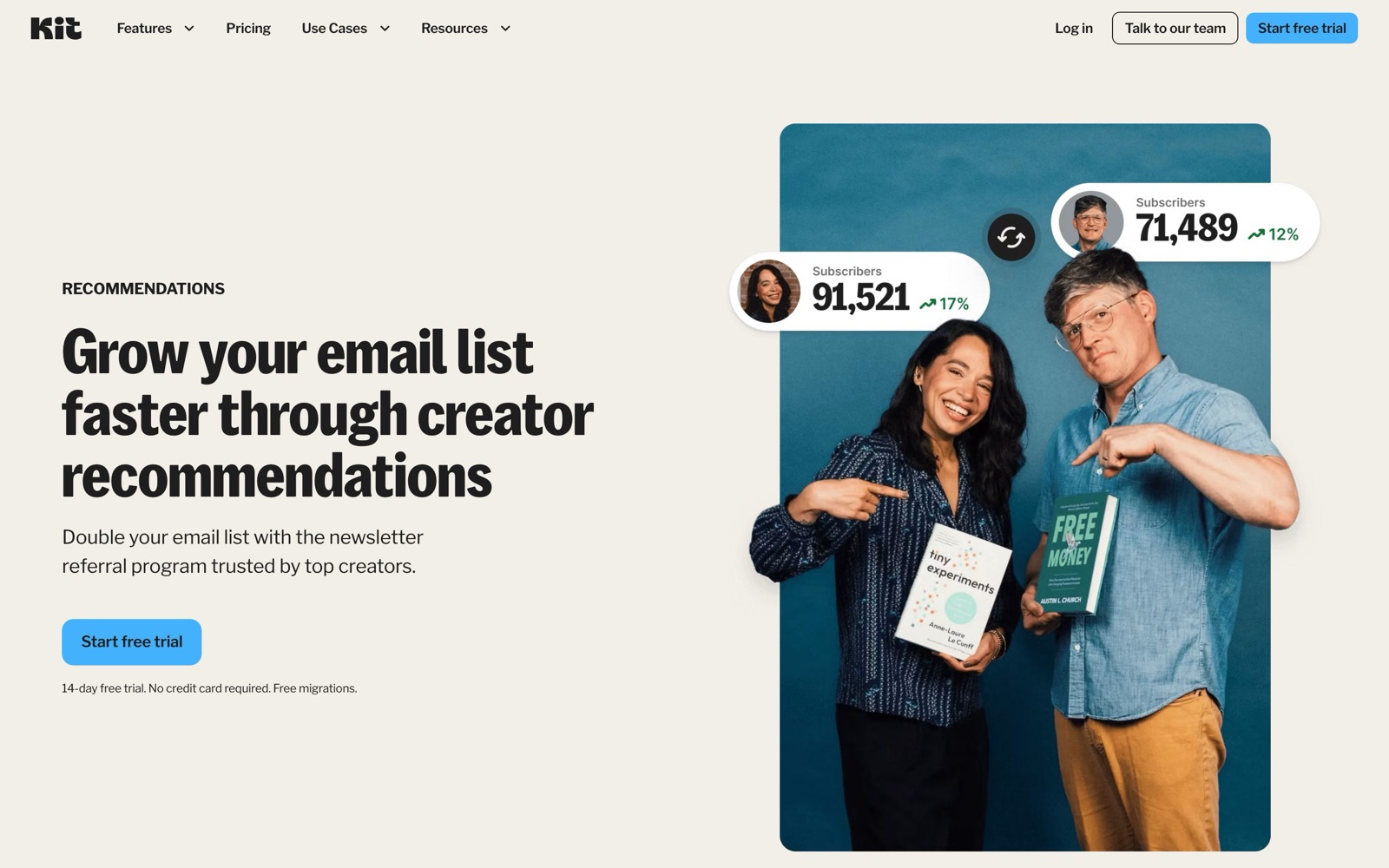
The part of Kit that’s hardest to copy elsewhere is the network. Recommendations puts newsletters in front of each other’s readers: Kit’s pricing page describes it as growing your list “through the network of Kit creators”, with your newsletter promoted on other creators’ sign-up forms. You recommend others, others recommend you. Kit’s page pitches it with “Double your email list”; that’s Kit’s claim, and results will depend on your niche and how many creators recommend you back.
Two paid versions sit on top. Paid Recommendations pays you for subscribers you send to other newsletters, with a 23.5% Kit fee on what you earn. Newsletter sponsorships, marked new on Kit’s site, matches newsletters with advertisers and lets you approve every ad. Both are on Creator and Pro, not Free.
Pro adds the analysis side: Subscriber Signals (demographics and social reach behind each email address), engagement scoring, an insights dashboard and deliverability reporting. It also includes a newsletter referral program through a free SparkLoop plan, which Kit values at $99 a month.
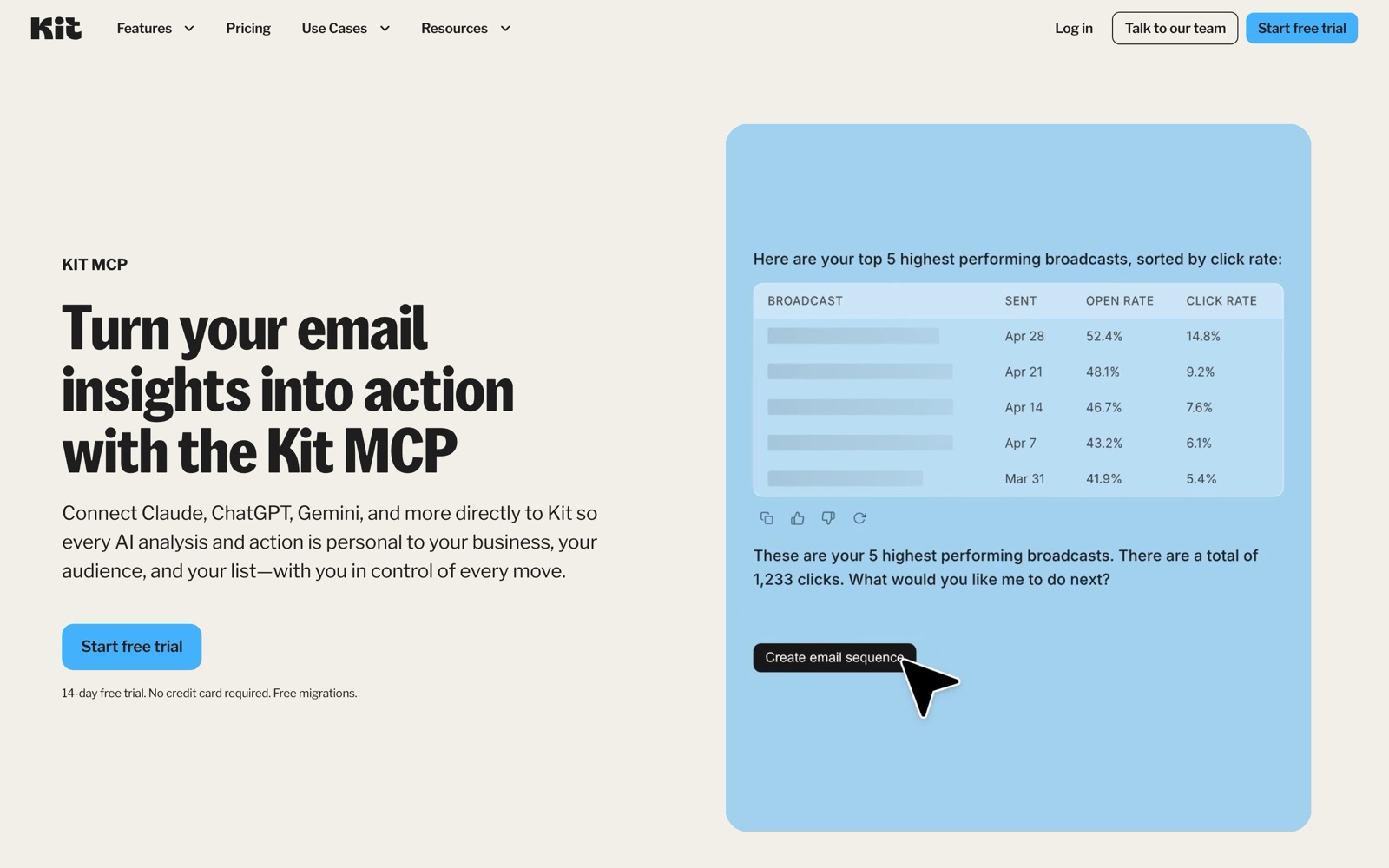
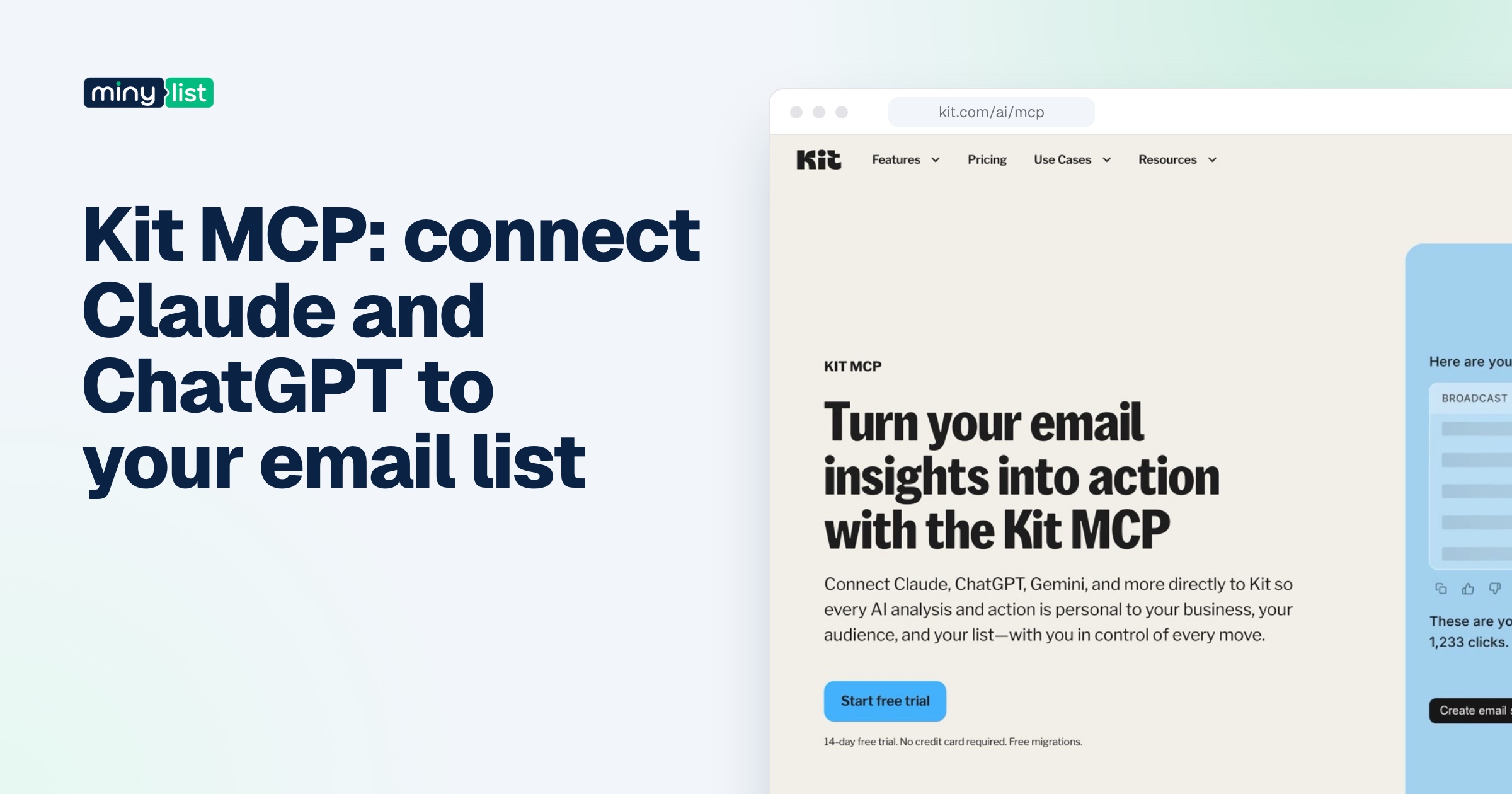
The newest piece is the Kit MCP, which Kit’s help center now calls AI Connectors. It connects Claude, ChatGPT, Cursor and other assistants to your account, exposing more than 65 tools that map to Kit’s API. Kit’s safety design is careful: sending a broadcast, deleting a sequence or unsubscribing someone returns a confirm link inside Kit rather than happening in the chat. It’s on Creator and Pro; Free accounts can connect but get an upgrade prompt when they try to run anything.
Data, deliverability and guardrails
Your content is yours. Kit’s terms say you retain all rights in the content you provide, and Kit’s help center says it doesn’t train any AI model on Kit data. Once you connect an outside assistant through the MCP, that provider’s settings decide what happens to the data you send it.
On deliverability, Kit’s own page claims a 99.8% delivery rate and “over a billion messages” sent last month, with a 40% average open rate. We couldn’t verify any of those, and an average open rate across all of Kit’s senders says little about yours. What you control is the setup: authenticate your own sending domain before you import a list, and let Kit’s migration team ramp volume gradually if you’re moving a large list, which its migration page says it does.
The guardrails worth knowing before you commit:
- Refunds. Kit refunds monthly and yearly plans within 30 days of the date you signed up for the account. After that, the terms say cancelling stops renewal but doesn’t refund the current period.
- Automatic upgrades. Crossing a subscriber tier raises your plan without asking; budget for growth.
- Payments. Kit Commerce runs on Stripe connected accounts, and Kit’s terms list the supported countries. India, among others, isn’t on the list, so creators there can’t sell through Kit’s checkout.
- Team access. Every user on the account can connect their own AI assistant through the MCP with the access they already have. Check who has a login.
Kit pricing
Three plans, all priced by active subscribers, with a 14-day trial on the paid two and no card needed.
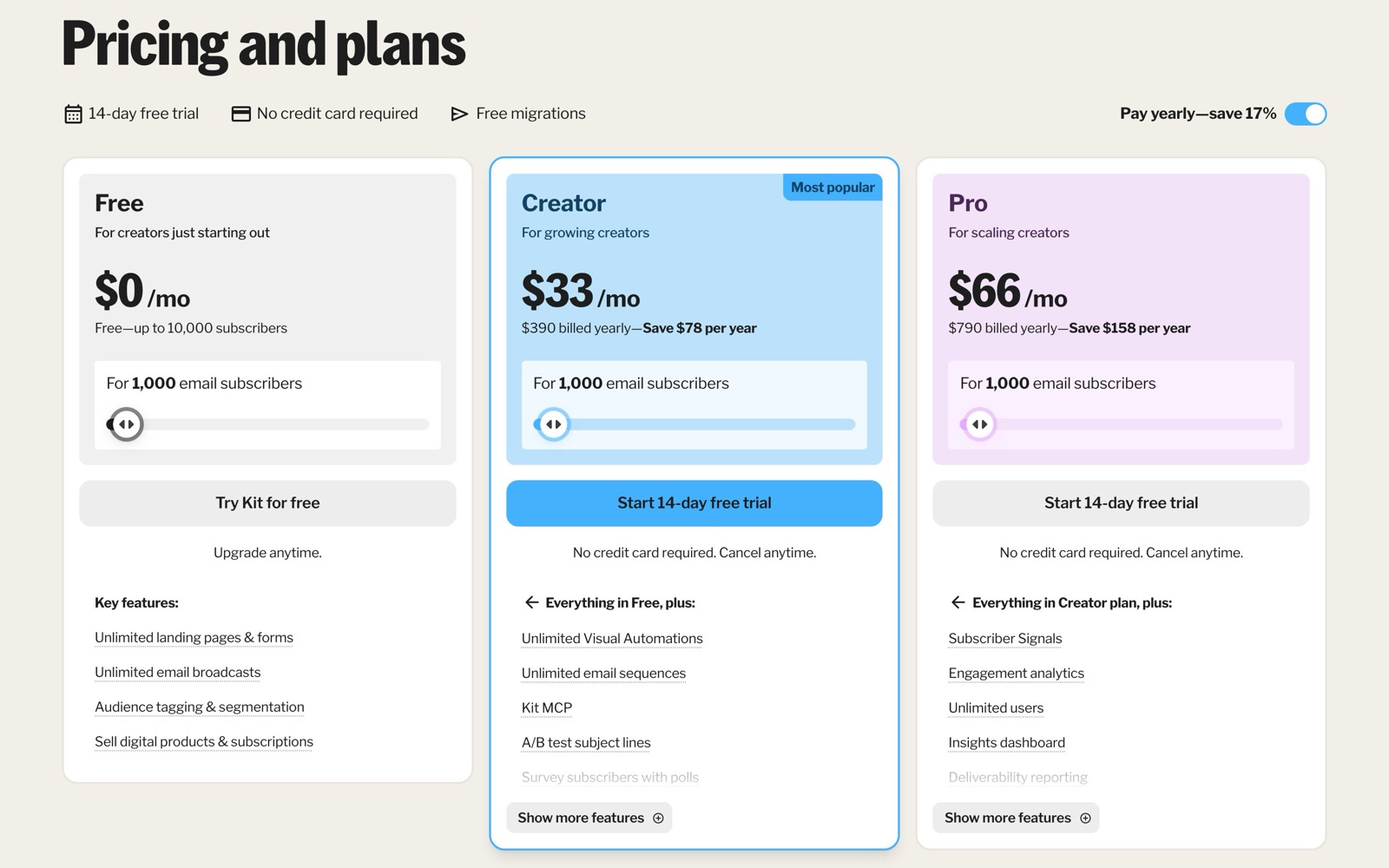
Free, $0 up to 10,000 subscribers: unlimited landing pages, forms and broadcasts, tags and segments, selling digital products and subscriptions, one user. No automations, sequences, integrations or MCP, and Kit branding stays on.
Creator, from $39 a month ($390 a year): unlimited Visual Automations and sequences, Kit MCP, subject-line A/B tests, polls, SMS marketing, RSS campaigns, the App Store, branding removal, Paid Recommendations and sponsorships, 24/7 support, two users.
Pro, from $79 a month ($790 a year): unlimited users, Subscriber Signals, engagement scoring, deliverability reporting, insights dashboard, collaborative editing, content A/B tests with up to five subject lines, Facebook custom audiences, the SparkLoop referral program, editing links in sent emails, priority support.
Selling costs 3.5% + 30¢ per payment on every plan, card processing included.
Migration is free on paid plans: under 10,000 subscribers Kit moves subscribers, tags, lists and segments in 2 to 5 business days; above that its concierge team also rebuilds forms, automation emails, templates and integrations, according to Kit’s migration page. Kit’s affiliate program hub says the company discounts only once a year, during Black Friday.
The catch
- Automation is the paywall. The free plan’s 10,000 subscribers are real, but the feature that sells, sequences, starts at $39 a month. One Reddit commenter put it plainly when comparing Kit and beehiiv for a lead magnet: their “free tiers usually restrict the automated email sequences you need” (r/Newsletters).
- The bill climbs at every tier, and it only climbs on its own. Creator goes from $39 at 1,000 subscribers to $139 at 10,000 and $199 at 25,000, billed monthly, and going down after a clean-up needs a support request.
- Two seats on Creator. A team of three is a Pro account, $50 a month more than Creator at 10,000 subscribers.
- Not everywhere can sell. No Stripe connected account in your country means no Kit Commerce, India included.
- Overkill for occasional senders. A creator with a 5,000-person list sending every couple of months found newsletter-first tools “kinda overkill” and their pricing “annoying fast” (r/Newsletters). If that’s you, Kit’s free plan or Substack fits better than Creator.
What creators say about Kit
We read a year of Reddit posts naming ConvertKit (24 posts, most in r/Newsletters, from October 2025 to September 2026) and 90 days of X posts. Some Reddit archive searches timed out, so the counts are partial.
The most common thread is a choice: beehiiv, Kit or Substack, sometimes Kajabi, for a lead magnet that feeds a newsletter. On X the same three names come up in polls, such as “If you had to pick one platform to run your newsletter, what would it be? -Beehiiv -Substack -ConvertKit” (@stanlee0nX, September 2026).
The free plan gets noticed: “10k subs is a lot for free, so that’s good,” one commenter wrote. Another said they “switched from FloDesk to ConvertKit about a year ago and so far am very happy with it” (thread). Switching away happens too: r/beehiiv has a thread asking who moved from Kit to beehiiv, and r/best_alternative one titled “Moving away from Kit (ConvertKit). Any good alternatives?” from September 2026. We saw those titles in search results but not the replies, so we don’t quote their reasons.
One X post is a useful warning more than a review: someone described a mastermind member paying $39 a month for ConvertKit inside $192 a month of tools to sell a $29 ebook, with four sales the previous month (@ecomchigga, July 2026). It’s a second-hand story, but the lesson stands: stay on Kit’s free plan until a sequence earns its keep.
Kit’s founder and CEO, Nathan Barry, is active on X. In July 2026 he wrote that buying kit.com “was one of the best business decisions I’ve ever made! The growth it directly drove paid off in under 2 years” (@nathanbarry). That’s his claim about Kit’s growth, not a number we can check.
Kit vs beehiiv for a newsletter that sells
beehiiv is the alternative creators weigh most often in the threads we read, so here is the comparison in one place, from both companies’ pricing pages on October 5, 2026:
| Kit | beehiiv | |
|---|---|---|
| Free plan | Up to 10,000 subscribers | Up to 2,500 subscribers |
| Cheapest plan with automations | Creator, $39/month monthly or $390/year (1,000 subscribers) | Lite, $49/month billed yearly (1,000 subscribers) |
| Fee on paid subscriptions | 3.5% + 30¢, card processing included | 0% platform fee, plus Stripe’s 2.9% + $0.30 |
| Website | Landing pages and a newsletter feed site | Full publication website on every plan |
| Ads | Newsletter sponsorships marketplace (Creator and Pro) | Ad network (Lite and up) |
| AI access | Kit MCP on Creator and Pro | beehiiv MCP on Lite and up |
Read it this way. If most of your income comes from paid subscriptions, beehiiv’s 0% platform fee saves about 6¢ on every $10 payment against Kit, by our arithmetic; on 500 paying readers that’s around $30 a month. If your income is a course, a book or coaching sold through sequences, Kit’s lower entry price and larger free plan matter more, and its tagging was built for that funnel. Either way, open both free plans and build the same form in each before you decide.
Kit alternatives
Each price is from the vendor’s own page on October 5, 2026. Our ranking of the best email marketing for creators compares all of them in one table.
- beehiiv is free up to 2,500 subscribers; Lite is $49 a month billed yearly and adds automations and paid subscriptions with a 0% platform fee, per beehiiv’s pricing. Better than Kit when the newsletter is the product, with a website and ad network.
- MailerLite is free up to 250 subscribers; Comfort is $12 a month for 500 subscribers with 50 automations and 5,000 emails, per MailerLite’s pricing. Cheaper than Kit for a small list that needs automation now.
- Substack is free to publish and keeps 10% of paid subscriptions, plus Stripe’s fees, per Substack’s help center. Simpler than Kit if you only want to write and grow inside a reader network.
- Mailchimp is free to 250 contacts and 500 sends a month and caps paid plans’ sends; it suits creators who also run a store. Our Mailchimp alternatives page sets its plans beside Kit’s.
What we haven’t tested yet
This review is built from Kit’s public pages, so some questions only a working account can answer. When we run Kit hands-on on its free plan, these are the things we’ll check and add here, with the date:
- How long it takes from sign-up to a live form on a real page, and how much of Kit’s editor you need to learn for it.
- Whether the free plan’s limits show up where Kit’s pricing page says they do, and what the upgrade prompts look like when you reach for a sequence.
- How the email editor handles a plain, text-heavy newsletter against a designed one, since Kit keeps its designer deliberately simple.
- How exporting subscribers and tags works, and how many clicks it takes to cancel or delete an account.
- What the Kit MCP does with a real, small test list in Claude, using only dummy subscribers.
Until then, treat the “how it works” sections as Kit’s documented behaviour, not our experience.
Who should use Kit
Use Kit if you sell your own work (a course, a book, coaching, templates or a paid newsletter) and want sign-up forms, a welcome sequence and checkout in one place. Start on Free, build your forms and list, and move to Creator in the week your first sequence goes live. Use the 14-day trial to build that sequence before you pay, and switch to yearly billing once your list growth settles.
Skip Kit if you only send an occasional newsletter and never plan to automate it (Substack or Kit’s free plan without upgrading), if your newsletter is a publication funded by ads (beehiiv), if you need automation on a list of a few hundred for the least money (MailerLite), or if you sell from a country Stripe connected accounts don’t support.
By kind of creator, using what Kit’s own pages put on each plan:
- Authors with a launch list: Free until the launch, Creator for the pre-order sequence, and the Recommendations network to swap readers with other authors.
- YouTubers and podcasters: Free covers a weekly episode email; RSS-to-email on Creator sends new episodes automatically if your show or blog has a feed.
- Coaches: Creator for the nurture sequence and the Calendly app, so booked calls tag the subscriber.
- Course creators: Creator for the funnel, and Kit’s checkout if your country is supported; otherwise Kit for email and Thinkific or another course platform for payment, connected through the App Store.
- Small teams publishing a newsletter together: Pro, for the seats as much as the reports.
Our verdict: Kit is the email tool we’d start a creator business on today. The free plan is the most generous here, and the paid plans charge for the feature that makes money. Watch the tier you’re on, and don’t pay for Creator before a sequence needs it.
Kit is the email pick in the must-have tools for founders and the freelancer stack; the email marketing category lists every email tool we cover.


 ChatGPT
 Claude
 Perplexity
 Grok
Grok