

Kit screenshots
What is Kit?
Kit is an email marketing platform for creators, known as ConvertKit until its rename. It collects subscribers through forms and landing pages, sends newsletters and automated email sequences, and sells digital products and paid subscriptions from the same account.
It's aimed at people whose audience is the business: authors, YouTubers, podcasters, coaches, course creators and newsletter writers. The pricing page lists names such as James Clear, Tim Ferriss, Ali Abdaal and Pat Flynn, and Kit's use-case pages are written for each of those groups rather than for online stores or B2B sales teams.
It sits beside Mailchimp, beehiiv, MailerLite and Substack. Against Mailchimp, the pitch is a free plan up to 10,000 subscribers and pricing by subscriber with no send caps. Against beehiiv and Substack, Kit leans on automations, tagging and commerce rather than a publishing website.
Kit isn't a CRM, a transactional email service or a full website builder. It has a newsletter feed site and landing pages, but no blog CMS or shop with physical inventory; Shopify, WooCommerce and Wix connect through its App Store instead.
A note on shelf life: Kit changes plans and adds features often (the MCP and newsletter sponsorships are both marked new on its site). Prices on this page were read from kit.com/pricing on October 5, 2026.
How Kit works
Subscribers arrive through forms embedded on your site, Kit-hosted landing pages, the Recommendations network or an integration such as WordPress or Shopify. Each person is stored once, however many forms they fill in, and labelled with tags for where they came from and what they did.
You email them two ways. Broadcasts are one-off sends to all subscribers or a segment, built in Kit's email designer or from your own HTML template. Sequences are timed series, such as a five-email welcome course, that each subscriber moves through at their own pace.
Visual Automations tie it together. A trigger (joined a form, bought a product, clicked a link, got a tag) starts a path that can wait, branch on tags, add someone to a sequence or move them elsewhere. On Creator and Pro both automations and sequences are unlimited; the Free plan has neither.
Commerce lives in the same account. You create a product or paid newsletter page, Kit takes payment through your Stripe connected account, delivers the file or access, and tags the buyer so automations can follow up. The Kit MCP and API v4 let outside tools (an AI assistant, Zapier, your own code) read the list and act on it with the permissions you grant.
Kit pricing
Kit has a free plan you can start on today. Here's where it runs out and what the paid tiers cost.
| Active subscribers | Free | Creator | Pro |
|---|---|---|---|
| 1,000 | $0 | $39/month | $79/month |
| 3,000 | $0 | $59/month | $99/month |
| 5,000 | $0 | $89/month | $139/month |
| 10,000 | $0 | $139/month | $189/month |
| 25,000 | Not available | $199/month | $279/month |
| 1,000, billed yearly | $0 | $390/year | $790/year |
| 10,000, billed yearly | $0 | $1,390/year | $1,890/year |
| Users | 1 | 2 | Unlimited |
Monthly billing unless marked yearly. Yearly billing saves about 17%. USD list prices, checked October 5, 2026.
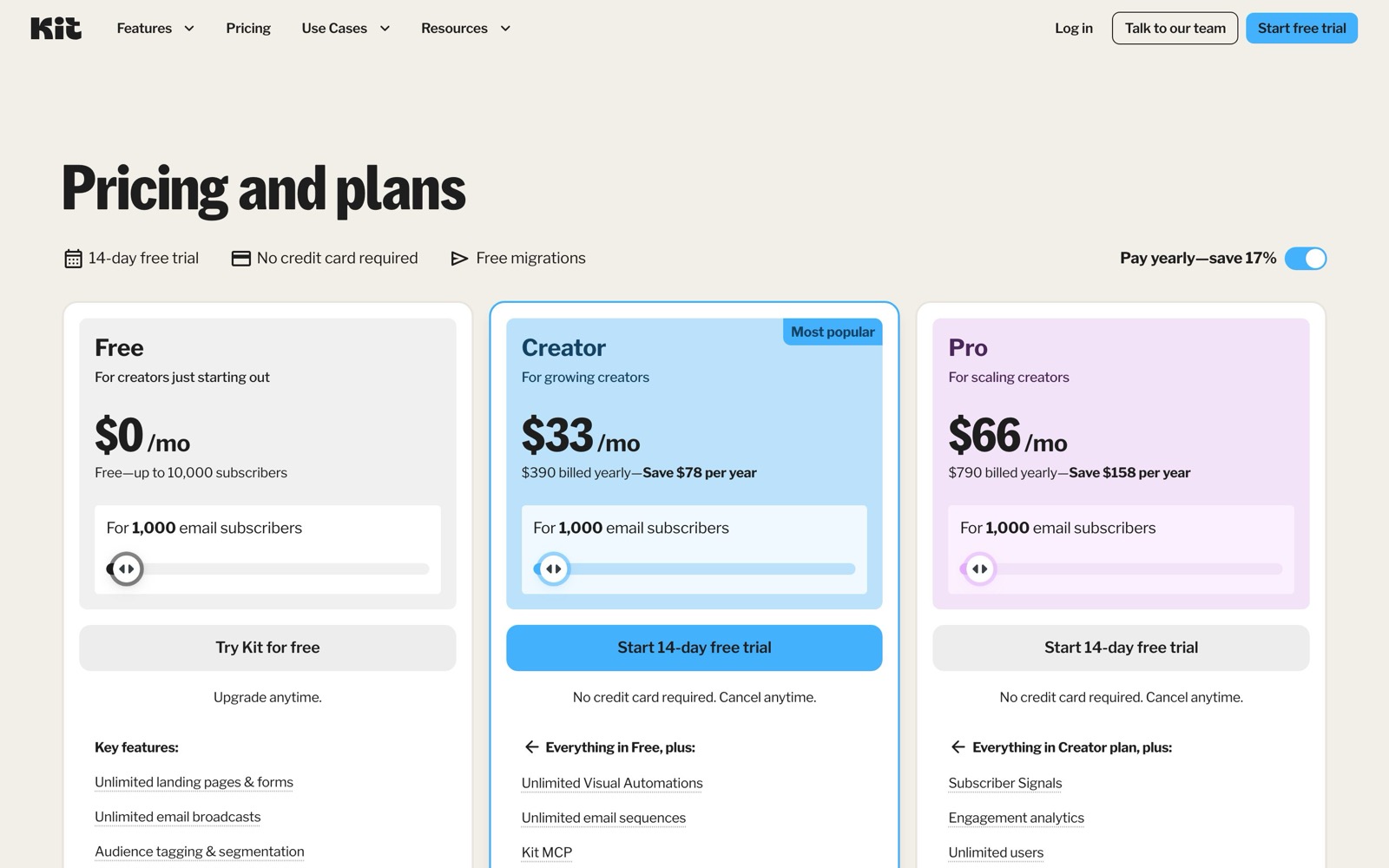
Kit has three plans: Free, Creator and Pro. Paid plans have a 14-day free trial with no credit card, yearly billing saves about 17%, and every price depends on how many active subscribers you have. Prices in the table are Kit's USD list prices, checked October 5, 2026.
Free is $0 for up to 10,000 subscribers and covers unlimited landing pages, forms and broadcasts, tagging and segmentation, selling digital products and subscriptions, and one user. Creator adds automations, sequences, integrations and a second user. Pro adds unlimited users, subscriber scoring, deliverability reporting and A/B tests. Both paid plans climb with your list: Creator costs about five times as much at 25,000 subscribers as at 1,000, and Pro about three and a half times.
Some fees sit outside the plan. Sales of products and subscriptions cost 3.5% + 30¢ each on every plan, card processing included. Paid Recommendations earnings carry a 23.5% Kit fee on Creator and Pro. There are no sending limits, and crossing a subscriber tier upgrades you automatically; going back down is a manual request.
Most people pay for automations, not for list size. If you only send a weekly newsletter to under 10,000 people, Free covers it. Once you want a welcome sequence or a launch funnel, Creator at 1,000 subscribers is $39/month; Mailchimp's Free plan stops at 250 contacts, and beehiiv's automations start on Lite at $49/month billed yearly. Pro makes sense for a team, since it's the only plan with more than two users, or when you sell to a list large enough that engagement data pays for itself.
Prices change often. Check the current plans on the official site before you pay.
See Kit pricingKit features
- Landing pages and opt-in forms (modal, sticky bar, slide-in, inline)
- Email broadcasts and newsletter feed site
- Visual Automations and email sequences
- Tags, segments and Liquid conditional content
- Digital products, paid newsletters, subscriptions and tip jars
- Recommendations network and Paid Recommendations
- Newsletter sponsorships marketplace
- Kit MCP for AI assistants
- Kit App Store (WordPress, Zapier, Shopify, Canva, Calendly and more)
- A/B testing of subject lines (and content on Pro)
- Subscriber Signals and engagement scoring (Pro)
- API v4 with OAuth and webhooks
The depth is in tagging and automations rather than design. Kit organises one list with tags and segments instead of separate lists, so a subscriber who joins from two forms isn't counted twice, and a Visual Automation can branch on any tag, purchase or link click. The growth tools are where it differs from Mailchimp: Recommendations swaps sign-ups with other Kit creators, Paid Recommendations pays you for recommending other newsletters (Kit keeps 23.5%), and the sponsorship marketplace matches newsletters with advertisers. Pro adds the analysis layer: Subscriber Signals, engagement scoring, deliverability reporting and a referral program through a free SparkLoop plan.
How to set up Kit
- 1
Start on Free or a paid trial
Sign up at kit.com. Free needs no card; Creator and Pro start with a 14-day trial, also without a card. Kit refunds paid plans within 30 days of signing up, so test sequences inside that window.
- 2
Authenticate your sending domain
Add your own domain in settings and publish the DNS records Kit gives you, so mail is sent as you and lands in inboxes. Do this before importing a list.
- 3
Import or migrate your subscribers
Upload a CSV with tags for where people came from, or request the free migration on a paid plan. Under 10,000 subscribers Kit says it takes 2 to 5 business days.
- 4
Build a form or landing page
Pick a template, choose the incentive email or freebie file, and embed the form on your site as inline, modal, slide-in or sticky bar. Each form tags the subscriber automatically.
- 5
Write a welcome sequence
On Creator or Pro, create a sequence of three to five emails and an automation that starts it when someone joins your form. Send yourself through it before going live.
- 6
Send your first broadcast
Write the newsletter, pick the segment, A/B test two subject lines and schedule it. Check opens and clicks in the report after a day.
- 7
Connect your other tools
Install the WordPress, Shopify, Zapier or Calendly app from the Kit App Store, or connect an AI assistant to the Kit MCP with its server URL and limited permissions.
What people use Kit for
A weekly newsletter for a growing audience
Embed a form on your site, tag subscribers by source and send a broadcast each week. The Free plan covers this up to 10,000 subscribers; you only pay once you want automations.
A welcome sequence that sells a course
New subscribers get five emails over two weeks that teach something and end with an offer, built as a sequence plus an automation. This needs Creator, which is $39/month at 1,000 subscribers.
Delivering a lead magnet
Attach a PDF or checklist as the form's incentive and Kit emails it after confirmation. Track which freebie brings the most engaged subscribers through tags and list growth reporting.
Running a paid newsletter
Charge monthly, quarterly or yearly for premium issues and keep a public feed with gated posts. Kit takes 3.5% + 30¢ per payment through Stripe, which isn't available to sellers in every country.
Selling an ebook or template
Create a product page, connect Stripe and let Kit deliver the file and tag the buyer for an upsell sequence. Physical products and inventory belong in Shopify, connected through the App Store.
Growing through other creators
Turn on Recommendations so other Kit newsletters suggest yours at sign-up, and recommend theirs in return. Paid Recommendations pays you per subscriber you send, minus Kit's 23.5% fee.
Asking an AI assistant about your list
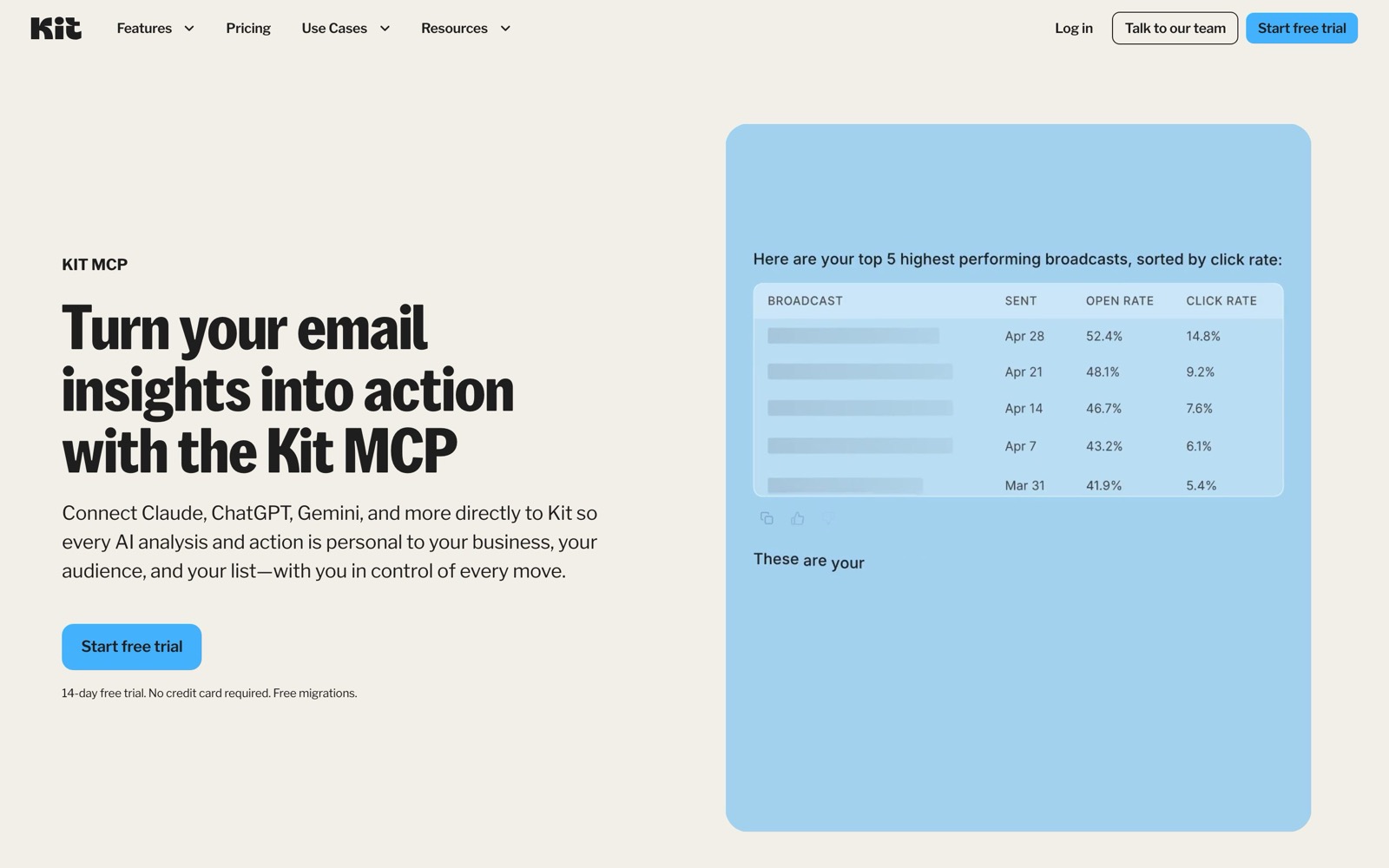
Connect Claude or ChatGPT to the Kit MCP and ask which broadcasts drove clicks or which tags are going cold, then have it draft a re-engagement email. Grant only the permissions you need; it's available on Creator and Pro.
Moving off Mailchimp
Start a paid trial, request the free migration and let Kit move subscribers, tags and segments, or rebuild automations above 10,000 subscribers. Warm up the new sending domain gradually to protect deliverability.
Kit vs Mailchimp
If you're weighing Kit against Mailchimp, both live in someone else's cloud, so it comes down to price, fit and how much you'd have to move.
| Aspect | Kit | Mailchimp |
|---|---|---|
| Price to start | Free up to 10,000 subscribers · paid from $39/month | Free to 250 contacts · paid by contacts and region |
| Free plan | Yes | Yes |
| Self-hosting | No | No |
| Your data | In their cloud, exportable | In the vendor's cloud |
Mailchimp figures are from its pricing page, checked 2026-10-05.
All Mailchimp alternativesKit next to similar tools
- Kit vs Mailchimp
- Mailchimp's Free plan covers 250 contacts and 500 sends a month; its paid plans cap monthly sends at 10 to 15 times your contact limit and add seats and audiences by plan. It's stronger for online stores and design-heavy campaigns. Kit is free to 10,000 subscribers with no send caps and is built around tags, sequences and selling digital products.
- Kit vs beehiiv
- beehiiv is free to 2,500 subscribers; Lite is $49/month and Pro $95/month billed yearly at 1,000 subscribers, and it takes 0% of paid subscription revenue (Stripe's 2.9% + 30¢ still applies). It's the stronger choice for a publication with a website, ads and paid tiers. Kit is cheaper at the start for automation-heavy creators and has a larger free plan.
- Kit vs MailerLite
- MailerLite is free up to 250 subscribers and 2,500 emails a month; paid plans start at $12/month ($10.80 billed yearly) for 500 subscribers and 5,000 emails. It's cheaper for small businesses that want a drag-and-drop designer and a website builder. Kit costs more per subscriber but has no send caps and deeper creator commerce.
- Kit vs Substack
- Substack is a publishing platform with a built-in reader network and app; you don't pay to publish, and it earns from paid subscriptions. Kit gives you automations, tags, landing pages and your own sending domain, which Substack doesn't, but no reader app or discovery network beyond Recommendations.
- Kit vs sending from Gmail
- A Google Sheet and Gmail work for a few dozen people. Past that you have no unsubscribe handling, no sign-up forms and a real risk of Gmail flagging bulk mail, and Kit's Free plan fixes those for $0 up to 10,000 subscribers.
Bottom line
Our take on Kit
If you're a creator starting or moving an email list, open a free Kit account, authenticate your domain and build one form; it costs nothing up to 10,000 subscribers. Upgrade to Creator when you're ready for a welcome sequence, and try it during the 14-day trial before paying. Skip Kit if you run a design-heavy store newsletter (Mailchimp or MailerLite fit better) or want a publication with a website and ad network (beehiiv).

 ChatGPT
 Claude
 Perplexity
 Grok
Grok